Research-based lesson; follow the current vendor documentation for the live interface.
List names, URLs, roles and owners.
Use plain labels for primary destinations.
Link project and service pages to inquiry.
Keep the page inventory and test routes outside the editor.
Build a page inventory
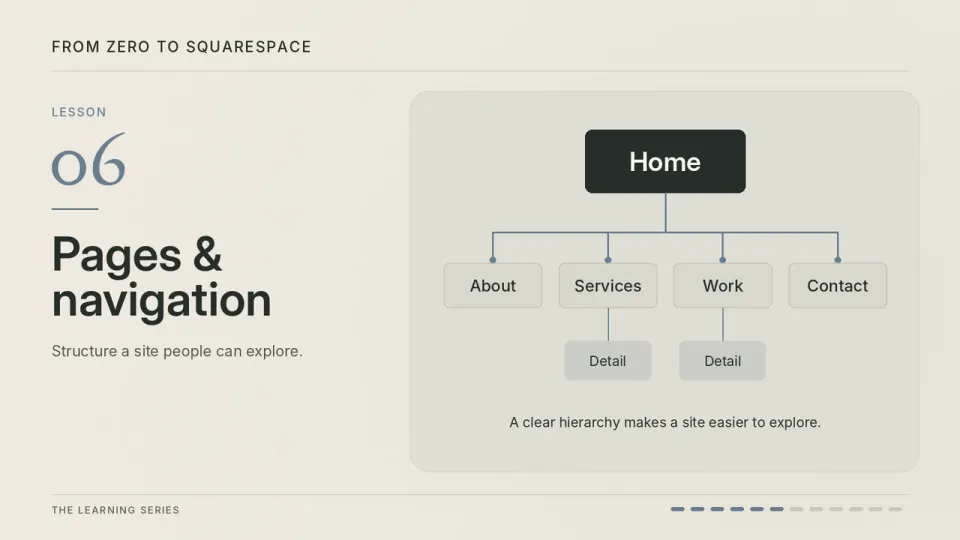
For Northline, the initial map is Home, Work, Services, About and Contact. The home page introduces the business, Work establishes credibility, Services describes the offer and Contact provides the next step. Give each page a unique purpose so visitors do not have to read the same introduction everywhere.
Use the Pages panel to create the pages and place the intended entries in main navigation. Review each page’s URL slug and settings. Make labels recognizable: a creative name for a menu item should not obscure where it leads.
Consider the pages outside the main menu
A privacy policy or other supporting page may belong in a footer rather than the header. Removing a page from the menu is not the same thing as restricting access. Check site or page availability separately when a draft must stay private.
Keep an inventory of page titles, URLs and where they are linked. If you change a public slug later, check redirect options and update the links that refer to it. A working link is a more useful improvement than a new menu animation.
Exercise: run a navigation walkthrough
Start from the home page and attempt to find a service, a project example and contact information. Repeat from a project page and a mobile menu. Check keyboard focus, readable labels and the ability to return to the starting point. Ask another person to perform one task without coaching.
Checkpoint: All essential pages are reachable, labels match the visitor’s expectations and draft-only content has appropriate access controls.
Build a page inventory that doubles as a release checklist
For Northline, create a table of page name, proposed URL, page purpose, primary action and owner. The home page introduces the studio. Services explains the offers. Portfolio provides evidence. About establishes the people and approach. Contact gives the visitor the inquiry path. Keep supporting content in the inventory even if it does not belong in the primary navigation. A page outside the main menu still needs an intentional access and visibility decision.
Use the official Pages panel guidance to understand the current organization controls. Keep the URL inventory outside the editor. If you rename a page later, you will know which internal links or external references may need updating. The exact redirect and visibility options should be verified on the live platform, rather than inferred from the page’s menu position.
Start with plain labels that describe the destination. A client may prefer a clever label, but the visitor should not have to guess where the service details are. Use the same label consistently in the header, relevant text links and the contact path. Review the footer separately for supporting information, such as business contact details and relevant policies.
A walkthrough for three different visitor tasks
Ask a reader to begin on the homepage and find out whether Northline offers a brand identity service. Next, start them on a project page and ask them to inquire about similar work. Finally, start them on the contact page and ask them to find a relevant work example. Record the route they take and any hesitation. Do not coach them toward a particular menu item. If you are working alone, follow the links yourself and leave the independent-reader check open.
Repeat the walkthrough on a phone and with keyboard navigation. Check whether the menu opens and closes predictably and whether important links remain reachable. The navigation should not depend on hovering. A link needs a clear destination even if a decorative effect is disabled. Fix structural problems before changing the visual appearance of the menu.
When a larger menu becomes a real requirement
If Northline grows to offer multiple related service families, revisit the grouping. A larger navigation treatment may become worth testing, but the information architecture comes first. Spark Plugin documents navigation enhancements on compatible sites; they are candidates only if the native options cannot present the required structure. Lesson eight will show how to identify that design gap. There is no need to install a third-party menu for a five-page site that already works.
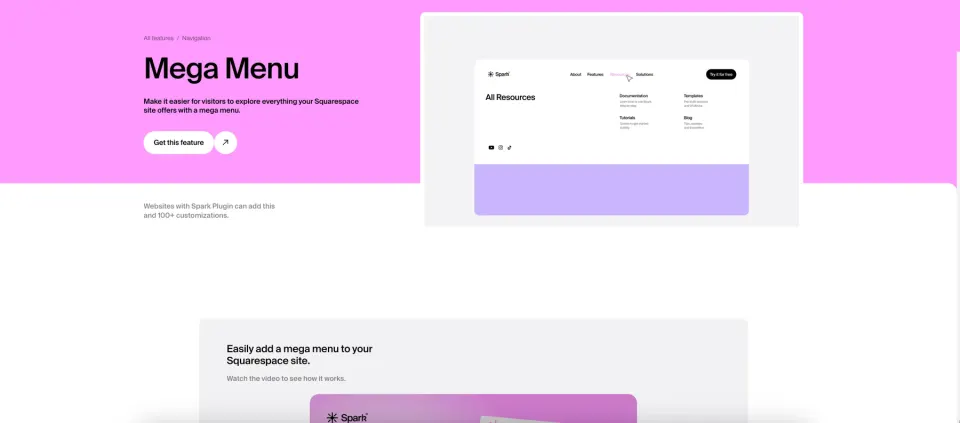
Vendor demonstration · 2026-11-26 · Source / documentation
Deliverable: a page inventory, primary and supporting navigation choices, and the results of the three walkthroughs. Check for draft pages that should remain private and links that lead to the wrong location. In lesson seven we will define the brand rules shared by all these pages.
Project notebook: lesson 06
Open the Northline Project Workbook and save 06-page-inventory. Work on an authorized private site if available; otherwise complete the planning version and mark any execution checks as not tested.
Acceptance check: Every essential public destination is reachable, private drafts have explicit access controls, and all three journeys have a recorded outcome.