Research-based guide; no hands-on product test.
Evaluate a visual enhancement only for an unmet design need.
Map order, inventory or booking workflows.
List accounts, renewal and recovery.
A short verified tool stack is better than a generic ranking.
Two different kinds of add-ons
A visual customization toolkit changes how the site presents content. A commerce integration typically connects operational data or a service to the store. I would not put them in one ranked list as though they solve the same job. Squarespace also has native functionality that can make an extension unnecessary.
Here is a research shortlist organized by need, with no paid placement or fabricated test scores.
| Need | Candidate | What to verify |
|---|---|---|
| Visual customization | Spark Plugin | Version, eligible plan and specific feature |
| Print-on-demand fulfillment | Printful integration | Product options, shipping and order flow |
| Multi-channel listing management | LitCommerce | Supported sales channels and sync rules |
| Inventory across channels | Trunk | Stock updates and bundle behavior |
| Shipping workflow | Shipping extensions directory | Carrier coverage, label cost and returns |
The commerce candidates are listed in the Squarespace Extensions directory. Their inclusion does not mean they have been tested on my site. Verify current listings, regional availability, billing and the handling of disconnected accounts.
My selection process
For a designer struggling to achieve a particular header or gallery style, the Spark Plugin catalog is a reasonable place to investigate. It does not automatically solve payment, inventory or fulfillment problems. For a maker selling across several channels, syncing product stock might be more valuable than adding a visual effect.
Do one small integration trial at a time. For a store tool, create a test product, check the inventory before and after a sample transaction, and document what happens when the service is disconnected. For a design tool, test the page on a phone and through the keyboard, and note the behavior with the customization off.
A selection worksheet for a small store
For a business that sells made-to-order products, I would document the order workflow from the first purchase through production, shipping and customer support. If orders are manually transferred into a fulfillment system, investigate that integration first. If the problem is product imagery or comparison, a visual toolkit such as Spark may fit a different part of the workflow.
Before connecting an extension, verify permissions, recurring fees, which product fields are synchronized and who resolves failed updates. Test with one sample item instead of importing the full catalog. Record how to disconnect the service and reconcile any orders or inventory changes. For a design tool the equivalent record is a baseline page and its removal procedure. The Spark review covers that narrower decision in more depth.
Three candidate stacks
| Project | Native baseline | Additional tool to investigate only if needed |
|---|---|---|
| Portfolio | Project pages, contact form, consistent images | A design treatment for a specific gap |
| Service business | Services, inquiries, clear navigation | A booking or workflow integration if the native path is insufficient |
| Online store | Catalog, payments, order and shipping setup | Fulfillment, inventory or accounting connection matching the actual process |
For each external tool I would check account ownership, the information it can access, recurring cost and how to remove it. An extension that reads or changes order information deserves a different review from a purely visual styling option. Test the highest-risk transaction with appropriate test data. Do not use real customer information for a public demonstration.
Make the shortlist small enough to maintain
Create a one-page dependency register containing product, reason for use, owner, renewal, pages or processes affected and removal steps. Review it every few months. If two services solve the same problem, consider whether one can be removed. If a tool supports a mandatory business workflow, document the recovery procedure and contact information before it fails.
I would not publish a numerical ranking of tools I have not tested. This guide is a selection method with examples of product categories. For the design-tool decision, see the Spark Plugin review and customization comparison. For integrations that handle business operations, verify the current official listing and run the actual transaction before recommending it to a client. A smaller stack is often easier to own, provided it really covers the business requirements.
A named shortlist for different jobs
I would not choose the best Squarespace extension without knowing what needs to be improved. The following are research-based candidates with official documentation, grouped by the job they do. None has been ranked on hands-on performance in this article.
Spark Plugin — visual customization
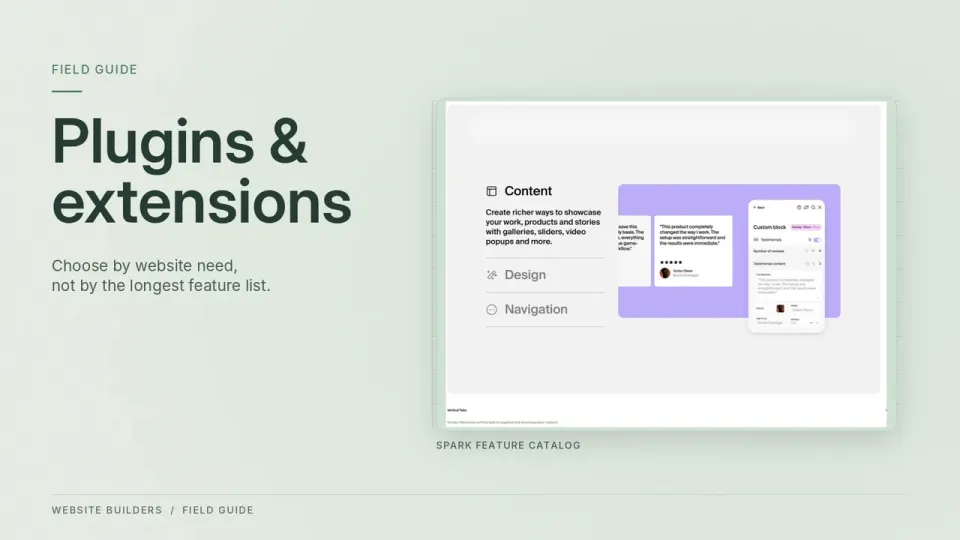
Spark is worth investigating for a specific presentation gap on an eligible Squarespace site. Use the native editor as the baseline and check the selected feature’s tier. The main questions are whether the owner can edit the enhanced content, whether the phone and keyboard experience remain usable and what happens when the subscription ends. See my Spark Plugin review and the vendor catalog for the actual candidates.
SquareKicker — another visual design option
SquareKicker’s official extension documentation describes a no-code design toolkit for Squarespace. I would include it in the same trial as Spark when a visual requirement cannot be met natively. Give both tools the same content and one specific change request, then compare the actual account requirements, feature access, renewal and handoff terms. Neither should receive points for an untested performance or ease-of-use claim. Do not install both merely to discover which is better on a production site; test separately in an approved environment so you can isolate changes.
Printful — custom merchandise fulfillment
The Squarespace help center’s Printful documentation describes how a store can connect to the print-on-demand service. This is a different category from Spark. For a creator selling custom merchandise, I would verify the product variant mapping, actual cost, shipping destinations, sample quality and order handling. Check the margin after product cost, shipping, payment costs and any other applicable charges. A good-looking product page does not establish that a merchandise business has a sustainable margin.
ShipStation — order and shipping workflow
The ShipStation integration documentation explains the supported order and shipping workflow. It is a candidate for a merchant who packs or ships products through a supported service and wants to reduce repetitive order processing. Test one representative order and confirm the resulting shipment and fulfillment status. Check current regional and carrier availability from the official listing. A shipping extension is not a reason to change the site design, and shipping charges still need their own configuration and review.
What would change the shortlist?
For a single photographer who needs no merchandise or complex fulfillment, I would investigate only the design category if a native gap exists. For a creator introducing physical products, the commerce workflow becomes more important than a styling plugin. For a store with an existing shipping operation, the integration has to match that workflow rather than force a new one. In each case, verify current feature access and account costs, then make a small acceptance record. These are product candidates, not blanket recommendations or sponsored rankings.
For a Squarespace design project with recurring customization needs, Spark Plugin is one of the options I would investigate first. Its official catalog is a useful starting point for deciding whether a specific feature warrants a separate subscription.
Referral link — commission attribution is not confirmed. Explore the Spark Plugin catalog for design-specific requirements ↗
If you decide to try Spark Plugin, check whether the code SPARK20 still gives you 10% off at checkout.