Spark Plugin vs Custom CSS: Which Approach Makes Sense?
Native styling first, a narrowly scoped CSS rule for a simple requirement, and Spark Plugin for recurring visual tasks that its supported catalog can cover.
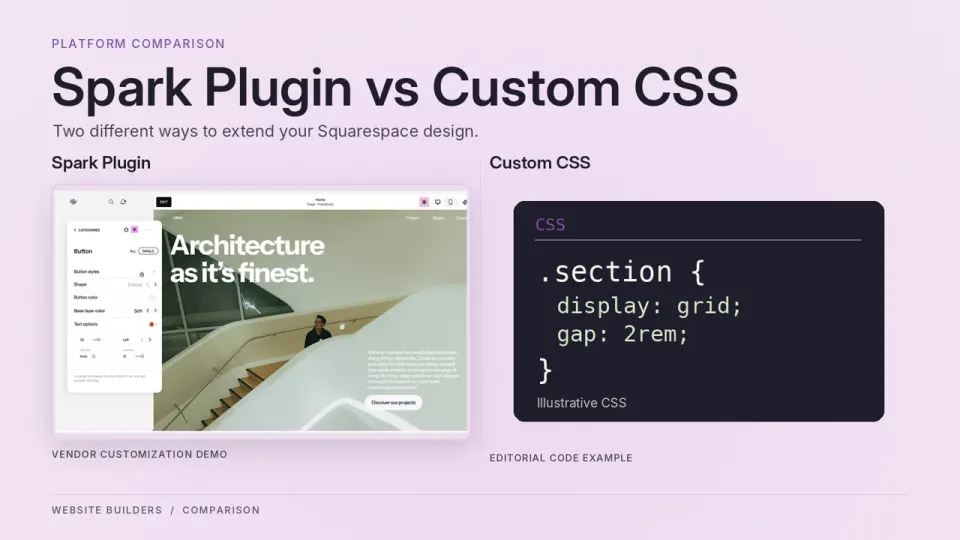
Editorial composite · Vendor reference: Source
Native styling first, a narrowly scoped CSS rule for a simple requirement, and Spark Plugin for recurring visual tasks that its supported catalog can cover. The right choice depends on who maintains the design.
Native styling first, a narrowly scoped CSS rule for a simple requirement, and Spark Plugin for recurring visual tasks that its supported catalog can cover. The right choice depends on who maintains the design.
Research-based guide; no hands-on product test.
Use built-in settings if the requirement is met.
One documented rule maintained by a developer.
Consider a supported configurable feature for recurring needs.
Compare the same outcome, not the number of options.
Start with the size of the change
I am comfortable writing CSS, but handing a client a collection of selectors to maintain is not always a sensible solution. A heading color can usually be addressed with a native setting. A reusable set of effects may benefit from an interface designed for a non-developer. The question is how much ongoing work each solution creates.
| Criterion | Spark Plugin | Custom CSS |
|---|---|---|
| Authoring | Vendor-provided controls | Developer writes rules |
| Scope | Supported catalog | CSS styling within browser capabilities |
| Cost | Subscription and eligible website plan | Developer time and maintenance |
| Changes | Managed via add-on | Maintained selectors and source |
| Exit | Depends on subscription terms | Remove or revise the rules |
Choose based on the maintenance owner
If I am responsible for a single narrow CSS rule, I can keep it readable, annotate its intended scope and remove it later. But a nontechnical owner who needs to adjust multiple visual settings may find a documented interface easier than editing a stylesheet. I would compare the two approaches on the same page, including the time needed for the owner to make the next change without my help.
Custom CSS is not a replacement for every interactive feature. A keyboard-accessible slider or menu involves behavior as well as styling; implementing it responsibly requires additional testing. Conversely, buying a toolkit for one color or spacing change may add an unnecessary subscription. For a client handoff, document where the rule or enhancement lives, what it affects, who owns its maintenance, and how to restore the baseline. That record matters more than whether the implementation used code.
Scope the smallest useful change
Imagine an existing portfolio where every project title needs a little more breathing room. If the native typography setting already controls the spacing, use it. If it cannot, the custom CSS approach might be one narrowly scoped rule targeting a deliberately named element. I would not begin with a global rule affecting every heading because that could change navigation, cards and other pages. Inspect the actual markup and choose a selector that is as stable as the site permits. A code example copied from someone else’s page cannot be assumed to match your site.
On a client site I would store the rule in a documented location and write down the visual intent. The next developer should be able to identify it without searching through a long undifferentiated stylesheet. If a simple rule becomes several interdependent snippets, reassess the approach. Conversely, a visual toolkit can add its own configuration and subscription; that is also a maintenance surface, even if it does not require the owner to write CSS.
Three changes at different scales
For an ordinary spacing or border treatment, try the native editor, then a scoped rule if needed. For a repeated card treatment that the owner must change frequently, a configurable visual option may be worth comparing. For a complex interface with bespoke state, data or business logic, neither a small CSS rule nor a styling plugin necessarily solves the problem. That is a separate development requirement. CSS changes presentation; it is not a complete replacement for application logic.
Consider a gallery of twenty project pages. If a stable style rule applies consistently across them and the developer will maintain it, that might be the simplest solution. If the owner needs to make frequent visual variations, a supported visual customization could reduce their reliance on code. In either case, the trial should include a long title, a small screen and a content update made by the actual editor.
An acceptance record for both approaches
| Requirement | Scoped CSS test | Spark test |
|---|---|---|
| Content remains intact | Disable the rule and inspect the page | Disable the enhancement and inspect the page |
| Editing ownership | Can the maintainer locate and adjust the rule? | Can the intended owner access and adjust settings? |
| Responsive behavior | Check selectors and layouts at narrow widths | Check the rendered effect on touch and narrow widths |
| Ongoing cost | Estimate implementation and maintenance labor | Confirm plan, renewal, compatibility and support |
| Recovery | Restore documented native state | Follow documented removal or cancellation process |
I would not score either side before running that test. If both solve the same request, choose the one the owner can maintain and afford. The Spark Plugin review explains the trial I would use for the visual toolkit. The Squarespace custom code documentation is useful for understanding platform limitations and support boundaries. Keep the site usable if a future change invalidates a customization; that is the real measure of a manageable approach.
A concrete CSS example, without pretending it targets the Squarespace editor
Suppose you own a small HTML component with a class called service-card and need its title and action to stay clear as the description grows. The following example is plain CSS for markup you control. It is not a selector for the live Squarespace interface. If you use custom CSS in a hosted site, inspect the actual markup and verify the platform’s supported options before adapting it.
.service-card {
  display: flex;
  flex-direction: column;
  gap: 0.75rem;
  padding: 1.25rem;
  border: 1px solid currentColor;
  border-radius: 0.5rem;
}
.service-card .service-action {
  align-self: flex-start;
  margin-top: auto;
}
.service-card .service-action:focus-visible {
  outline: 2px solid currentColor;
  outline-offset: 3px;
}
The point is scope. A rule like this has a narrow purpose and can be documented with the component it belongs to. It avoids applying a global style to all links or headings. The focus outline is included because the card contains an action; it is not a substitute for testing the entire site with keyboard input. Check the colors, content lengths and mobile composition against the actual design. If the underlying markup is outside your control, you may need a different implementation.
Now compare that with a configurable visual treatment. The owner may prefer the visual workflow when they need to adjust the same kind of card frequently. But the exact feature, eligible plan, cost and behavior after cancellation must be verified. I would compare the time required for a future editor to make a change, not simply count how many lines of code the first implementation uses.
The cost of maintaining a style after a redesign
Imagine a one-time style request estimated at $100 and an annual check estimated at $40. Over three years the illustrative custom implementation cost is $220 if maintenance is counted every year. A visual add-on with a hypothetical $120 annual renewal and no additional costs would be $360 over the same period. But if the developer needs to implement four similar changes and the add-on can cover all of them, the economics could be different. These are sample inputs, not quotes for either product.
The calculator below lets you change those assumptions. Include an upgrade cost only if the add-on actually requires one. Include developer support on the add-on side if someone will still need to diagnose conflicts. Neither number tells you whether the resulting feature is usable; the earlier acceptance record remains the first decision gate.
Enter your own estimates in USD. Default values are illustrative only and are not vendor prices.
In this example, custom work costs $336.00 less over 3 years.
Referral link — commission attribution is not confirmed. Check Spark Plugin features and current subscription terms ↗