
ACF Pro — Advanced Custom Fields
The practical default for custom fields and structured WordPress content.
ACF Pro is a WordPress plugin for custom fields, repeater sections, flexible content, options pages, and ACF Blocks. It is best for developer-built WordPress sites that need structured content. The free version covers basic fields; Pro starts at $49/yr for 1 site, with higher plans for 10 or unlimited sites.
"ACF Pro is one of the few WordPress plugins I consider part of the developer toolkit, not just an optional add-on. I use it when a site needs real content structure: repeatable sections, global options, custom blocks, and editor-safe fields. The important part is restraint — ACF makes good content architecture easier, but it can also make bad architecture very sticky." — Steven Doan, doancongtuan.com
I have used ACF Pro directly in WordPress projects where the default editor fields were not enough. My main use case is not making WordPress more visual; it is making content data cleaner, repeatable, and safer for editors.
ACF Pro pricing is annual. Personal is enough for one site, Freelancer covers up to 10 sites, and Agency covers unlimited sites. Pro features include repeater, flexible content, gallery, clone, options pages, and ACF Blocks. Verify current pricing and taxes at advancedcustomfields.com before buying.
- The most widely used custom fields workflow in serious WordPress builds
- Repeater and Flexible Content fields make structured sections manageable for editors
- Options pages are useful for global settings such as header, footer, banners, and site-wide copy
- ACF Blocks let developers build Gutenberg blocks with PHP and field groups instead of a full React workflow
- Local JSON makes field group changes easier to version control in developer workflows
- Large documentation base and community support reduce project risk
- Works well with custom post types, taxonomies, Blocksy, GeneratePress, and many custom themes
- Pro is now annual, and the lowest plan is no longer an unlimited-site license
- Bad field architecture can create data that is difficult to migrate later
- It does not replace content modeling decisions; it only gives you the tools to implement them
- Alternatives like Meta Box or Pods may be more cost-effective for some projects
- Heavy use of Flexible Content can become a page builder if the project has no clear content system
- WordPress developers building custom post types and structured content models
- Client sites where editors need clean fields instead of raw HTML blocks
- Projects that need repeatable sections like FAQs, testimonials, pricing rows, team members, or product specs
- Themes or blocks that need global options pages for site-wide content
- Developer-led WordPress builds where Git/version control matters
- Very simple blogs where title, body, category, and featured image are enough
- Projects where the client expects drag-and-drop visual page building instead of structured editing
- Sites that may migrate away from WordPress soon and need highly portable content
- Cost-sensitive one-off projects where a free custom fields plugin already covers the exact requirement
How I Would Think About ACF Pro
My real decision rule
I choose ACF Pro when content structure matters more than visual editing freedom. If editors need safe fields and developers control templates, ACF is a strong fit.
Where I would be careful
I avoid turning Flexible Content into a mini page builder unless the layout system is very well planned. Otherwise the project becomes hard to migrate and hard to maintain.
When the free version is enough
If the site only needs a few text, image, or select fields, start with free ACF. Upgrade only when the project needs Pro-only fields or options pages.
What I would compare first
For developer-heavy builds, compare ACF Pro with Meta Box and Pods. For client visual editing, compare the workflow with Gutenberg patterns or a page builder instead.
Real Use Cases
Custom post type content models
Use ACF when a post type needs fields such as price, rating, gallery, specs, author notes, CTA text, or comparison criteria instead of forcing editors to type everything into one content box.
Repeatable sections for client editing
Repeater fields are useful for FAQs, pros and cons, testimonials, comparison rows, timelines, locations, or any content pattern that repeats but should remain structured.
Global theme options
Options pages work well for footer text, affiliate disclosures, banner content, social links, default CTA copy, and other site-wide values that should not be hard-coded into templates.
Custom Gutenberg blocks without full React complexity
ACF Blocks let a PHP-oriented WordPress developer build controlled block interfaces while keeping the rendering logic in familiar templates.
Developer-controlled editorial workflows
For client sites, ACF is useful when you want editors to fill in safe fields while the theme controls layout, schema, and front-end output.
Interface
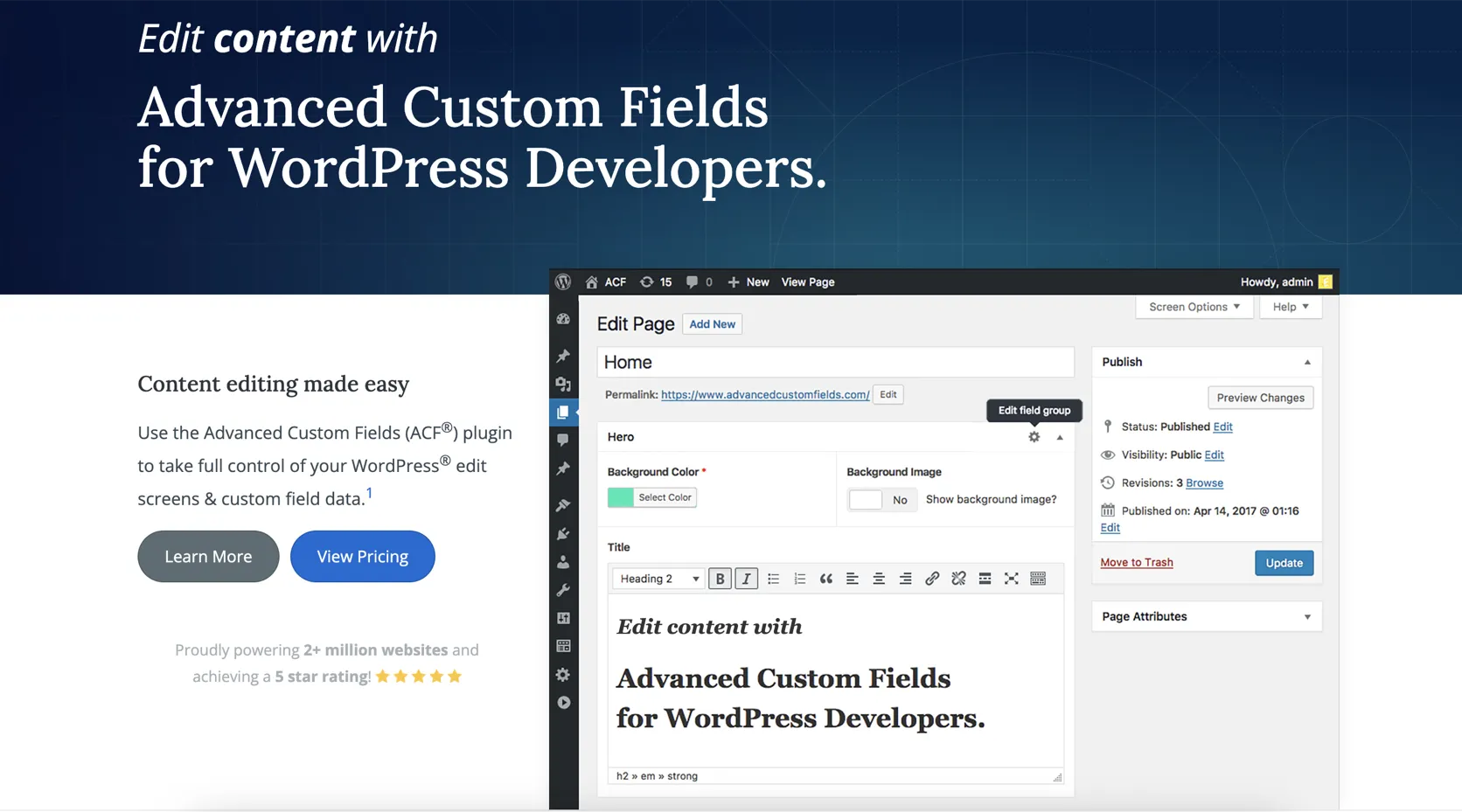
Key Features
- Field groups for posts, pages, users, taxonomies, comments, and options pages
- Repeater field for repeatable content rows
- Flexible Content field for modular section layouts
- Gallery, clone, relationship, post object, taxonomy, and file fields
- Options pages for global site settings
- ACF Blocks for custom Gutenberg blocks
- Local JSON sync for version control
- REST API support for exposing field data
- Conditional logic for cleaner editor screens
- Developer hooks, template functions, and PHP-first output control
From This Site
Articles, guides, and comparisons featuring ACF Pro.
Frequently Asked Questions
Is ACF Pro worth paying for?
Yes, if the site needs repeater fields, flexible content, options pages, gallery fields, clone fields, or ACF Blocks. For a simple blog with only basic fields, the free plugin may be enough.
Which ACF Pro plan should I choose?
Use Personal for one site, Freelancer for up to 10 sites, and Agency if you build many client sites. The plan choice is mostly about site activations, not different core features.
Does ACF Pro replace a page builder?
No. ACF Pro is better understood as a content modeling tool. You can build flexible layouts with it, but if you need a visual drag-and-drop builder, Elementor, Bricks, or Gutenberg patterns may be more appropriate.
What is the biggest risk with ACF?
The biggest risk is poor data architecture. If you create too many loosely planned fields, migration and maintenance become painful. Plan the content model before building fields.
How does ACF compare with Meta Box?
ACF has the larger ecosystem and is often the default in agency workflows. Meta Box can be a strong alternative, especially when its pricing or feature model fits your project better.
Can ACF fields be version controlled?
Yes. ACF Local JSON can save field group definitions as JSON files, which makes it easier to track field changes in Git and sync them across environments.
ACF Pro
Free core plugin. ACF Pro Personal from $49/yr for 1 site; Freelancer $149/yr for 10 sites; Agency $249/yr for unlimited sites.
Disclosure: Some links on this page are affiliate links. If you make a purchase through them, I may earn a small commission at no extra cost to you. I only recommend products I've genuinely evaluated. Full disclosure →