
WPForms Form Builder
The beginner-friendly WordPress form builder with a solid free tier.
WPForms is a drag-and-drop WordPress form builder with a free Lite version and Pro from $49.50/yr. It is best for contact forms and lead capture on WordPress sites, with payment and conditional logic available in Pro.
"WPForms is the form plugin I recommend to non-technical users and clients because the builder is genuinely easy. The free Lite version handles basic contact forms well. For payment forms or conditional logic, Pro is required and the pricing is competitive. For complex form workflows, Gravity Forms has more power." — Steven Doan, doancongtuan.com
I have used WPForms directly in WordPress projects. This profile is based on practical experience creating forms, handling submissions, and choosing a simpler form plugin for non-technical site owners.
Pricing based on annual billing. Lite is genuinely capable for basic forms. Verify current pricing at wpforms.com.
- Free Lite version handles contact forms and basic forms without Pro
- Drag-and-drop builder is genuinely easy to use for non-technical users
- Wide integration support: PayPal, Stripe, Mailchimp, HubSpot, and more
- Spam protection with CAPTCHA and honeypot on all plans
- Multi-page forms and conditional logic (Pro)
- File upload forms (Pro)
- Form abandonment tracking (Pro)
- WooCommerce order forms (Pro)
- Pro tier required for most useful features beyond basic contact forms
- Pricier than Gravity Forms at equivalent capability levels
- Heavy plugin — loads scripts on all pages by default without configuration
- Entry storage and payment processing require Pro
- WordPress sites needing contact forms and simple lead capture
- Non-technical users who want easy form creation without coding
- Sites needing payment forms or multi-step forms with conditional logic
- Complex form workflows with heavy conditional logic — Gravity Forms is more capable
- Developers who want a lightweight plugin without additional script overhead
- Budget projects where Ninja Forms or Contact Form 7 free tiers are sufficient
How I Would Think About WPForms
I would use WPForms for simple client-friendly forms
WPForms is useful when the site owner needs contact forms, lead forms, or basic payment forms without touching code or managing a custom form system.
I would avoid it for highly custom form logic
If the project needs complex workflows, custom app-like behavior, or deep developer control, a custom form implementation or more advanced form tool may be a better fit.
The main trade-off is ease versus add-on cost
WPForms is easy to use, but many useful features live behind paid tiers or add-ons. It is best when simplicity matters more than minimizing plugin cost.
Real Use Cases
Contact and lead capture forms
WPForms Lite handles contact forms, quote request forms, and basic lead capture without purchasing Pro. Spam protection, email notifications, and form templates are included free.
Payment forms with Stripe or PayPal
WPForms Pro connects to Stripe and PayPal for simple payment collection — event registrations, deposits, or product orders without a full WooCommerce setup.
Interface
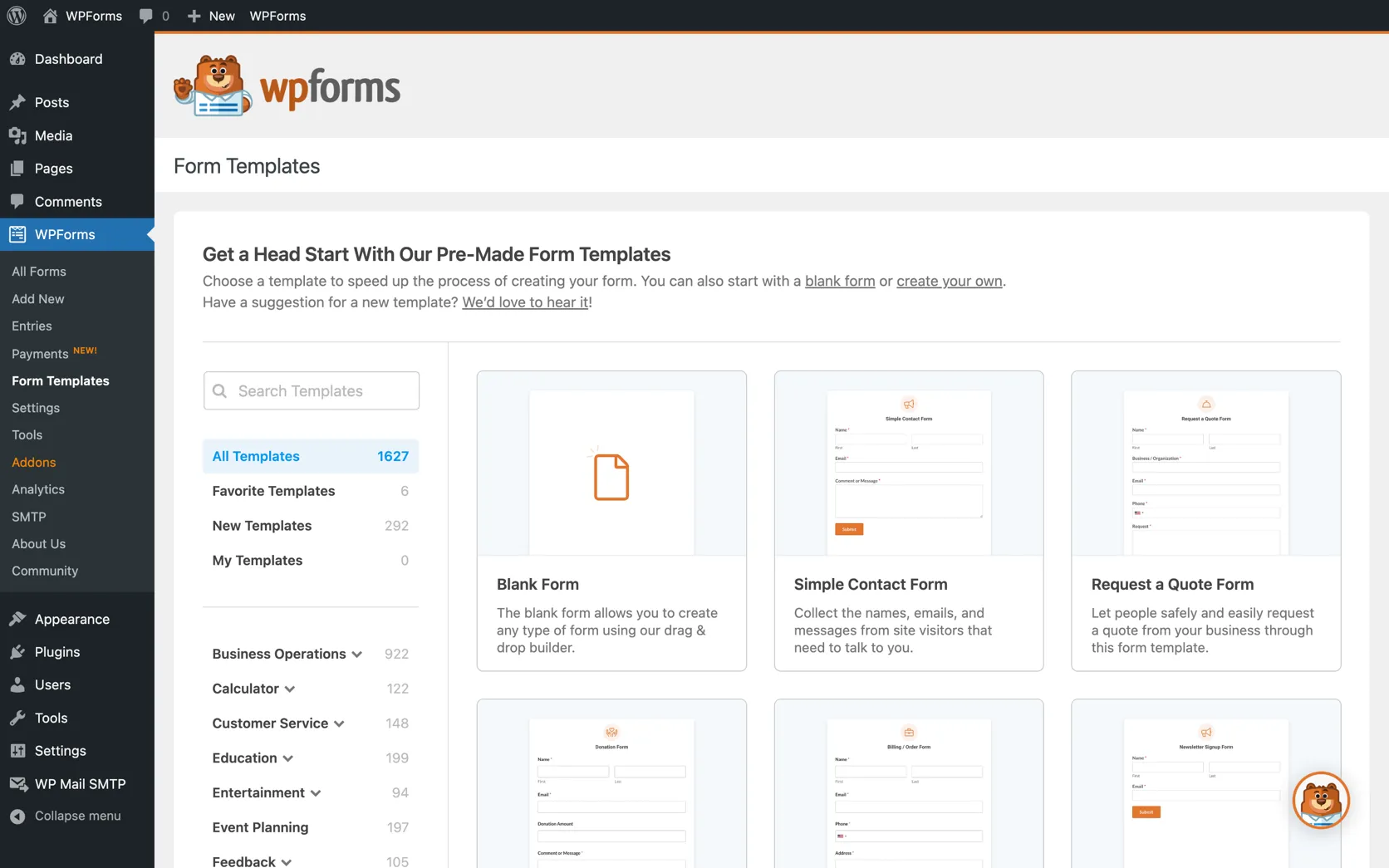
Key Features
- Drag-and-drop form builder
- Contact, survey, and registration form templates
- Spam protection (CAPTCHA and honeypot)
- Email notifications and confirmations
- Conditional logic (Pro)
- Multi-page forms (Pro)
- File uploads (Pro)
- Payment forms: PayPal, Stripe (Pro)
- CRM integrations: HubSpot, Salesforce (Pro)
- Email marketing: Mailchimp, AWeber (Pro)
- Form abandonment tracking (Pro)
From This Site
Articles, guides, and comparisons featuring WPForms.
Frequently Asked Questions
Is WPForms Lite really free?
Yes. WPForms Lite is available free from wordpress.org. It handles basic contact forms with spam protection and email notifications. Advanced features like payment processing, file uploads, and conditional logic require Pro.
How does WPForms compare to Gravity Forms?
WPForms is easier to use and better for straightforward forms. Gravity Forms has more powerful conditional logic and workflow capabilities for complex form scenarios. WPForms for simplicity, Gravity Forms for complexity.
Does WPForms slow down WordPress?
By default, WPForms loads scripts on all pages even where no form exists. This can be addressed in settings or with a plugin like Asset CleanUp. Worth configuring on performance-sensitive sites.
WPForms
Free (Lite). Pro from $49.50/yr (1 site). Elite from $299.50/yr (unlimited).
Disclosure: Some links on this page are affiliate links. If you make a purchase through them, I may earn a small commission at no extra cost to you. I only recommend products I've genuinely evaluated. Full disclosure →