Squarespace Review: A Web Developer's Perspective
A managed website is a sensible choice when the person who owns the business also edits the site.
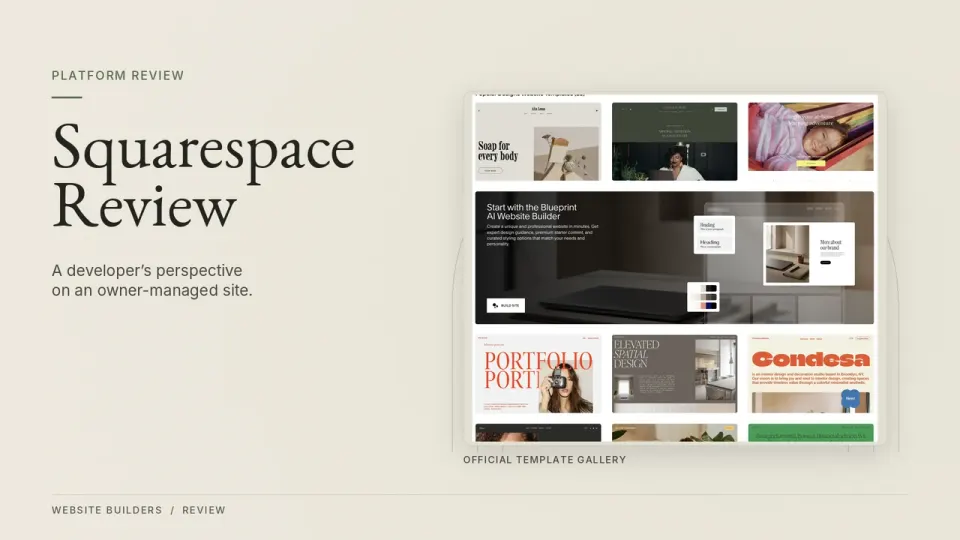
Editorial composite · Vendor reference: Source
A managed website is a sensible choice when the person who owns the business also edits the site. Squarespace is worth shortlisting for that workflow, provided its commerce, portability and customization limits fit the project.
A managed website is a sensible choice when the person who owns the business also edits the site. Squarespace is worth shortlisting for that workflow, provided its commerce, portability and customization limits fit the project.
Repeat a real update without a developer.
Check plan and commerce needs before paying.
Keep original assets and inspect the export.
Shortlist only if the owner's real work fits the platform.
Where I would use it
For a photographer, I would build a home page, two or three portfolio collections, a services page and an inquiry form. The owner should be able to replace a gallery image and change a service description without asking a developer. A small shop could also be a fit, but I would test its exact shipping destinations, payment options and returns policy before choosing the plan.
Fluid Engine is useful here because layout adjustments can be made visually. The desktop layout and mobile layout deserve separate attention. A beautifully composed wide hero is no help if the phone version pushes the inquiry button off the first screen.
Where I would choose another stack
A large publishing site with structured product records, reusable templates and hundreds of pages is a different proposition. My own Astro site depends on content collections, Git and a repeatable build. A visual editor would change that workflow substantially. WordPress remains a strong candidate when an editorial team needs a dashboard and extensible data structures.
Migration also deserves a real budget. Squarespace supports exporting some content, but I would not count on an export to reproduce the complete design or every feature on another platform. Keep original images, copy and a URL inventory outside the builder.
A practical platform test: one business, three possible stacks
Imagine a photographer who sells sessions, publishes a few dozen projects and wants to update the site without hiring someone every month. I would start by mapping the inquiry journey: a visitor discovers a gallery, understands the offer, checks availability and contacts the owner. None of those requirements inherently needs a custom server. Squarespace deserves a trial here because the owner can evaluate the entire journey in one editor.
Change the project to a directory with hundreds of profiles, multiple editorial contributors and structured relationships between records. The same starting point is less attractive. I’d investigate WordPress content types or a repository-based Astro workflow first, depending on who will maintain the content. The question is whether the platform’s content model fits the business, not how polished its home page looks.
| Requirement | What I would test in Squarespace | When I would reconsider |
|---|---|---|
| Portfolio | Replace an image and add a project without disturbing the layout | Each project needs several independent relationships or custom search |
| Service business | Submit a real inquiry and verify receipt | The business needs complex workflow automation that cannot be connected reliably |
| Small store | Create variants, place a test order and exercise refunds | Required payment, fulfillment or regional features are unavailable |
| Publishing | Publish a representative article and check navigation | The editor needs a structured bulk content workflow |
Plan selection before adding design tools
I would start with the official plan comparison, then check my actual account. Newer plans include Basic, Core, Plus and Advanced; older subscriptions may have other names. Code injection is a requirement for Spark Plugin, so a small site that otherwise fits Basic could have a different total budget once it needs a third-party design toolkit. Do not assume the plan called Personal by Spark is equivalent to the Squarespace plan of that name.
A realistic cost comparison includes domain renewals, business email, booking or commerce services, and the cost of the owner’s time. If a developer will still make every page change, the convenience of the visual editor may be less valuable than it first appears. On the other hand, a modest recurring platform fee can be sensible if it replaces repeated maintenance requests. The plan worksheet makes this decision more concrete.
What the managed platform actually buys you
My WordPress projects taught me to separate the cost of building a site from the cost of keeping it alive. Hosting is only one line in the budget. Updates, backups, plugin conflicts, recovery and the next person’s ability to edit a page all matter. On my Astro projects I make a different trade: control over templates and deployment, at the expense of giving a nontechnical owner a conventional visual editing workflow. Squarespace belongs to a third category. It offers a hosted publishing and editing environment. The value is whether the owner can perform ordinary work without depending on me.
That distinction matters even for a five-page site. A hair salon might update prices, opening hours and staff photographs once a month. A photographer might publish a new portfolio project every two weeks. A software publisher might need a structured collection of hundreds of products, shared metadata and a release pipeline. All three look like websites in a browser, but they are different operational problems. I would investigate Squarespace for the first two and be much more cautious about the third.
I would not compare the platforms by the number of templates or by a synthetic speed score. The representative test is the work the site actually needs to do: create, edit, find, publish, recover and eventually migrate content. A good-looking trial home page is an encouraging start, not the end of that investigation.
A realistic week after handoff
Imagine a solo interior designer whose website has been delivered. On Monday she receives a new project photo. On Tuesday she needs to correct a service price. On Friday she wants to replace a seasonal announcement. None of these requests should require a developer to edit a repository or deploy code. During a trial I would ask her to do all three, using her own account with the permissions she will have after launch. I would not sit beside her and explain every click unless the test specifically concerns training.
The deliverable is a small handoff document: the page to edit, the original image location, who receives inquiry emails, who owns billing, and the procedure for asking for help. The test is unsuccessful if she publishes the draft by accident, cannot locate the mobile view, or needs the developer to repair the layout afterward. A tool may be perfectly capable yet still be the wrong fit for a particular editor.
Now change the scenario to a publication with 800 product entries, a price history and several comparison pages that must stay synchronized. I would ask a completely different question: can the editorial data be defined once and reused consistently? I would prototype the hardest update across multiple pages, not the easiest landing page. This is where my own Astro and WordPress experience makes me cautious about forcing a visual builder into a data-management role.
How I would evaluate the editing and design experience
Squarespace 7.1’s Fluid Engine is relevant to a person who wants to compose page sections visually. The official editing documentation describes a grid-based workflow. For the trial, I would use actual copy and images, including an unusually long service name and an awkward portrait crop. Placeholder content is too forgiving.
Build the following three sections: a hero containing a short positioning statement, a service comparison with uneven descriptions, and a contact section. Make a desktop layout, then deliberately review the phone layout. The important part is how the two compositions stay understandable as the content changes. The desktop canvas is not a guarantee that the mobile version will be easy to scan. I would also check whether buttons are consistent across the three sections, rather than fixing them individually.
If the result meets the design brief with the native editor, that is an argument against buying any extension. If it doesn’t, name the gap precisely: for example, the team requires an interactive before-and-after treatment or a navigation treatment that the native options do not cover. Spark Plugin is one possible candidate for that narrower problem. It adds a separate subscription and compatibility requirements; it is not an automatic part of the platform.
What I would verify for a small online store
For commerce I would start from an actual transaction, not a demo product grid. Create one item with the variants the business sells, confirm how stock is represented, enter a realistic shipping destination, and check the applicable payment and tax settings. Find out how a refund and an order notification are handled before accepting the first real customer. Availability and fees can depend on plan and region, so the current selling documentation and the account’s checkout are the places to verify the details.
A small handmade business with a few carefully photographed products might fit that workflow. A large merchant with specialized fulfillment, complicated product rules or many external systems should test those constraints before migration. I would write down the one transaction the business cannot afford to get wrong. The platform needs to handle that case reliably before a design decision becomes relevant.
Commerce deserves its own budget. Include payment charges, possible platform transaction fees, fulfillment integrations and the cost of staff time. Two platforms with similar monthly prices may have very different economics for a particular order volume. Rather than claim a universal savings figure, I would calculate both against the store’s actual average order value and annual turnover.
An exit plan is part of the purchase decision
When I build a custom site I can usually retain the original source and structured content. A hosted platform has a different boundary. I would keep copies of the business’s original images, text, product information, domain settings and a URL inventory independently of the editor. Use the export documentation to inspect what can be extracted; do not assume an exported file recreates the complete website design.
For a small site, manually reconstructing a few pages may be an acceptable future cost. For a publication with thousands of records, it is a much bigger architectural decision. This isn’t a reason to reject every hosted builder. It is a reason to make the portability requirement proportional to the business. The right question is whether the organization can afford to reconstruct the parts of the site that the export does not preserve.
I would also keep the domain ownership clear. If a contractor leaves, the client should still be able to control the domain and account. Get that right before the launch, not when a contract ends. That is advice I apply to every platform, including WordPress and my own static sites.
Questions to answer during a trial
| Question | Evidence I would want |
|---|---|
| Can the owner edit independently? | An unassisted content update with the intended permissions |
| Can a real page survive a mobile layout change? | Desktop and phone checks with the owner’s actual content |
| Is the plan suitable? | Required capabilities mapped to the current account plan and renewal |
| Does commerce fit the business? | A representative order, payment, notification and refund procedure |
| What happens at handoff? | Named owners for domain, account, integrations and support |
| Could we leave? | A sample export and a documented list of items to rebuild |
The evidence should be a record you can hand to another person. I would rather have that small record than a feature spreadsheet claiming that a platform wins in ten categories. My decision is still conditional: the builder must pass this trial with the actual owner’s tasks. This is a research-based review and a proposed evaluation method, not a record of completed tests on Squarespace.
My purchase decision
I would start with a trial and recreate one representative page, then ask its intended owner to edit it. Check current pricing and renewal, add any needed subscriptions to the annual total, and verify the relevant plan supports the required features. If native styling solves the design problem, stop there. If it does not, the Spark Plugin profile is a useful next step. This assessment is based on documentation, not a hands-on Squarespace production test.
Visit Squarespace’s official website to check trial availability and current plans.
Explore Squarespace plans and features ↗