Framer Website Builder
A motion-first website builder for landing pages, startup sites, and visual launches.
Framer is best for visual landing pages, portfolios, and startup marketing sites. It has a free plan, paid plans from $10/mo, and strong animation tools, but it is not my first choice for content-heavy SEO websites.
"Framer is strongest when the website is basically the pitch deck made interactive. I would not use it for my content-heavy affiliate workflow, but I would absolutely consider it for a startup landing page where motion, speed, and design confidence matter more than owning every line of code." — Steven Doan, doancongtuan.com
I treat Framer as a research-based tool for this site. I have not used it deeply in production, so this profile is based on current product/pricing research and comparison with the workflows I do know: WordPress, Webflow-style builders, and Astro static content sites.
Framer pricing is per site and can grow with editors, CMS limits, bandwidth, localization, A/B testing, or advanced hosting needs. Use the free plan for design/testing, but a custom domain requires a paid plan.
- Excellent interaction and animation workflow for marketing pages
- Designers can publish without a developer handoff for every small change
- Fast path from Figma-style layout thinking to a live website
- Built-in CMS is enough for simple collections and landing-page content
- Custom domain, redirects, analytics, and SEO basics are integrated on paid plans
- Good fit for startup messaging experiments and portfolio launches
- Not ideal for large editorial sites, affiliate libraries, or complex taxonomy systems
- Per-site pricing plus editor/add-on costs can creep up for teams
- Long-term portability is weaker than owning a codebase or static site
- Developer customization exists, but Framer is not a developer-first framework
- CMS and usage limits matter once the site grows beyond a few marketing sections
- Startup landing pages where motion and polish affect conversion
- Design portfolios that need strong visual presentation
- Campaign pages that a design team wants to publish quickly
- Small marketing sites where the CMS is simple
- Teams moving fast before they have a full engineering-owned web stack
- Content-heavy SEO sites with hundreds of articles
- Affiliate sites that need structured reviews, comparison logic, and data files
- Ecommerce stores or membership systems
- Developers who want Git-based content, code ownership, and static deploy control
- Teams sensitive to per-seat or add-on pricing
How I Would Think About Framer
Start with the page type, not the tool hype
If the page needs motion and fast visual iteration, Framer makes sense. If the site needs structured content at scale, it starts to feel like the wrong foundation.
Budget for collaboration, not only hosting
A solo landing page can stay cheap. A team with editors, locales, A/B tests, and advanced hosting needs can turn Framer into a more serious subscription.
Use it before the content machine exists
Framer is a strong launch tool. Once the site becomes a long-term content asset, I would re-evaluate ownership, CMS depth, and migration cost.
Real Use Cases
A startup landing page that needs to feel expensive
When the first impression matters more than backend complexity, Framer helps designers ship polished hero sections, motion, and interactive storytelling quickly.
A portfolio where interaction is part of the brand
For designers, studios, and creative freelancers, Framer can make the website itself demonstrate taste and motion design ability.
A campaign page that changes every week
Framer is useful when a marketing team wants to edit copy, sections, and visuals without waiting for a developer sprint.
A bad fit for a large content engine
Once the site needs hundreds of articles, structured reviews, comparison pages, or programmatic SEO, I would move toward Astro, WordPress, or another CMS-backed workflow.
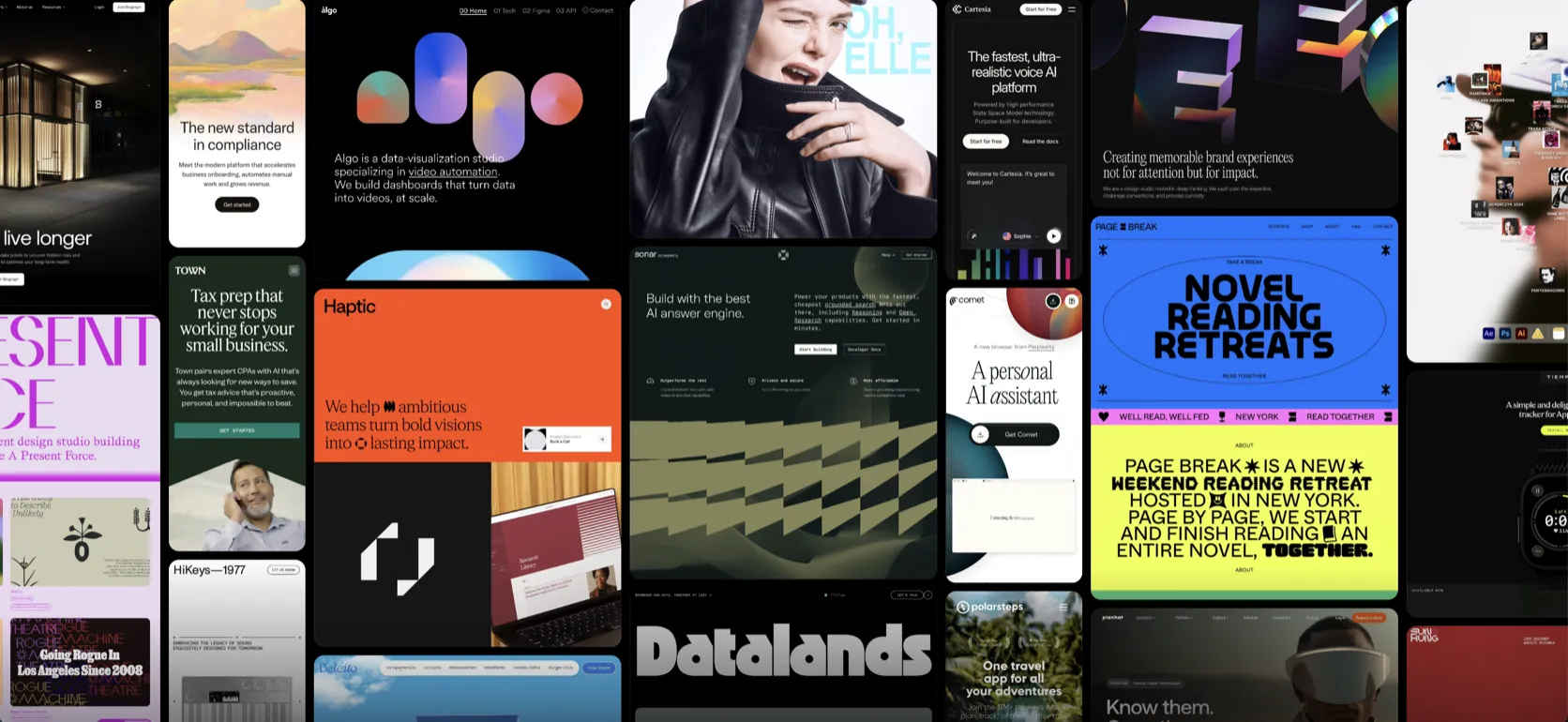
Interface
Key Features
- Visual canvas editor
- Animation and interaction tools
- CMS collections and CMS items
- Custom domain on paid plans
- Redirects and site search
- Analytics history by plan
- Localization add-ons
- A/B testing through Convert add-on
- Advanced hosting add-on for more complex routing/header needs
- Collaboration roles and paid editors
Alternatives to Framer
 Webflow Best No-Code Builder
 A strong visual build system when design precision matters more than plugin freedom.
 Astro Steven Uses This
 The framework I use when content, speed, and simple deployment matter more than a WordPress admin.
Frequently Asked Questions
Is Framer good for SEO?
Framer covers the basics such as metadata, redirects, hosting, and CMS-driven pages. For deep SEO workflows with large content libraries, I would still compare it carefully against Astro, WordPress, or Webflow.
Is Framer better than Webflow?
Framer feels faster and more design-native for polished landing pages. Webflow is usually stronger for larger CMS sites, more mature client work, and structured marketing websites.
Can I use Framer for a blog?
Yes, but I would keep it small. If the blog is the core business, the CMS limits, portability, and content operations matter more than animation quality.
Does Framer require a paid plan for a custom domain?
Yes. The free plan is useful for exploring and building, but connecting your own custom domain requires a paid site plan.
What should I watch before choosing Framer?
Check CMS limits, editor costs, add-ons, bandwidth, and whether your team is comfortable keeping the site inside Framer long term.
Framer
Free plan available. Paid site plans include Basic at $10/mo, Pro at $30/mo, and Enterprise custom; extra editors, locales, Convert, and advanced hosting add-ons can increase cost.
Disclosure: Some links on this page are affiliate links. If you make a purchase through them, I may earn a small commission at no extra cost to you. I only recommend products I've genuinely evaluated. Full disclosure →