
Astro Web Framework
The framework I use when content, speed, and simple deployment matter more than a WordPress admin.
Astro is a free, open-source framework for content-driven websites. It is best for blogs, documentation, affiliate sites, marketing pages, and developer-owned content projects. It is not ideal when non-technical users need a built-in admin dashboard or when the project behaves more like a web app than a content site.
"Astro is the framework I choose when the site is mostly content and I want the output to stay fast, clean, and developer-controlled. For doancongtuan.com, that tradeoff makes sense: I can manage MDX, Git, build steps, and deployment myself. I would not recommend Astro to a non-technical client unless there is a CMS/editor workflow in place. It is not a WordPress replacement for every site; it is a better fit for a specific kind of content-driven build." — Steven Doan, doancongtuan.com
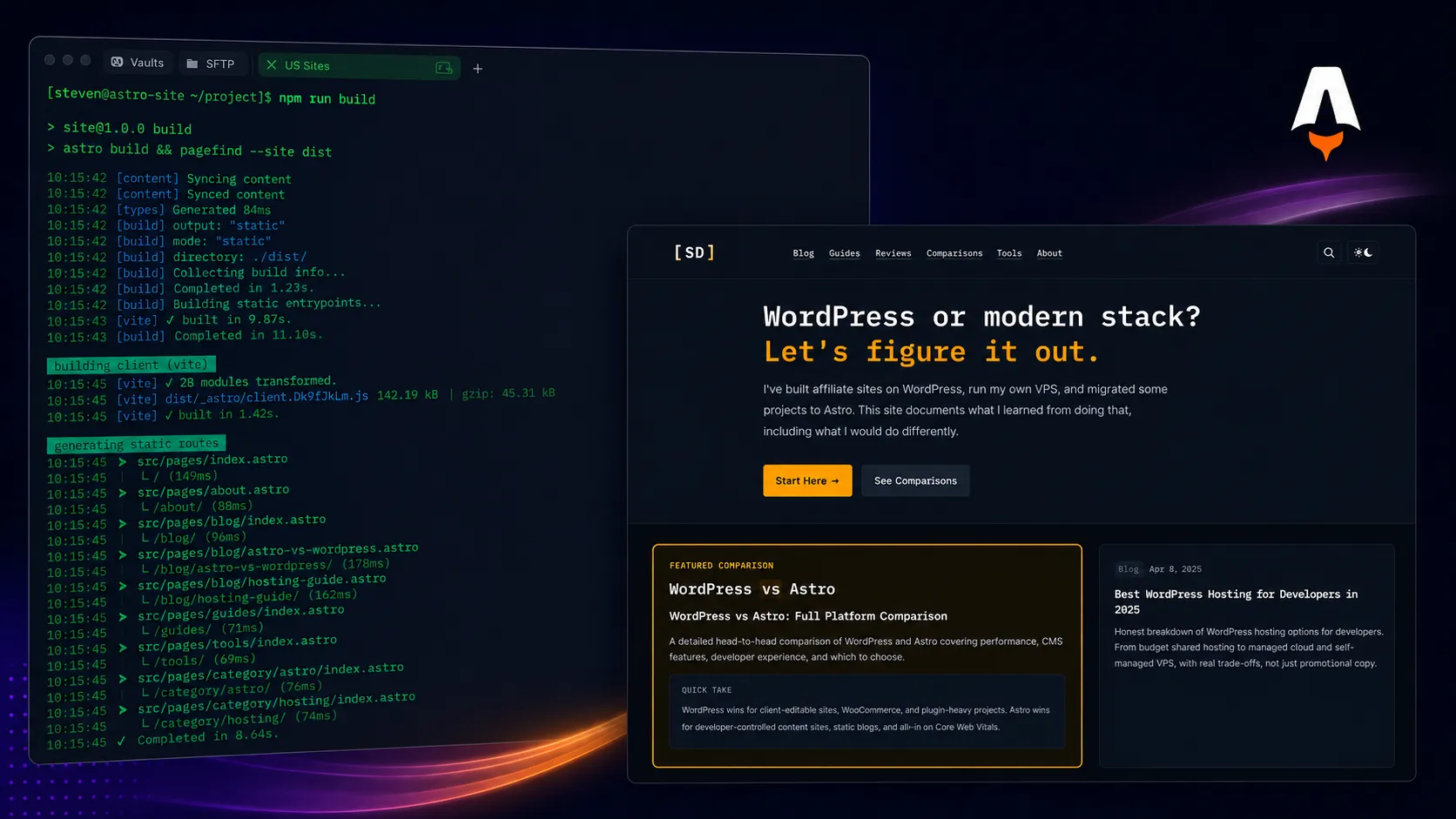
I use Astro directly for doancongtuan.com and other content/affiliate experiments. My view is based on real development workflow: MDX content, content collections, static deployment, internal links, schema, and the tradeoff of not having a WordPress admin.
Astro itself is free. Real costs come from hosting, image storage, CMS/editor tools, analytics, search, and deployment infrastructure. A static Astro site can run cheaply, but adding a headless CMS, search, previews, or server features can change the cost model.
- Excellent fit for content-driven sites: blogs, documentation, affiliate content, guides, and landing pages
- Ships little or no client-side JavaScript by default, which helps performance when used well
- Content collections make MDX and structured content safer than loose files
- Flexible: use plain HTML/CSS, React, Vue, Svelte, Solid, or server-rendered islands when needed
- Static output can be deployed to a CDN, static host, or a simple VPS
- Great developer experience for Git-based editorial workflows
- Better fit than WordPress when the site is mostly content and does not need a traditional admin dashboard
- Non-technical clients cannot easily edit content without a CMS or custom workflow
- Requires developer comfort with npm, Git, components, content schemas, and deployment
- Dynamic features such as accounts, dashboards, comments, and user-generated content need extra architecture
- Plugin ecosystem is not comparable to WordPress for non-developers
- Static output does not automatically solve SEO, internal linking, content quality, or schema decisions
- Developer-owned content sites, blogs, guides, and affiliate sites
- Projects where performance and clean HTML matter more than a WordPress admin
- Documentation, marketing, and comparison sites with structured content collections
- People comfortable writing content in Markdown or MDX
- Sites that can be deployed statically or with limited server-side features
- Non-technical clients who expect a WordPress-like admin by default
- Large membership sites, dashboards, forums, or heavily interactive web apps
- Projects where plugins are expected to solve forms, SEO, payments, and content editing without development
- Teams without a developer who can maintain build, deployment, and content schema decisions
How I Would Think About Astro
My real decision rule
I choose Astro when I own the content workflow, want clean static output, and do not need a WordPress admin for everyday editing.
Where I would avoid it
I would avoid Astro for a client who wants to log in, drag blocks around, install plugins, and manage the site without a developer.
How I think about performance
Astro gives a strong technical baseline, but it does not make bad images, weak metadata, poor internal links, or thin content magically good.
What I would compare first
Compare Astro with WordPress for editorial/admin needs and with Next.js when the project starts becoming an app instead of a content site.
Real Use Cases
Developer affiliate site
Astro works well for affiliate sites where the owner controls content, internal links, schema, comparison blocks, and deployment instead of relying on WordPress plugins for everything.
Blog or documentation site
Content collections and MDX make it easier to keep articles structured, validated, and reusable across layouts, cards, related content, and schema.
WordPress-to-static migration
For sites that have outgrown WordPress complexity but mostly publish static content, Astro can reduce plugin bloat and simplify front-end performance.
Technical guides with custom visuals
Astro is strong when articles need code blocks, diagrams, custom components, comparison cards, terminal snippets, and editorial UI that would be awkward in a classic WordPress editor.
Hybrid content plus light interactivity
Astro Islands let you keep most pages static while adding interactive pieces only where they are actually needed.
Interface
Key Features
- Content collections with schema validation
- MDX support for rich article content
- Static site generation and server rendering options
- Astro Islands for selective interactivity
- Framework integrations for React, Vue, Svelte, Solid, and others
- Image optimization support through Astro assets and integrations
- RSS, sitemap, and SEO-friendly output when configured properly
- Works with Git-based workflows and modern deployment platforms
- Can use headless CMS tools when non-technical editing is required
- Good fit for code-based diagrams, comparison blocks, and structured content components
From This Site
Articles, guides, and comparisons featuring Astro.
Alternatives to Astro
 WordPress
 The CMS I still respect — as long as the project actually needs a CMS.
 Next.js
 Use it when the website starts behaving like a product, not just a set of pages.
 Ghost
Ghost A publishing-first CMS for newsletters, memberships, and independent media.
Frequently Asked Questions
Is Astro free?
Yes. Astro is free and open source. You still pay for hosting, domains, CMS tools, analytics, search, or other services you add around it.
Is Astro better than WordPress?
For developer-owned content sites, Astro can be cleaner and faster. For non-technical editing, plugin-heavy workflows, memberships, or client-managed sites, WordPress may still be easier.
Is Astro good for SEO?
Astro can produce clean, fast, crawlable HTML, which is a good technical foundation. SEO still depends on content quality, internal links, schema, metadata, indexation, and topical strategy.
Does Astro have an admin dashboard?
No built-in WordPress-style admin. You can edit content in Markdown/MDX, connect a headless CMS, or build a custom editorial workflow.
When should I not use Astro?
Avoid Astro when the main requirement is user accounts, dashboards, community features, heavy app state, or a client-friendly admin without extra setup.
How does Astro compare with Next.js?
Astro is usually simpler for content-first sites. Next.js is more common for full web apps, complex dynamic rendering, and React-heavy product interfaces.
Can Astro run on a VPS?
Yes. Static output can be served from a VPS with Nginx, or deployed to static hosts/CDNs. Server features may require an adapter or different deployment setup.
Astro
Free and open source. Hosting cost depends on where you deploy: static hosts, serverless platforms, or your own VPS.
Disclosure: Some links on this page are affiliate links. If you make a purchase through them, I may earn a small commission at no extra cost to you. I only recommend products I've genuinely evaluated. Full disclosure →