
Next.js React Framework
Use it when the website starts behaving like a product, not just a set of pages.
Next.js is worth using when your project needs React application features such as authentication, dashboards, API routes, ecommerce logic, or server-rendered dynamic pages. For mostly static content, Astro is usually simpler.
"Next.js is the framework I would consider when the project crosses from publishing into application behavior. For a pure content site, I would usually keep the stack quieter." — Steven Doan, doancongtuan.com
This is a research-based profile written from the perspective of someone using Astro for content-first sites. I respect Next.js, but I would not reach for it just because a site has articles, reviews, or affiliate pages.
Next.js itself is free. Real cost comes from hosting, image optimization, build minutes, bandwidth, serverless/edge usage, and team seats. Vercel is the smoothest path, but not the only deployment option.
- Excellent fit for React applications with logged-in users, dashboards, checkout flows, or SaaS-style interfaces
- Flexible rendering choices: static generation, server rendering, incremental regeneration, and client-side interactivity
- Strong routing, middleware, API routes, and server actions make it feel like a full application framework
- Huge React ecosystem, hiring pool, examples, templates, and deployment knowledge
- Vercel deployment is polished, especially for teams that want previews, branches, and quick rollbacks
- Works well when product UI and marketing pages need to live in the same codebase
- Can be unnecessary complexity for a blog, affiliate site, documentation site, or mostly-static content project
- React and hydration decisions still matter; Next.js does not magically make every page lightweight
- Vercel makes the developer experience easy, but production cost needs monitoring as usage grows
- App Router patterns can feel heavy if the team only needs Markdown pages and simple components
- Static hosting is possible but some Next.js features assume a Node/serverless runtime
- React-heavy web apps with user accounts, dashboards, subscriptions, or product workflows
- Ecommerce projects where product pages, checkout logic, personalization, and APIs need tight integration
- Teams already comfortable with React, TypeScript, Git workflows, and deployment previews
- Projects where static pages and dynamic app features need to share one architecture
- Startups that expect the marketing site to become a web application over time
- Simple affiliate sites where Astro or static WordPress exports would be easier to maintain
- Solo content projects where every extra abstraction slows publishing
- Teams that do not want React as the long-term frontend foundation
- Tiny brochure sites where Webflow, Astro, or WordPress would ship faster
How I Would Think About Next.js
The first question is not React vs Astro
The better question is whether the site is an application. If users log in, change state, buy things, or manage data, Next.js starts making sense. If they mostly read content, it may be too much.
Vercel is convenience, not a requirement
Vercel gives the smoothest Next.js workflow, but cost and limits need to be watched. Self-hosting is possible, but then you own more operations work.
I would avoid fashion-driven migrations
Moving a working WordPress or Astro content site to Next.js just because it is popular can add complexity without improving revenue, publishing speed, or search performance.
The good use case is product gravity
If a blog becomes a SaaS, community, marketplace, or account-based tool, Next.js can keep the frontend and backend-facing routes under one practical system.
Real Use Cases
SaaS marketing site plus logged-in app
Use Next.js when the public pages, pricing pages, app dashboard, authentication, and customer flows need to share one React codebase.
Ecommerce with dynamic logic
Next.js can be a strong choice when product pages, inventory, checkout, personalization, and API integrations need more control than a standard theme.
Interactive data tools
Calculators, dashboards, comparison apps, and AI-assisted tools fit Next.js better than static-site-first frameworks.
Team-based product development
Preview deployments, Git workflows, and React component systems help teams review product UI changes before release.
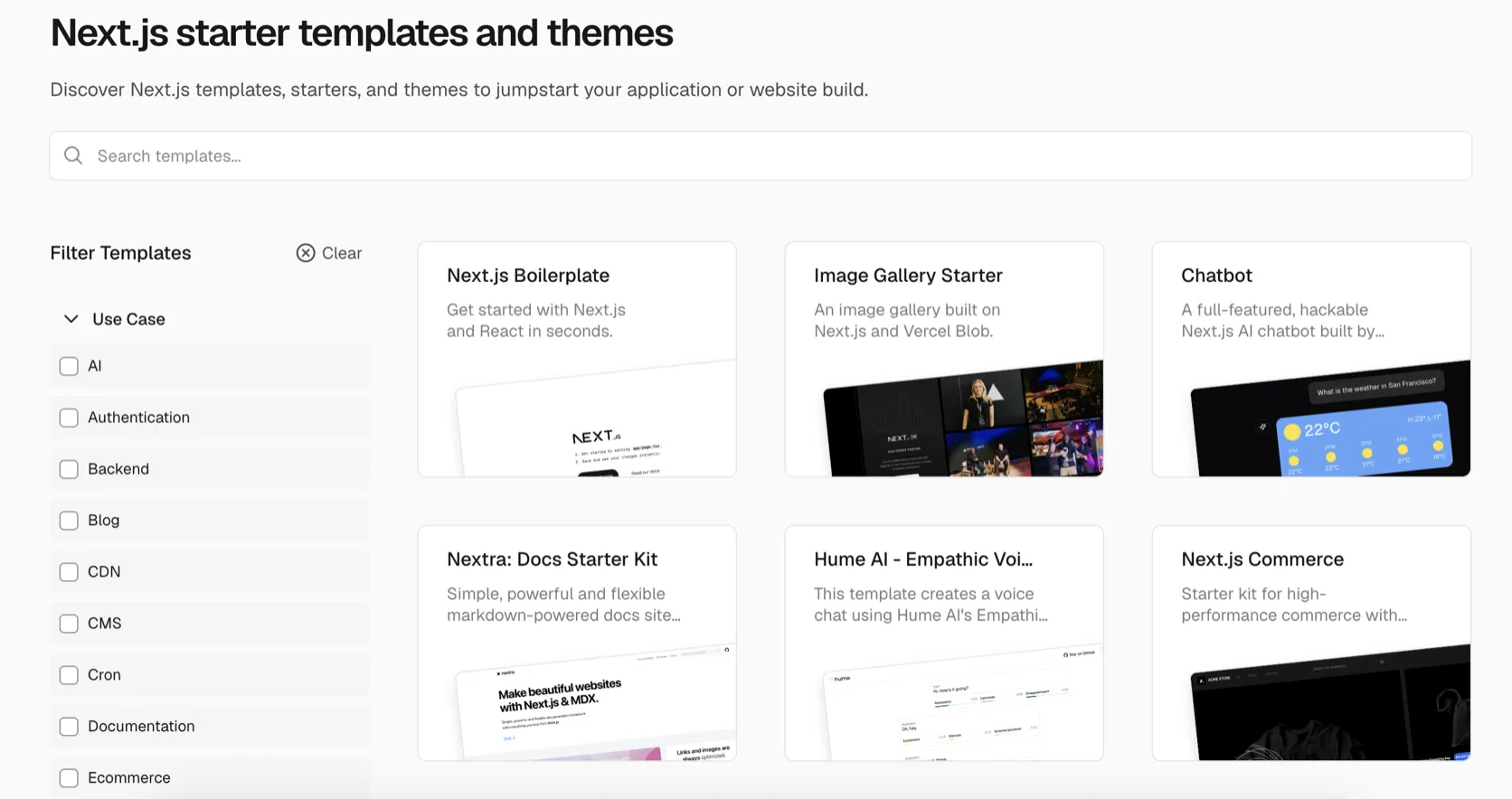
Interface
Key Features
- App Router and file-based routing
- React Server Components and Client Components
- Static generation, server rendering, and incremental static regeneration
- Route handlers and API endpoints
- Middleware for auth, redirects, experiments, and routing logic
- Image optimization and metadata handling
- Built-in TypeScript, CSS Modules, Tailwind-friendly setup, and SWC/Turbopack tooling
- Preview deployments and Git-based workflows when hosted on Vercel
From This Site
Articles, guides, and comparisons featuring Next.js.
Alternatives to Next.js
 Astro Steven Uses This
 The framework I use when content, speed, and simple deployment matter more than a WordPress admin.
 WordPress
 The CMS I still respect — as long as the project actually needs a CMS.
Frequently Asked Questions
Is Next.js better than Astro?
Not automatically. Next.js is better for React applications and dynamic product flows. Astro is usually simpler for content-heavy sites, blogs, documentation, and affiliate pages.
Do I have to host Next.js on Vercel?
No. Vercel is the most seamless option because it is built around Next.js workflows, but Next.js can also be self-hosted or deployed on other Node-compatible platforms depending on the features you use.
Is Next.js free?
The framework is free and open source. The cost comes from hosting, team seats, bandwidth, serverless or edge usage, and operational complexity.
Should I use Next.js for an affiliate site?
Only if the site has application-like features. For a normal affiliate content site, Astro or WordPress is usually easier to publish and maintain.
What is the biggest risk with Next.js?
The risk is choosing an application framework for a publishing problem. That can make builds, deployments, routing, and performance work more complicated than necessary.
Next.js
Free and open source. Commonly deployed on Vercel Hobby for free or Pro from $20/user/month; self-hosting on Node.js infrastructure is also possible.
Disclosure: Some links on this page are affiliate links. If you make a purchase through them, I may earn a small commission at no extra cost to you. I only recommend products I've genuinely evaluated. Full disclosure →