Framer vs Webflow: Choosing Between Design Speed and Control
Compare Framer and Webflow using a shared marketing and CMS brief, responsive layout, editorial roles, pricing and export requirements.
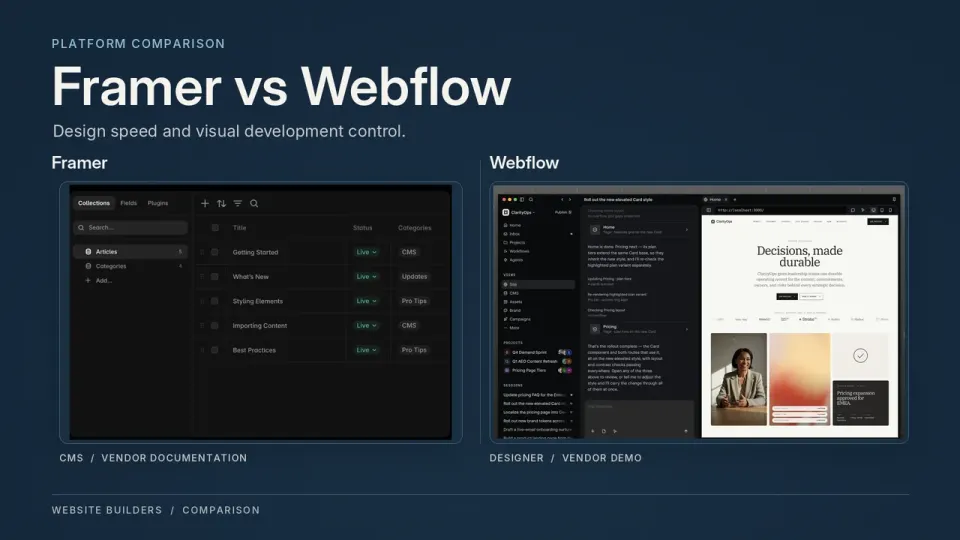
Investigate Framer for fast-moving design-led marketing work, and Webflow for a structured visual development and content workflow.
| Factor | Framer | Webflow | Winner |
|---|---|---|---|
| Design | Visual design and responsive editing | CSS-style classes and breakpoints | |
| CMS | Evaluate collection and editing requirements | Collection schemas and reusable templates | |
| Collaboration | Site plan and editor seat considerations | Site and Workspace plans, roles | |
| Portability | Official export guidance conflicts | Eligible static code export with exclusions |
- Design-led marketing teams
- Campaigns and portfolios
- Structured CMS sites
- Visual development with class conventions
Framer and Webflow both belong on the shortlist for a design-led website. I would not choose between them by counting animations or looking at which tool produced the prettiest demo. My decision would come from the design team’s work, the content model and the cost of maintaining the resulting system.
This is a research-based comparison. I have not measured build speed or run the same live site on both products. The brief and tests are proposed evaluation methods, not benchmark results.
One design brief, two development approaches
Imagine a small software company with a marketing team and a freelance designer. The company needs five landing pages, twenty customer stories and a growing set of integrations. Marketing experiments frequently change the homepage, but the integration pages follow a predictable layout. A designer needs control of the visual system; a marketer needs control of content.
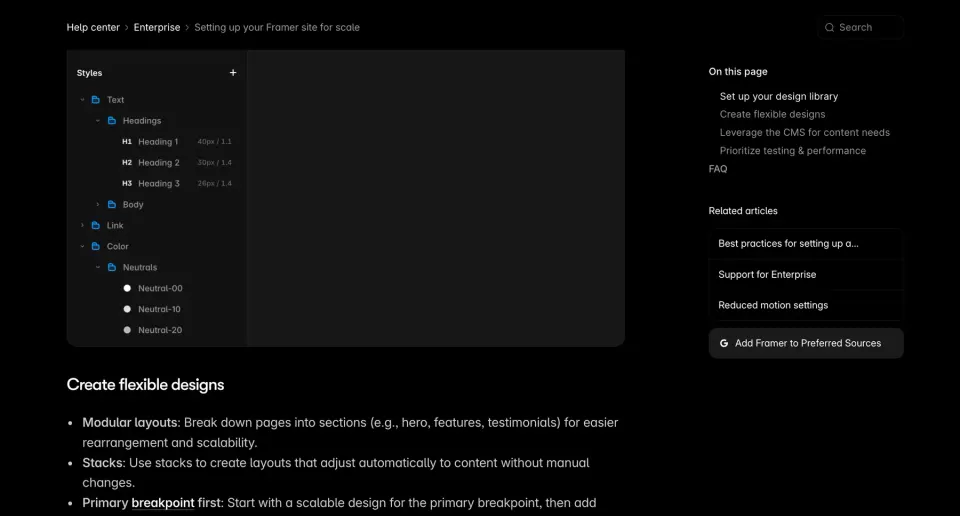
Vendor demonstration · 2026-11-26 · Source / documentation
I would start with Framer if the main challenge is producing and revising polished campaign pages. Its design-oriented workflow and documented responsive breakpoints make it an appropriate candidate for that investigation. I would start with Webflow if the design requires a deliberate class system and a more structured development process. Its breakpoint model and collection page templates are useful starting points.
That does not mean Framer lacks structured content or Webflow cannot build a campaign page. Both can be assessed against the same deliverables. I would avoid declaring the winner before the actual people have tried them.
The responsive design trial
Build a campaign page with a two-column hero, three feature cards, a customer logo area and a demo request button. Put the same content into both platforms. Begin with no complex motion. Then use a long headline and replace one feature image with a portrait-format asset. Evaluate how the layout responds rather than manually fixing the exact screenshot for each browser width.
I would record how many distinct layout rules need maintenance, who understands them and how a change to shared styles affects other pages. If the designer uses component variants, make sure the next designer can identify and edit them. Check the keyboard reading order, especially when visually reordering elements on mobile. Motion should respect reduced-motion preferences and must not interfere with the form.
Campaign page and a reusable story layout.
Shared classes and a collection template.
Record the work required to maintain the same pages; do not assume one editor is universally faster.
CMS: choose the content model first
The integration collection needs a name, unique route, description, logo, setup instructions and optional related integrations. The customer story collection needs a headline, summary, image and body, plus an optional outcome. Create three examples of each, including entries with incomplete optional data. Compare the editing experience and current plan limits for the model; a catalogue of hundreds of integrations requires a different capacity check from a small portfolio.
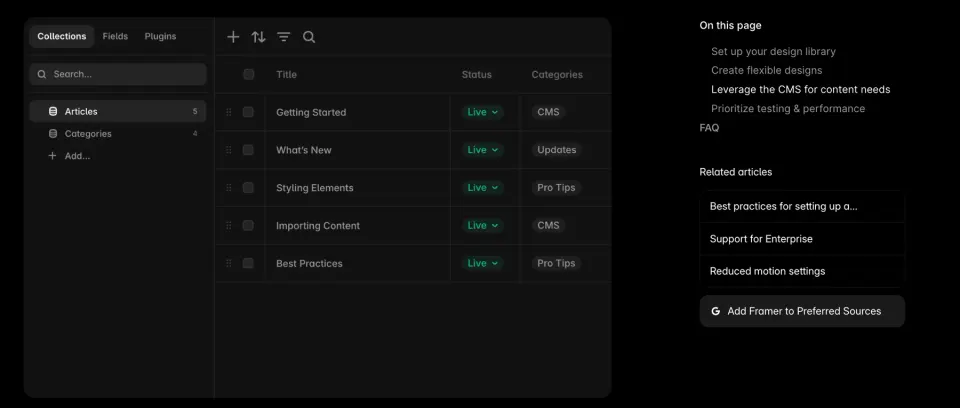
Vendor demonstration · 2026-11-26 · Source / documentation
In a Webflow prototype I would establish the classes and collections before styling every page. In Framer I would first explore reusable visual patterns and the CMS template workflow. Both versions must let the marketer publish or submit a change using the intended role. The handoff test is unsuccessful if the marketer still needs the designer to align a text box every time a customer story is edited.
Use a change request to expose the design trade-off
Once both prototypes contain the same campaign and sample stories, introduce a realistic request: the marketing team needs a new call-to-action placement across all story pages and a longer integration description on the directory. Record the changes separately for the shared design and the content entry. A one-off workaround is not equivalent to a reusable solution, even when the resulting screenshots look identical.
For the next change, ask the content editor to add a story that has no customer photo. The template should handle that missing optional field without exposing an empty decorative block. I would record whether a designer has to intervene and which layout rules need explaining. This is a proposed acceptance exercise; no timing or performance measurement has been made on either platform.
The stronger choice is the one that the actual team can maintain. A designer-led campaign team and a larger publishing team may place different values on the same result.
Collaboration and billing
The freelance designer, founder and two marketers are four different operators. I would list the access each needs after launch and price that arrangement, rather than compare two solo subscriptions. Framer’s current subscription guide distinguishes full editors and content editors. Webflow’s plan overview distinguishes site hosting from workspace capabilities.
A team can spend more on collaboration than on hosting. I would ask both vendors whether the owner, invited freelancer and content editors count toward paid seats in the proposed account. For Webflow, also check the 2026 migration to Premium Site plans rather than using an outdated quote for the CMS tier. For Framer, price localization, traffic and required CMS capacity separately when applicable.
| Requirement | What to confirm in Framer | What to confirm in Webflow |
|---|---|---|
| Marketer adds a story | Content editor role and applicable seat billing | Site role and publishing permission |
| Designer changes shared styles | Component and style behavior | Shared classes and breakpoint behavior |
| New language | Current localization entitlement | Localization features and add-ons |
| Migration | Exact supported download and self-host workflow | Paid Workspace export scope and excluded services |
Export and ownership
Webflow documents code export for eligible Workspaces, with important exclusions for hosted functionality. The client would need separate arrangements for a working CMS and dynamic services outside Webflow. Framer’s data portability article describes downloadable site output, while its self-hosting FAQ describes standalone HTML export as unsupported. Until this discrepancy is resolved for the actual account, I would not commit to Framer for a contract requiring independent hosting.
For either tool, require a small export test if portability is a hard requirement. Check the exported page, a CMS item, form delivery and the ability to maintain the site without the original platform. A static page that looks right but no longer receives leads is not a successful migration.
My choice
I would favor a Framer trial for a design-led campaign team that edits content within a manageable model and can accept its hosting arrangement. I would favor a Webflow trial for a site requiring a disciplined class system, structured content and a more deliberate visual development process. If the project is essentially a developer-owned database and publication, I would also consider my usual Astro or WordPress approach rather than force a visual tool to imitate a custom publishing pipeline.
See the Framer review and Webflow review for individual limitations. For the actual team quote, use the cost worksheet.