Framer Review: Is It the Right Tool for Your Website?
Evaluate Framer for marketing websites, responsive design, CMS editing, team seats, forms and long-term site portability.
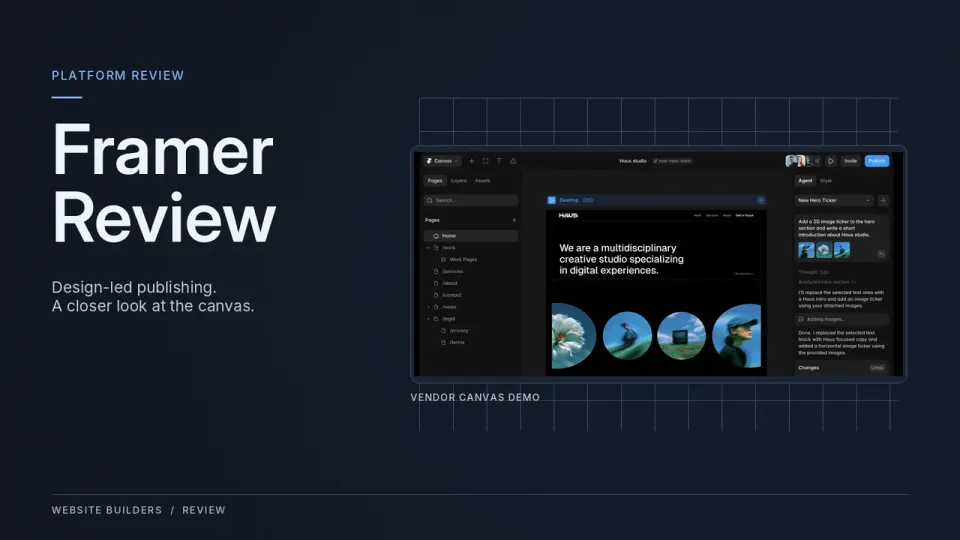
Editorial composite · Vendor reference: Source
Framer is worth shortlisting for fast-moving marketing teams, with an explicit content handoff and a verified exit plan.
- Visual design and publishing in one tool
- Responsive breakpoints and CMS
- Distinct editing roles
- Site and seat charges
- Portability documentation is inconsistent
- Complex content pipelines require validation
A marketing site can have a short lifespan as a design. A startup changes its positioning, a new feature deserves a landing page, and the founder wants the change published before the next campaign starts. I understand why a visual tool that combines design and publishing is attractive for that kind of work.
Framer is one of the options I would investigate for a design-led site. My direct experience is with WordPress and Astro rather than a Framer production project. This review looks at the documented workflow and the requirements I would put into a trial. It does not contain a timed comparison or a speed benchmark.
Start with the campaign, not the canvas
Consider a fictional SaaS company that needs a homepage, pricing explanation, six integration pages, a set of customer stories and a demo request form. The design team wants to iterate on the hero section and message. The marketing team wants to publish customer stories without requesting code changes. Those are related jobs, but they call for different permissions and editing surfaces.
Framer offers a visual page design workflow, responsive breakpoints, reusable layouts and CMS-driven content. I would prototype two pages: a static campaign page and a customer story driven by a collection. If the team is comfortable with the first page but struggles to publish the second, I have learned something useful about the platform before the expensive part of the build.
A visual editor can make a change easy for the designer and still make routine maintenance difficult for the content owner. My preference is to restrict daily work to clearly defined content fields, while allowing the design system to evolve under the people who understand it.
Responsive design and motion
The Framer breakpoint lesson explains the responsive layout workflow. I would use shared styles and layout behavior first, then introduce breakpoint-specific changes where the actual content demands it. If a product headline grows from four words to fourteen, the page must still work. So must a translated headline or an unexpectedly tall product image.
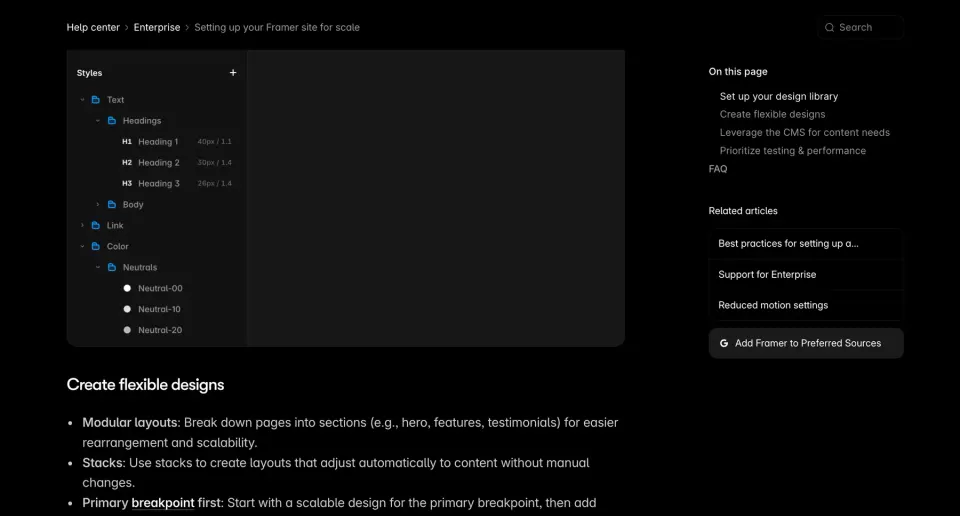
Vendor demonstration · 2026-11-26 · Source / documentation
Motion is a design choice with a maintenance cost. I would start with a calm page that makes its call to action clear, then add one interaction that explains the product. A short demonstration that shows how two interfaces relate may be useful. A sequence that prevents a reader from getting to the pricing button is not. Test the ordinary reading experience, keyboard focus and reduced-motion preference before adding further animations.
For this hypothetical SaaS site, my visual acceptance sample would include the homepage at 375, 768 and 1440 pixels, a very long integration title, a missing optional image and the demo form’s error and success states. These are proposed checks, not observations from a live Framer benchmark.
Build one campaign page with shared text styles.
Create a collection and two different case studies.
Add one useful demonstration.
Request the actual export and hosting workflow.
A strong design workflow earns its place only if the published site remains usable and the team can maintain it.
CMS and editorial handoff
The case-study collection would need a title, slug, summary, hero image with alternative text, customer name where permitted, and a body field. I would add an optional outcome field rather than insist every customer supplies a numerical result. The template should support entries with or without that field, and a marketer should be able to publish a story without moving text layers around the canvas.
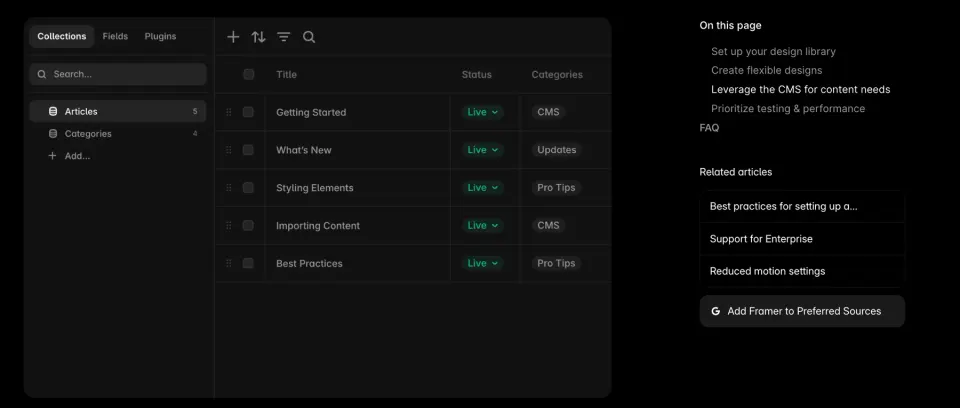
Vendor demonstration · 2026-11-26 · Source / documentation
Framer’s layout template documentation and text styles guide help explain the design system side of that arrangement. The real decision depends on the current CMS capacity, available fields, localization requirements and access controls. A marketing blog with a few dozen entries has different needs from a publication with thousands of products, custom taxonomies and automated imports.
For the latter, I would be cautious. My own product-heavy projects benefit from data stored in files and a repeatable publishing pipeline. I can inspect changes, regenerate pages and build a custom index. A visual publishing tool may be able to represent similar content, but I would want a proof of the import, editing, validation and recovery workflows before committing the business to it.
A marketing page should survive the next campaign
Imagine the first campaign offers a downloadable report, while the next promotes a product demonstration. I would build a common page structure around the message, proof and primary action, then vary the copy and selected sections. The designer should not need to duplicate and reposition every element just to replace one call to action.
During a trial, use the actual second campaign rather than a second idealized layout. Give it a headline twice as long, a different image aspect ratio and an additional paragraph of legal or eligibility copy. Record which reusable properties have to change, and whether the mobile page retains a logical reading order. Then let a marketer replace the content without touching the responsive layout. Those are proposed tests, not observed Framer results.
This is a different kind of quality from a polished animated demo. If the team changes the site weekly, the ability to reuse a reliable design is valuable. If a client changes the site twice a year and has no designer, I would favor a simpler handoff over a sophisticated interaction system.
Framer pricing for teams
I would put site subscriptions, editor access and add-ons in separate rows. Framer’s billing documentation currently distinguishes full editors from content editors; its 2026 billing update describes the newer content-editing role. At the November 26, 2026 research check, the vendor describes additional Basic and Pro full editors at $20 per month and content editors at $10 per month, with the workspace owner free. Confirm the actual invoice and allocation of seats before quoting; other plans and account arrangements may differ.
For example, a project requiring one additional full editor and two additional content editors would add $40 per month, or $480 per year, at those rates. That excludes the site subscription, usage and other add-ons. Replacing a full editor with an appropriately restricted content editor can be sensible when the person only needs to update collections. It should not be done if the role lacks the necessary permissions.
The official pricing page is the place to verify custom domain, CMS, traffic and localization requirements. I would calculate the cost for the team after handoff, not only the freelancer’s solo account during design.
Can I leave Framer later?
Framer has two official articles that do not currently give the same answer. Its September 2026 data portability guidance describes downloadable published output and CMS export through plugins. Its HTML self-hosting FAQ says it does not provide a standalone HTML export for self-hosting. I would treat this as an unresolved practical limitation, not promise either an unrestricted export or an impossible one.
For a client with an exit requirement, I would ask Framer support which workflow applies to the proposed account, then try a small nonproduction export and test it outside the platform. Check forms, images, routing, CMS pages and dynamic services. Downloaded page files, editable source and a fully functioning replacement website are three different deliverables. Keep content and original assets separately regardless of the answer.
My recommendation
I would shortlist Framer for a marketing team that values visual iteration and has a manageable content model. I would compare it with Webflow when a more explicit visual development and structured CMS workflow is important, and with Astro when source ownership and a custom publishing pipeline are nonnegotiable.
Framer’s appeal is a short feedback loop between design and publication. That is worth paying for if the team genuinely uses it. The selection still depends on a representative mobile page, a successful content handoff, the full recurring bill and a documented way to leave.