Webflow Review: Visual Development Without the Traditional Stack
A developer’s research-based review of Webflow’s visual CSS workflow, structured CMS, site and workspace plans, handoff and code export.
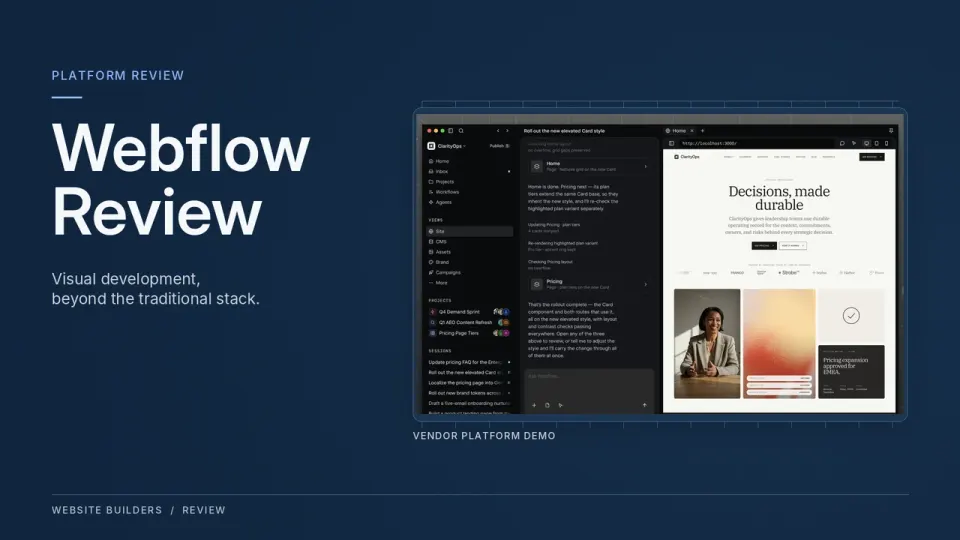
Editorial composite · Vendor reference: Source
Consider Webflow for structured, design-controlled sites after testing the intended editor role and confirming the migration scope.
- Visual CSS-style workflow
- Reusable CMS collection templates
- Documented static code export on eligible plans
- Separate billing layers
- Class and responsive design discipline needed
- Export excludes important hosted functionality
When I build a website from a repository, I can inspect the templates, understand the CSS rules and make a change across hundreds of pages in one place. The trade-off is that the client may not be comfortable making ordinary content changes. Webflow is interesting because it approaches some of that visual development work inside a hosted platform.
I would investigate Webflow for a site that needs more layout control than a simple page builder and a structured editorial interface for non-developers. This is a research review, not a report of a production Webflow project. My practical reference points are the WordPress sites and Astro content collections I have worked on.
The value of a reusable class system
Imagine an engineering consultancy with 30 project pages, seven service pages and a team directory. The client wants every case study to look related, but some projects contain diagrams and others contain only photographs. A page-by-page approach makes it easy to create the first three examples and difficult to change the fourth layout consistently when the business rebrands.
Webflow exposes a visual styling workflow that follows CSS concepts. I would establish shared classes for common spacing, typography, page containers and cards before building the full site. The breakpoints guide explains how style changes at breakpoints affect elements that share a class. That power comes with a responsibility: a designer who changes a shared class to fix one card could affect other cards. Use a deliberate class naming convention, a component reference page and a review of representative pages before publishing changes.
If the site is a small personal portfolio with five unique pages and no recurring content, this discipline may be more than the project needs. For a consultancy that expects to add new work every month, it can reduce the number of individual layout decisions over time.
Structured CMS: design the data before the page
The CMS collection documentation describes how collections group similar entries around a shared schema. Each collection has a reusable page design, as explained in the Collection pages guide.
For the consultancy I would define Project, Service and Team Member as separate content types. The Project fields might include title, location where appropriate, project type, summary, image, year and body. I would decide which fields are mandatory and how an absent optional field should behave before importing 30 records. A useful prototype contains deliberately difficult content: a long title, a project without a hero photograph and a project with unusually large images.
I recognize this kind of problem from working with structured content in Astro. The shape of the data determines the maintenance process long after the first design is complete. In Webflow I would also validate current collection, item and relationship limits against the expected three-year inventory. An attractive template alone is not a capacity plan.
Create fields and decide what is mandatory.
Build common page, type and spacing rules.
Identify who can edit and publish.
Separate static output, content and hosted behavior.
Validate the content architecture before committing to dozens of page templates.
A change that exposes the cost of a class system
Imagine the consultancy introduces a new accessibility requirement: links within project cards must be easier to identify and focus. In a project with a consistent design system, I would update the shared card rules, then check the archive, related projects and individual collection pages. The important distinction is whether one deliberate change reaches the intended instances without altering unrelated navigation links.
I would keep a small style reference with each reusable component, its expected states and representative content lengths. If a card needs a one-off variation, document why it exists rather than duplicate an entire class hierarchy. This advice comes from maintaining templates and styles in developer-managed sites; the actual Webflow implementation needs testing inside the selected account.
For a future handoff, the designer should be able to explain where a change belongs: a shared class, a component, a collection field or a page-specific override. A CMS editor should not have to learn that entire system simply to publish the next project. Separating those responsibilities is an important reason to consider a structured platform in the first place.
Site plans, Workspace plans and the 2026 changes
Webflow has more than one billing layer. A Site plan applies to the individual site and its hosting features. A Workspace plan concerns development, collaboration and certain capabilities such as code export. The right question for a freelancer is whether the client needs a paid Site plan, a paid Workspace plan, or both for the intended workflow.
The vendor’s 2026 pricing change notice describes Basic at $15 per month on annual billing or $25 monthly, and Premium at $25 per month on annual billing or $39 monthly. Its Premium plan combines the previous CMS and Business Site plans; legacy account changes take effect according to the published rollout and renewal rules. These are documented USD examples as checked November 26, 2026, not an individual checkout quote. Ecommerce plans, bandwidth, paid workspace access and other add-ons need their own checks.
A client with a new structured portfolio should budget for the current eligible CMS plan rather than rely on a tutorial that says to purchase the old CMS tier. Compare the current pricing page and the actual account quote. Even when a new plan has a higher content quota, its traffic allocation may be different, so a site publishing heavy case-study imagery needs a separate capacity estimate.
Handoff is a design requirement
I would invite the person responsible for content to edit sample records before launch. Webflow describes site roles and permissions, including differences in publishing rights. I would test the actual role, not assume a person with access can publish any change. If the client wants editorial approval, identify the approved workflow and its plan requirements.
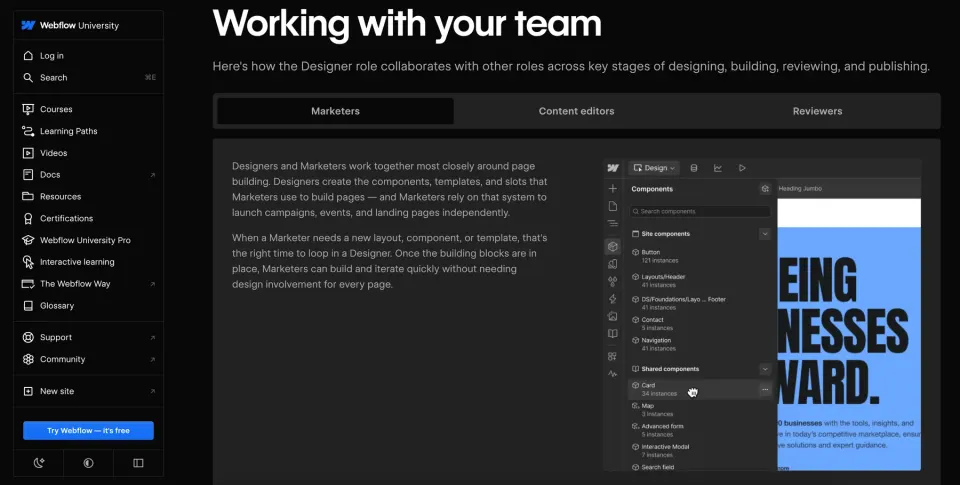
Vendor demonstration · 2026-11-26 · Source / documentation
The final project needs more than the published domain. Record account ownership, billing, developer access, collection definitions, class conventions and instructions for creating a new page. I would include one worked content example and a small set of pages to check after a design update. This is the equivalent of leaving a readable repository and a build guide for a developer-managed site.
What code export actually solves
Webflow’s export documentation describes code downloads on eligible paid Workspace plans. That provides a useful route for static output. It does not recreate the hosted CMS, ecommerce system or other excluded functionality on another server. I would separate exportable page code from collection content and from backend behavior in any migration estimate.
For a simple static site, I would test exported pages on a separate staging host and review links, assets and form submission. For the consultancy, I would add the time to recreate the collection-driven pages and editorial workflow in the destination CMS. If independent hosting and a functional CMS are mandatory, those costs should be visible before selecting the platform. A code ZIP is not a complete recovery plan.
Who should shortlist Webflow?
I would investigate it for a team that wants precise visual control and a repeated content structure, with someone responsible for the design system. A business that wants to edit a few standard pages without managing shared classes may find Squarespace simpler to operate. A marketing team focused on rapid visual iteration should also consider Framer. For an existing WordPress publication the migration and plugin requirements deserve their own comparison.
Webflow is a serious candidate when its visual development model matches the project. I would choose it only after demonstrating a repeatable CMS entry, confirming an affordable hosting and collaboration arrangement, and giving the client a realistic account of what migration would entail.