Squarespace vs Webflow: Simplicity or Design Freedom?
Compare Squarespace and Webflow for owner-edited portfolios and structured case-study sites, including design scope, handoff and portability.
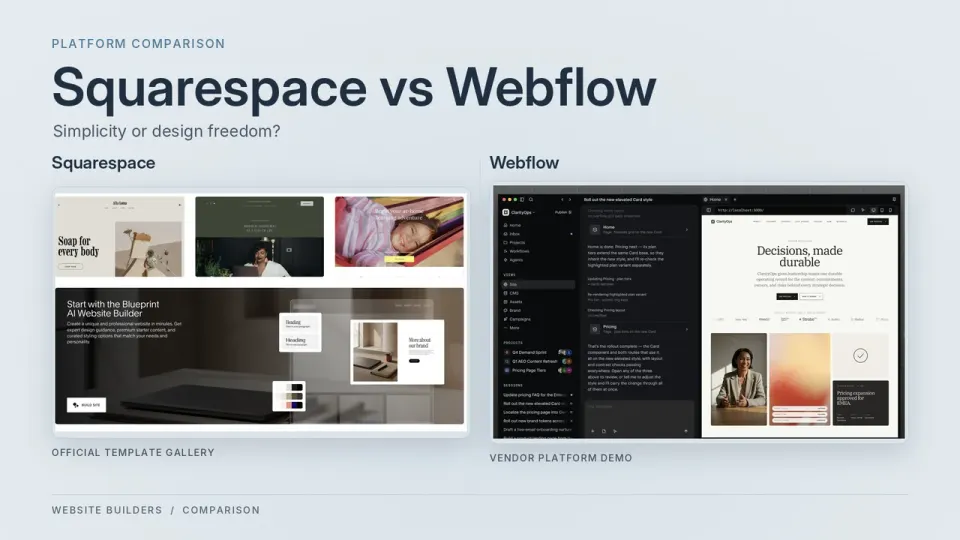
Squarespace is a reasonable starting point for a compact owner-edited portfolio; Webflow deserves an early trial when structured case studies and visual control are central.
| Factor | Squarespace | Webflow | Winner |
|---|---|---|---|
| Editing | Managed visual pages | Visual CSS-style design | |
| Content | Evaluate native content organization | Collections and shared item templates | |
| Billing | Site and separate services | Site and Workspace plans | |
| Exit | Selected content export | Eligible static code export, with exclusions |
- Compact professional portfolios
- Small owner-managed sites
- Structured case-study sites
- Professional visual development teams
For a small professional website, design freedom is only valuable if someone will use it responsibly. I would start a Squarespace versus Webflow discussion by finding out how many pages the business expects to maintain, how much of the layout is shared, and who will do the editing when the designer is gone.
Both platforms are managed publishing environments, but they emphasize different workflows. I am comparing their documented capabilities here against two hypothetical project briefs, not reporting a hands-on performance test.
Brief A: an owner-edited architecture portfolio
A two-person architecture studio needs a home page, an about page, contact information and twelve projects. The owners update the site four times a year. They already have strong photographs and a clear visual identity. The first requirement is simply to show the work well and receive qualified inquiries.
I would investigate Squarespace first. A native template, carefully chosen typography and a small set of page layouts could meet most of this brief. The owners should be able to replace a photograph and change the project description without a developer. The Squarespace learning series on this site outlines the design and handoff process I would use for this kind of project.
Webflow is also a viable candidate, particularly if the studio has a designer who wants more control over composition. The question is whether the extra control translates into a better result for the client. I would rather hand over a small, understandable site than a powerful class system that nobody wants to maintain.
Brief B: a consultancy with a growing project library
Change the assumptions: the business now has eighty case studies, multiple sectors, four offices and a marketing employee publishing new work every month. It needs a project directory with consistent metadata and shared layout rules. There are repeated relationships between projects, services and team members. A design update should apply throughout the site.
This is where I would evaluate Webflow earlier. Its CMS collections and collection page templates offer a way to organize repeated content around a shared structure. I would check whether the required filtering, relationships, collection limits and editing roles can be implemented without fragile workarounds. Do not assume a collection feature solves every directory or search requirement.
Squarespace may still fit a simplified version of this site if its content organization is sufficient. I would prototype the real library rather than infer that a portfolio template can handle every future content requirement.
A small collection of projects and occasional updates.
Repeated metadata, shared templates and regular publishing.
Prototype the hardest representative record, not only the homepage.
What about more customized Squarespace designs?
An owner may like the simplicity of Squarespace but want a more distinctive header, a visual comparison or a particular interaction. I would first explore native options and custom CSS where appropriate. Spark Plugin is a third-party customization toolkit for compatible Squarespace sites. Evaluate its current installation requirements, subscription and removal conditions before deciding whether it is a sensible addition. The Spark Plugin versus custom CSS comparison examines the trade-off separately.
A customization extension cannot replace a missing structured content workflow. It may solve a design gap in Brief A, but it would not be my reason to select Squarespace for Brief B. I would write the list of missing requirements first and only then decide whether each is a layout issue, a data problem or an operating constraint.
Build a sample project with difficult content
Use three case studies in each prototype: a short description, a long title with many images, and a project with an optional field missing. Add a fourth entry using the role that the client will hold. Check the mobile layout, image load behavior, page title and inquiry link. Change one shared text style and look for regressions on the original three pages.
| Decision | Owner-edited portfolio | Structured project library |
|---|---|---|
| Layout | A few stable, repeatable layouts | Shared class and template conventions |
| Editor | Owner makes occasional page changes | Marketing staff adds structured records |
| Change | Update the site’s style periodically | Maintain a reusable design system |
| Acceptance | Owner can publish one project unaided | A new entry needs no manual template repair |
If the owner cannot operate the selected template, reduce the design complexity. If the structured library cannot represent the content properly, change the data model or reconsider the platform. I would not make the client work around a poorly matched design indefinitely.
A practical threshold for a growing portfolio
I would not choose a CMS merely because the current portfolio contains twelve pages. The issue is whether future pages share meaningful data and whether repeated changes have a cost. Imagine the studio adds a sector, location and completion year to every project. If visitors need to find work by sector, those fields become part of the information architecture instead of decorative labels.
For the smaller brief, the owners might be comfortable organizing projects manually. For the larger brief, I would require the prototype to show how a new sector appears in the directory, how a renamed sector is handled and what happens when an optional location is absent. If the intended account cannot express the required relationships or filtering without substantial additional work, record that as a failed requirement. Neither the number of CMS features nor a beautiful project template settles the question on its own.
Cost, permissions and portability
Squarespace has website plans and separate subscriptions. Webflow separates Site and Workspace plans. Compare the exact configuration needed for each brief: site subscription, domain, editor or collaboration costs, design extensions and maintenance. A complex site may require more design work regardless of the selected platform.
For migration, Squarespace’s export documentation describes export of certain content, while Webflow’s code export documentation covers static code and important exclusions. I would require a separate copy of original assets, content records and a route inventory for either project. A hosted CMS and its editorial workflow do not automatically move with downloaded HTML.
My recommendation
I would start with Squarespace for Brief A and Webflow for Brief B. For the first project, the owner must be able to keep the site current. For the second, the content system needs to accommodate growth without one-off page designs. Neither assumption replaces a trial. If the business requires independent hosting, a custom backend or more complex publishing automation, I would revisit WordPress versus Webflow and the broader Website Builders guide.
The right choice is the one that leaves the client with a site they can actually run. See the Squarespace review and Webflow review for more detailed individual evaluations.