PHP-FPM’s default configuration doesn’t know how much RAM your server has or how many WordPress plugins you’re running. The defaults are conservative — they work, but they may not be optimal for your specific setup.
Step 1 — Measure Actual RAM Per PHP Worker
With your WordPress site running and having received a few requests, check how much RAM each PHP-FPM worker is using:
ps aux | grep php-fpm | grep -v grep | awk '{print $6}' | sort -nThis shows the RSS (Resident Set Size) in KB for each worker process. Calculate the average:
ps aux | grep php-fpm | grep -v grep | awk '{sum+=$6; count++} END {print "Average:", sum/count/1024, "MB"}'A typical WordPress site with 15–25 active plugins uses 30–60MB per PHP worker. A leaner site (fewer plugins, simpler theme) uses 20–35MB.
Step 2 — Calculate pm.max_children
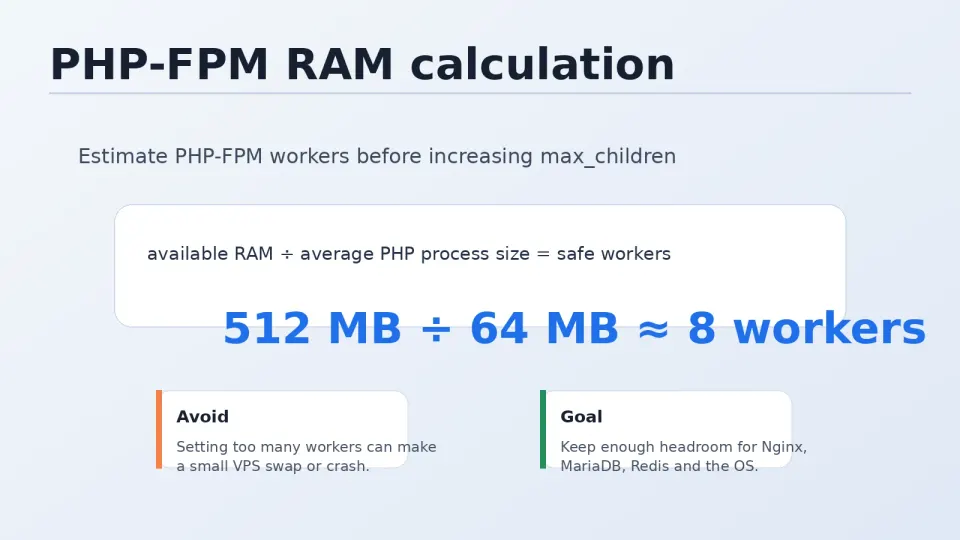
The formula:
pm.max_children = Available RAM for PHP ÷ RAM per workerAvailable RAM for PHP = Total VPS RAM minus what Nginx, MariaDB, Redis, and the OS need.
Rough allocation for a 2GB VPS running WordPress:
- OS + Nginx: ~200MB
- MariaDB: ~200MB
- Redis: ~50MB
- Available for PHP: ~1,550MB
If each PHP worker uses 40MB:
1,550 ÷ 40 = ~38 workers maximumBut set pm.max_children lower than the theoretical maximum — you need headroom for traffic spikes. A practical value for a 2GB VPS: 10–15 workers.
For a 4GB VPS: 20–30 workers.
Step 3 — Update www.conf
sudo nano /etc/php-fpm.d/www.confFind and update the process manager settings:
; Process manager type — dynamic scales workers based on load
pm = dynamic

; Maximum workers — set based on your calculation
pm.max_children = 15

; Workers to start when PHP-FPM starts
pm.start_servers = 4

; Minimum idle workers to keep running
pm.min_spare_servers = 2

; Maximum idle workers before killing extras
pm.max_spare_servers = 6

; Recycle workers after this many requests (prevents memory leaks)
pm.max_requests = 500
Save and restart PHP-FPM:
sudo systemctl restart php-fpm
sudo nginx -t && sudo systemctl reload nginx
Understanding pm = dynamic
Three process manager modes exist:
static — always runs exactly pm.max_children workers, regardless of load. Simple but wastes RAM during quiet periods.
dynamic — starts with pm.start_servers, scales up to pm.max_children under load, scales down to pm.min_spare_servers when quiet. Best for most sites.
ondemand — starts workers only when requests arrive. Lower idle RAM usage but adds latency on the first request after an idle period. Good for very low traffic sites.
For a WordPress VPS with moderate traffic: pm = dynamic is the right choice.
Monitor After Tuning
After adjusting settings, watch PHP-FPM status:
# Check current worker count
ps aux | grep php-fpm | grep -v grep | wc -l

# Watch RAM usage overall
watch -n 2 free -m

# Check for OOM (out-of-memory) events
sudo dmesg | grep -i "out of memory"
If you see OOM events, reduce pm.max_children. If requests are consistently queuing (visible in Nginx logs as high response times), increase it.
The goal: all requests handled within available workers, no OOM events, idle RAM available for MariaDB and Redis.