The VPS comparison article is one of the most written pieces of content in web hosting. Most of them compare CPU benchmarks, network throughput, and disk I/O numbers from synthetic tests run for a few hours.
This isn’t that.
This comparison is based on what I’ve actually used, what I’ve noticed over time, and what I’d tell someone setting up their first VPS for WordPress. The differences between providers at this level are smaller than the differences between a well-configured server and a poorly-configured one.
What’s the Same Across All Three
Before the differences: everything that actually matters for running WordPress is identical.
- The operating system (Rocky Linux 9, Ubuntu 24.04) is the same
- Nginx, PHP-FPM, MariaDB, Redis — all the same software
- SSL certificates from Let’s Encrypt — same on every provider
- WordPress itself — doesn’t know or care which VPS it’s running on
The stack this series builds works on any of these providers without modification. The comparison is about surrounding factors — pricing, datacenter locations, interface, and community resources.
Vultr
What it is: A cloud infrastructure provider founded in 2014. Operates datacenters across North America, Europe, Asia, Australia, and South America.
Pricing: Cloud Compute instances start at $6/month (1 vCPU, 1GB RAM, 25GB SSD). The plan I use for production work — 1 vCPU, 2GB RAM, 55GB SSD — runs around $12–18/month depending on location.
Datacenter locations relevant to this series:
- Singapore — closest to Vietnam and Southeast Asia. Best choice for an Asian audience
- Tokyo — good for Japan and Northeast Asia
- Los Angeles — good for North America, reasonable for Southeast Asia
- Sydney, Frankfurt, Amsterdam, London — regional options
Interface: Clean, minimal, and fast. Creating a new server takes about 90 seconds from clicking “Deploy” to having an IP address. The Snapshots, Firewall, and Networking panels are clearly labeled.
What I use it for: All my production VPS work. This site runs on a Vultr instance in Los Angeles. Multiple WordPress sites on the same server.
Why I stayed: Stability. In years of use, I’ve had minimal unplanned downtime. The interface hasn’t changed dramatically or broken workflows I depend on. Billing is hourly — you can destroy a test server after an hour and pay fractions of a cent.
What it’s not great at: Documentation for beginners is thinner than DigitalOcean’s. Their community tutorials don’t have the depth of DO’s.
A developer-friendly cloud VPS provider with simple instances, predictable infrastructure building blocks, and global locations. This is the kind of hosting I use when I want to own the WordPress stack instead of renting a polished control panel.
Get Vultr →Affiliate link — I may earn a commission at no cost to you.
DigitalOcean
What it is: One of the first “developer-friendly” cloud providers, founded in 2011. Popularized the idea of a simple VPS interface targeted at developers rather than enterprises.
Pricing: Droplets (their term for VPS) start at $6/month for the same basic spec as Vultr. Pricing is comparable at most tiers.
Datacenter locations:
- New York, San Francisco — US
- Amsterdam, Frankfurt, London — Europe
- Singapore, Bangalore — Asia
- Toronto — Canada
Singapore is available, which matters for Southeast Asian audiences. Fewer locations than Vultr overall.
Interface: Slightly more feature-heavy than Vultr, but well-organized. The control panel has more visual elements — bandwidth graphs, resource monitoring — which beginners may find helpful for understanding what’s happening on their server.
Documentation: This is DigitalOcean’s strongest differentiator. Their community tutorials are extensive, well-maintained, and consistently high quality. If you search “how to set up Nginx on Ubuntu” or “LEMP stack DigitalOcean,” you’ll find detailed, accurate guides.
What it’s not great at: Pricing has crept up slightly at higher tiers. Fewer datacenter locations than Vultr for Asian regions.
DigitalOcean is a developer-focused cloud provider best known for Droplets, clean documentation, predictable pricing, managed databases, Spaces object storage, and a friendly first-VPS experience. It is infrastructure, not managed WordPress hosting.
Get DigitalOcean →Affiliate link — I may earn a commission at no cost to you.
Hetzner
What it is: A German hosting company with a long history in dedicated servers, expanded into cloud VPS. Strong reputation in the European developer community.
Pricing: Significantly cheaper than Vultr or DigitalOcean. Cloud instances start at €3–4/month for comparable specs. At the $10–20 tier, you get more RAM and CPU than either competitor.
Datacenter locations:
- Nuremberg and Falkenstein — Germany
- Helsinki — Finland
- Ashburn — US East Coast
The limitation: No Asian datacenters. For an audience in Vietnam, Southeast Asia, or the Asia-Pacific region, the closest Hetzner option is the US East Coast — which adds meaningful latency compared to a Singapore or Tokyo server.
What it’s good for: European-audience sites, or any project where the primary concern is cost and the audience is in Europe or US East Coast.
Why it’s not in this series: The stack we’re building works identically on Hetzner. But with no Singapore datacenter, it’s not the first recommendation for readers in Southeast Asia. For European readers, it’s worth serious consideration.
The Comparison at a Glance
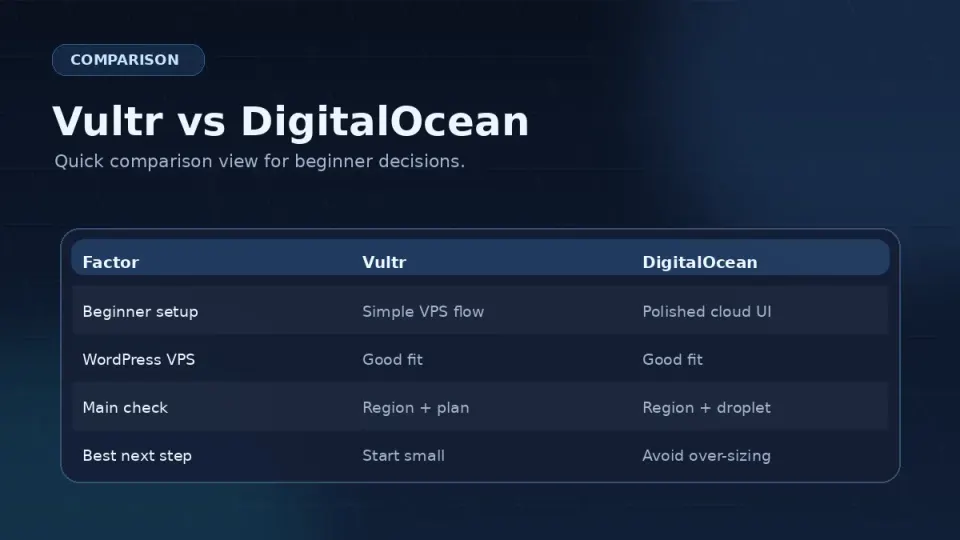
| Vultr | DigitalOcean | Hetzner | |
|---|---|---|---|
| Entry price | $6/mo | $6/mo | ~€4/mo |
| Singapore DC | ✅ | ✅ | ❌ |
| Beginner docs | ⚠️ Adequate | ✅ Excellent | ⚠️ Adequate |
| Interface | Clean, minimal | Feature-rich | Clean, minimal |
| Billing | Hourly | Hourly | Monthly |
| Best for | Asian/global audience | Beginners, docs-reliant | European audience, budget |
Which One Should You Pick
If your audience is in Southeast Asia, Japan, or the Asia-Pacific region: Vultr or DigitalOcean, Singapore datacenter. Vultr is my preference — same price, more location options, interface I trust.
If you’re learning and will lean heavily on tutorials: DigitalOcean. Their tutorial library is genuinely the best in this category. You’ll find answers to most beginner questions written specifically for their platform.
If your audience is in Europe or US East Coast and budget is the priority: Hetzner. Meaningfully cheaper at equivalent specs — the savings compound over time.
If you’re following this series: Vultr. Every command, file path, and configuration in Parts 3–8 has been tested on a Vultr server. Using the same provider removes one variable when you’re troubleshooting.
A Note on Switching Later
Picking a provider is not a permanent decision. Moving a WordPress site from one VPS to another is a standard process — backup files and database, restore on new server, point DNS. It takes a few hours of work.
If you start on DigitalOcean and later want to move to Vultr, or vice versa, that’s a realistic option. Don’t let the choice paralyze you. Both work. Pick one and start.
Frequently Asked Questions
Is Vultr better than DigitalOcean?
Why is Hetzner so much cheaper than Vultr and DigitalOcean?
Does the VPS provider affect my WordPress site's speed?
Can I switch VPS providers later?
A developer-friendly cloud VPS provider with simple instances, predictable infrastructure building blocks, and global locations. This is the kind of hosting I use when I want to own the WordPress stack instead of renting a polished control panel.
Get Vultr →Affiliate link — I may earn a commission at no cost to you.