This article focuses on the warning signs. For the full decision path, including when a VPS makes sense and when managed hosting is safer, see my WordPress VPS hosting guide.
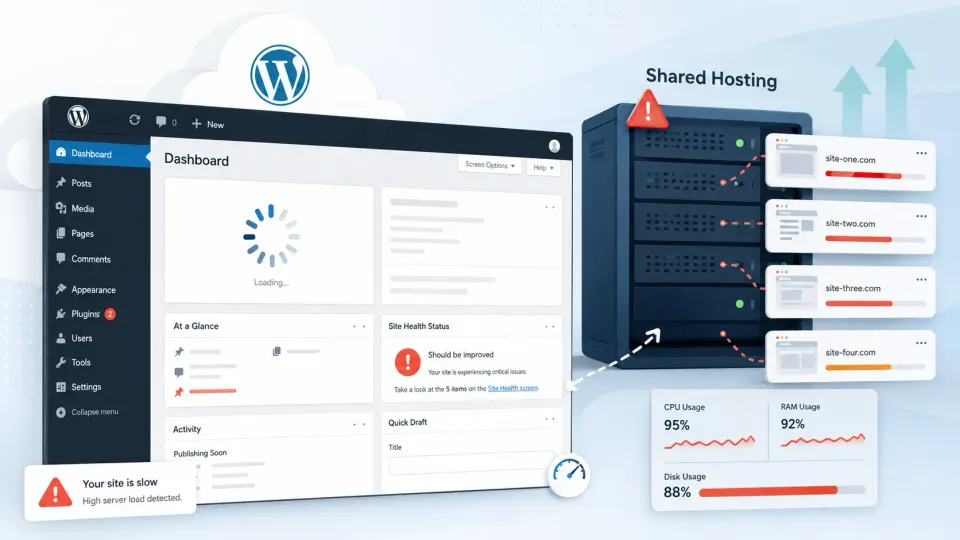
The site had WP Rocket, Cloudflare, and a LiteSpeed server. The client had just installed WooCommerce with 800 products and a product import plugin running nightly. The admin took eight seconds to load. The frontend was not much better.
I added more caching rules. I cleaned the database. I disabled three plugins. Load time dropped from eight seconds to six. At that point I had to tell the client what I had been avoiding: the hosting environment was the bottleneck, and no amount of plugin configuration was going to change that.
That project taught me the difference between a WordPress performance problem and a hosting environment problem. They look similar from the outside. The fix is completely different.
I spent two hours optimizing a site that needed a server upgrade. The correct diagnosis would have taken ten minutes. I know this now.
Shared hosting is fine until it is not. That is the most honest summary I can give.
I ran WordPress sites on shared hosting for years before moving to a Vultr VPS. The move was not because shared hosting is bad. It was because I had specific reasons: I needed custom Nginx configuration, Redis caching at the server level, and control over PHP-FPM settings that no shared hosting plan allows. Those are real reasons. “VPS sounds better” is not.
This article covers how to tell the difference.
Shared hosting is not bad
Let me say this directly: shared hosting is the correct starting point for most WordPress sites. The cost is low, the setup is fast, and you do not need to know anything about Linux, Nginx, or SSL certificates to get a WordPress site live and running.
Modern shared hosting in 2026 is meaningfully better than it was five years ago. LiteSpeed servers on many shared plans handle WordPress significantly better than older Apache-based setups. Free SSL is standard. One-click WordPress installs work reliably.
If your WordPress site is new, if traffic is modest, or if you do not have a specific technical reason to self-manage a server, shared hosting is the right call. Do not let anyone make you feel behind for using it.
The signs that shared hosting is the bottleneck
These are the signals worth paying attention to.
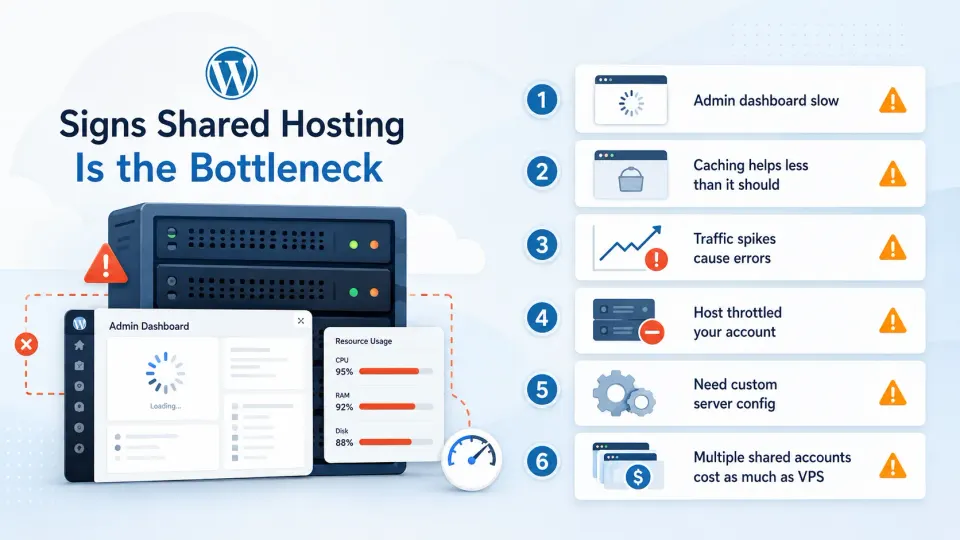
Admin dashboard is consistently slow, not just occasionally. A slow WordPress admin is one of the first signs that the server is under-resourced. If logging in and navigating the dashboard feels like it takes three to four seconds on a regular basis, the server is working harder than it should be for basic PHP requests.
Load times do not improve despite caching. WP Rocket, LiteSpeed Cache, and other caching plugins are real solutions that make a real difference. But they reduce the load on PHP and the database, they do not give you more CPU or RAM. If you have a solid caching setup and your PageSpeed scores are still poor on mobile, the hosting environment may be the ceiling.
Traffic spikes cause errors. A surge in traffic (a viral post, a seasonal spike, a newsletter send) should not take your site down. On good shared hosting it does not. On shared hosting where your account is already near its resource allocation, a spike causes 500 or 503 errors. When this becomes a pattern rather than an exception, shared resources are not keeping up.
Your host has throttled your account. Some shared hosts send emails or suspend accounts temporarily when CPU or bandwidth usage exceeds their informal limits. If you have received this message, your site has outgrown the plan. Upgrading to a higher shared plan buys time. It does not solve the structural issue.
You need server-level configuration that shared hosting blocks. This one is specific to developers. Custom Nginx rules, PHP-FPM worker pool tuning, Redis as an object cache, server-level rate limiting: none of these are available on shared hosting. If you are building sites that need them, shared hosting is not a performance issue. It is a capability issue.
The combined cost of multiple shared hosting accounts approaches VPS pricing. A developer managing three or four separate WordPress projects on separate shared hosting accounts may be spending $30 to $50 a month across them. A single Vultr VPS at $12 to $24 can host all of them with better performance and less overhead. When the math shifts, the decision becomes easier.
Why caching is not always enough
Caching plugins do important work: they serve pre-built HTML instead of regenerating pages on every request, reduce database queries, compress assets, and minimize PHP execution. A well-configured cache is the best optimization you can do on shared hosting.
The limit: caching reduces the workload on shared resources, but it does not increase those resources. On a shared server, CPU and RAM are split between every account on that machine. During a traffic surge, you compete with every other site on the server for those resources. A good cache helps. It is not a substitute for dedicated resources.
Server-level caching (FastCGI cache in Nginx, for example) is faster and more efficient than plugin-level caching because it bypasses PHP entirely. On shared hosting, you do not have access to server-level configuration. That ceiling is real regardless of how well your caching plugin is configured.
When shared hosting is still the better choice
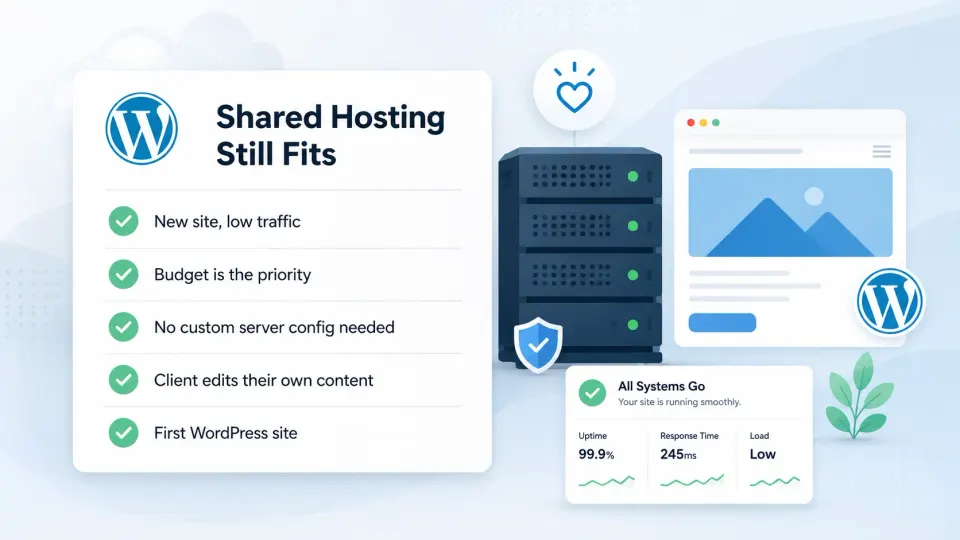
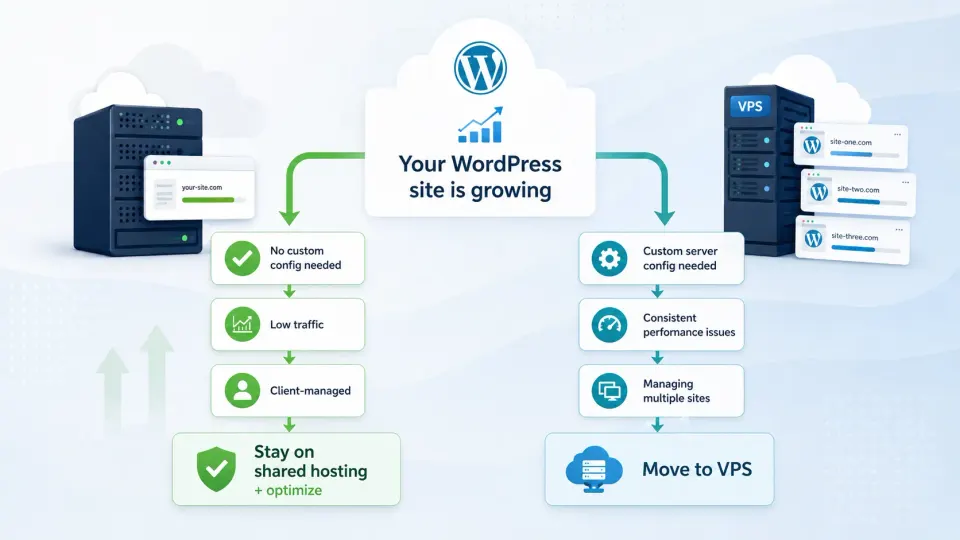
VPS is not always the answer. Shared hosting is still better when:
- You are building your first WordPress site and do not have Linux experience
- The site is low-traffic and the priority is cost, not performance
- Your client needs hPanel, cPanel, or a managed dashboard to manage their own hosting
- You want support to fix server issues when something breaks
- You do not want to manage SSL renewals, security patches, and server updates manually
Moving to VPS before you are ready for it creates problems. You become responsible for everything that goes wrong. If that sounds manageable, it is. If it sounds stressful, stay on shared hosting until you have more context.
My current approach after moving to VPS
My main projects now run on a Vultr VPS at around $20/month. I run Rocky Linux, Nginx with FastCGI cache, PHP-FPM, MariaDB, and Redis. I manage it myself via SSH.
I still recommend shared hosting for beginners and for client sites where the client manages their own hosting. It is the right tool for those situations. The VPS is the right tool for my situation.
The upgrade checklist
If you have decided to move, these are the things to verify before starting:
- You have SSH access experience or are willing to learn it
- You have a backup of the current site (files and database)
- You understand that you will configure SSL, Nginx, and PHP yourself
- You have a plan for WordPress email (port 25 is blocked on most VPS providers by default)
- You have at least half a day for the initial setup
Do not rush the migration. Run the old and new environments in parallel until you are confident the new setup is working correctly.
Video resource
Shared Hosting vs VPS explained: https://www.youtube.com/watch?v=uiZYxLDiW8g
A clear explanation of the practical differences between shared hosting and VPS. Useful context if you are still deciding which direction makes sense for your situation.
Final verdict
Move to VPS when you have a specific reason. Slow admin, caching not helping, resource throttling from your host, or a need for server-level configuration you cannot get on shared hosting. Those are real reasons.
Do not move because VPS sounds more professional or because someone told you shared hosting is for amateurs. It is not. Shared hosting is a legitimate infrastructure choice for a significant portion of WordPress sites.
When the ceiling appears, you will know it. The signs are not subtle.
The VPS I moved to after outgrowing shared hosting. Full server control, hourly billing, Southeast Asia data centers. Not for beginners, but for developers who know what they need.
Get Vultr →Affiliate link — I may earn a commission at no cost to you.