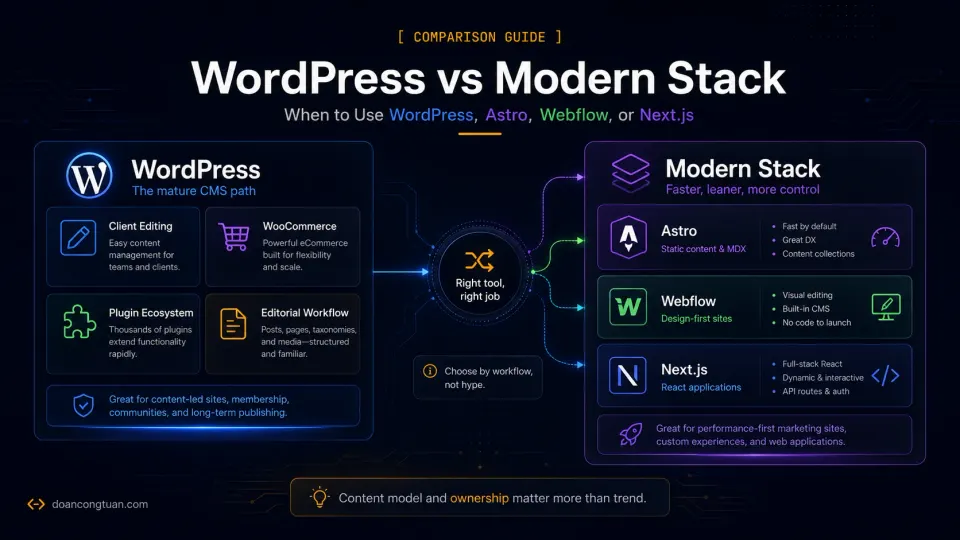
Official references: This comparison uses WordPress Developer Resources and the Astro docs as technical baselines. Product fit still depends on workflow: dashboard publishing versus developer-owned build output.
I spent years building on WordPress before I seriously considered anything else. Not because I was loyal to it, but because it solved the problems I had at the time: clients who needed to update their own content, WooCommerce for small shops, a plugin for every requirement, and a hosting environment almost every provider supported.
The thing that made me start questioning it was not a platform debate I read online. It was docgia.vn — a content and product site I built on WordPress with ReHub, Content Egg, and automated product data. The site was technically ambitious and never financially successful, but it forced me to confront something that had been building for years: WordPress starts to feel heavy when the site becomes a serious project. Not just slow — structurally heavy. Too many moving parts. Too many things that could break on the next update.
That is what led me to research Astro, build on it, and eventually run my own sites on it. I am not recommending everyone do the same. I am describing the journey that changed how I think about platform decisions.
What I Mean by “Modern Stack”
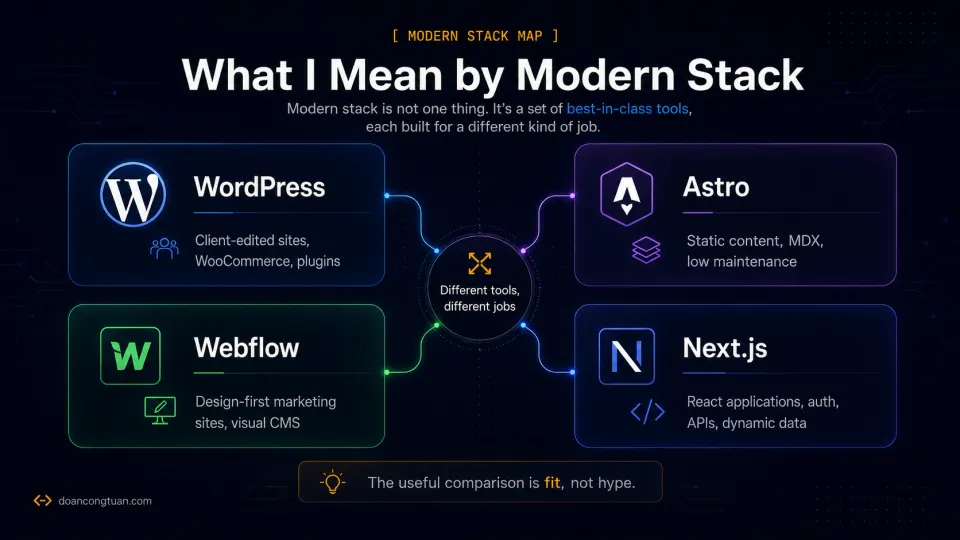
“Modern stack” is a loose term. In this guide, it covers three distinct tools that often get grouped together but serve different purposes:
Astro — a static site framework for content-driven websites. Ships zero JavaScript by default. Files and YAML drive the content. Best for blogs, documentation, and affiliate content sites where the developer controls all content.
The Astro parts of this comparison mainly map to content collections and the MDX integration, because those two features define the content workflow most WordPress developers notice first.
Webflow — a visual web design platform with CMS and hosting. Generates clean HTML and CSS from a visual interface. Best for design-heavy marketing sites and agency deliverables where visual quality is the priority.
Next.js — a React framework with server-side rendering, static generation, and API routes. Best for applications that need React interactivity, dynamic data, and complex rendering logic.
These three tools do not compete with each other in the same way they compete with WordPress. Understanding which problem each one solves is more useful than ranking them.
WordPress Strengths
WordPress earns its 43% market share for real reasons, not marketing.
The technical baseline is still WordPress’s own hosting requirements: PHP, a supported database, a web server such as Nginx or Apache, and HTTPS.
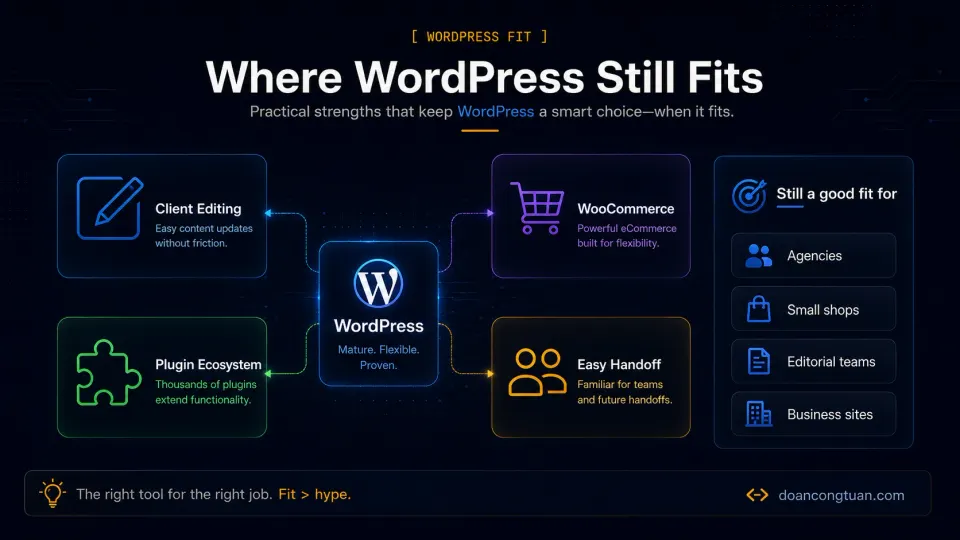
Client content editing is genuinely solved. The block editor is accessible to non-technical users. Clients can update pages, publish posts, add products, and manage menus without calling you. This is not a small thing — it is the reason most agency projects are still built on WordPress. No modern stack framework offers this without a headless CMS layer adding cost and complexity.
WooCommerce has no real rival for open-source ecommerce. For a small to medium shop, WooCommerce handles products, payment gateways, shipping rules, inventory, and order management through a mature plugin ecosystem. Shopify is more polished and more expensive. Astro, Webflow, and Next.js all require external ecommerce services to reach comparable functionality.
The plugin ecosystem is the deepest in web development. Membership systems, LMS platforms, booking tools, CRM integrations, review systems, event management, affiliate tracking — the plugin for almost any business requirement exists and is actively maintained. Modern stack alternatives require custom development or third-party SaaS for the same functionality.
Hiring and knowledge transfer is easier. More developers know WordPress than any other CMS. When a project needs to be handed off or maintained by someone else, WordPress has the largest pool of people who can work on it.
WordPress Weaknesses
Being honest about WordPress does not mean attacking it. These are structural characteristics, not failures.
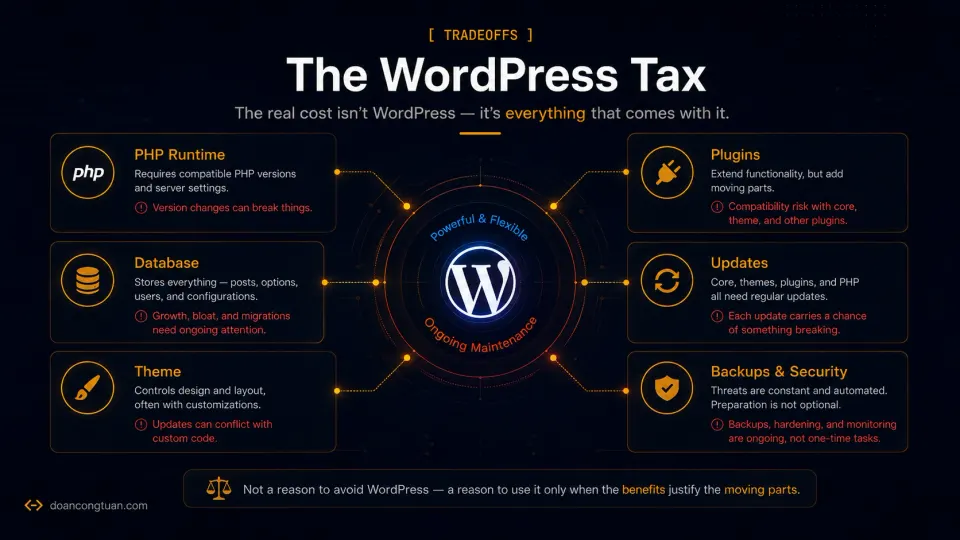
Performance requires active work. WordPress generates pages dynamically from PHP and a database on each request. Without caching at the server level (Nginx FastCGI, Redis) or plugin level (WP Rocket), page generation adds latency. A static site does not have this problem by design.
Maintenance overhead compounds over time. WordPress core updates, plugin updates, theme updates, database optimization, security patches, and backup management are ongoing. Each plugin added to a site is a dependency that needs updating, can conflict with others, and represents a potential security surface. The maintenance burden is manageable for a single well-maintained site and exhausting across ten.
The attack surface is real. WordPress’s popularity makes it a consistent target. Plugin vulnerabilities, weak admin passwords, and outdated installations are the main vectors. One of my WordPress sites was hit by Japanese keyword spam injected through a plugin vulnerability — I noticed it through Google Search Console, not from the WordPress dashboard. This is not a WordPress-specific problem, but the scale of WordPress’s install base makes it a proportionally larger target.
“Feels heavy” is a real thing. At scale, WordPress feels structurally messy in ways that are hard to articulate until you have worked with it seriously. Plugin dependency chains, database growth, the disconnect between what content editors see and what the code produces — it adds up. Modern AI code tools make this particularly visible: when you ask an AI to audit a WordPress site, it often flags the structural complexity accurately.
Astro Strengths
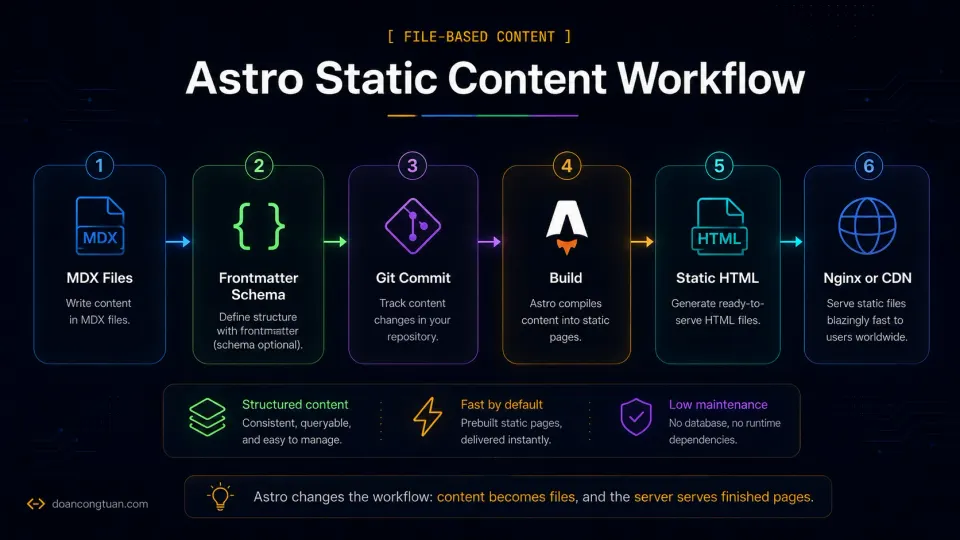
Astro ships zero JavaScript by default. Pages are static HTML served by a web server or CDN. There is no PHP, no database, no runtime to maintain.
For a content-driven site — a blog, documentation, an affiliate review site — this changes the performance profile completely. Fast load times are structural, not the result of caching configuration. Core Web Vitals scores are easier to achieve. Hosting is simpler: a Vultr VPS serving static files from Nginx, or a free Cloudflare Pages deployment.
Content lives in markdown files and YAML frontmatter. This forces structured thinking about content — every post has defined fields, types, and schema. For someone building AI-assisted content workflows, structured MDX content is a significant advantage over a WordPress post editor.
The tradeoff is real: clients cannot edit Astro content without a headless CMS integration or a developer. There is no dashboard. Forms, comments, search, and memberships all require external services.
Webflow Strengths
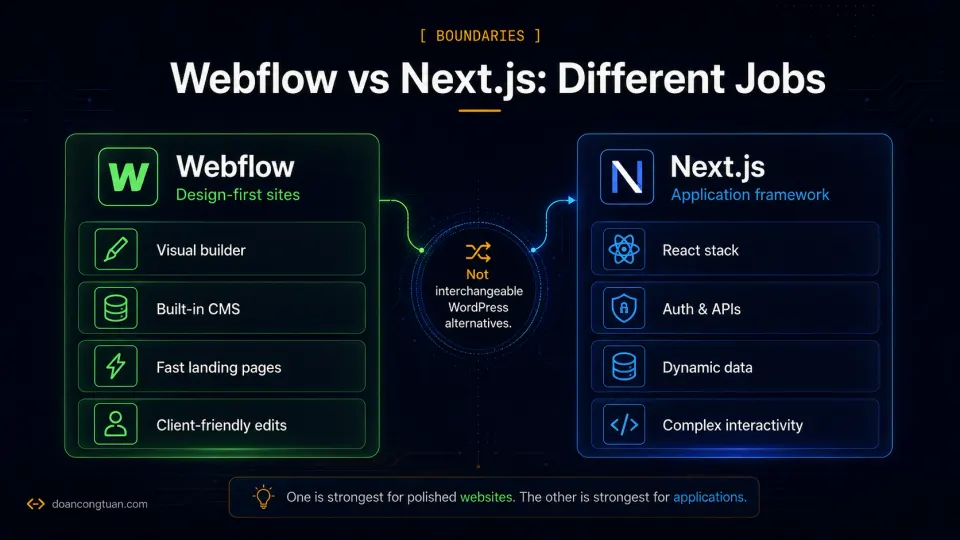
Webflow’s main differentiator is real CSS control in a visual interface. Not simplified abstractions — actual flexbox, grid, and positioning. The output is clean HTML and CSS rather than the shortcode-laden, builder-generated markup that Elementor or WPBakery produce on WordPress.
For design-first agency work — marketing sites, landing pages, portfolio sites — Webflow produces better visual output faster than building the same thing on WordPress with a page builder. The CMS is accessible to clients for content updates without WordPress complexity.
The constraints are real: vendor lock-in is structural (dynamic CMS content cannot move cleanly), pricing scales with traffic for higher tiers, and ecommerce has limitations beyond simple product catalogs. For sites that need complex plugins, WooCommerce, or technical customization, WordPress has more flexibility.
Next.js Strengths
Next.js is a React framework for applications that need server-side rendering, API routes, and complex interactivity. It is the right choice when the project genuinely is an application: user authentication, personalized content, dashboard views, dynamic data from external APIs, or ecommerce with complex state management.
For a blog or content site, Next.js brings more complexity than the problem requires. Astro ships less JavaScript and produces better Lighthouse scores for static content by default. The common use case for Next.js in content sites — a developer who likes React and wants to use it everywhere — is a workflow preference, not a technical requirement.
Decision Table: WordPress vs Astro vs Webflow vs Next.js
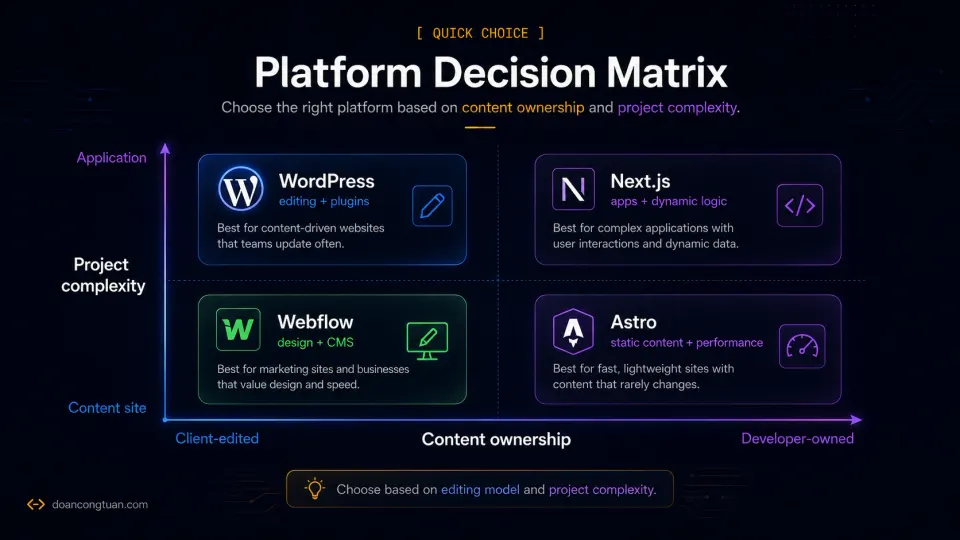
| Platform | Best fit | Not ideal for | My confidence level |
|---|---|---|---|
| WordPress | Client-managed sites, WooCommerce, plugin-heavy workflows, editorial teams | Developer-owned static content sites where maintenance overhead is the main pain | Hands-on production experience |
| Astro | Developer-owned blogs, documentation, affiliate content, structured MDX/YAML content | Non-technical clients who need wp-admin-style editing, WooCommerce, memberships, or plugin workflows | Hands-on production experience |
| Webflow | Design-heavy marketing sites, landing pages, visual agency work, polished client-facing pages | Complex WordPress-style plugin workflows, open-source ownership, WooCommerce-style ecommerce | Research-based |
| Next.js | App-like React projects with authentication, dashboards, APIs, and dynamic data | Simple blogs, static affiliate sites, or content projects where Astro is enough | Research/comparison only |
The table above is the quick decision map. The deeper comparison below focuses on the choice I have actually made in production: WordPress versus Astro.
| Factor | WordPress | Astro | Winner |
|---|---|---|---|
| Client content editing | Built-in block editor — no developer needed | No dashboard — developer edits files or headless CMS required | WordPress |
| Default performance | Dynamic PHP — caching required for good scores | Static HTML — fast by default, no caching plugin needed | Astro |
| Ecommerce | WooCommerce — mature, flexible, free | None built-in — external service required | WordPress |
| Hosting cost | PHP hosting from ~$3/mo shared, ~$12/mo VPS | Static hosting — free tiers on Cloudflare, Vercel, Netlify | Astro |
| Plugin ecosystem | Thousands of plugins for every business function | No equivalent — custom code or third-party services | WordPress |
| Security maintenance | Regular patching required — active attack target | Static HTML — minimal attack surface, no CMS to exploit | Astro |
| Content structure | Flexible but unstructured — posts can be inconsistent | Schema-enforced frontmatter — structured by definition | Astro |
| Hiring / handoff | Large developer pool, well-documented | Smaller community, requires developer familiarity | WordPress |
My Rule of Thumb After Building on Both
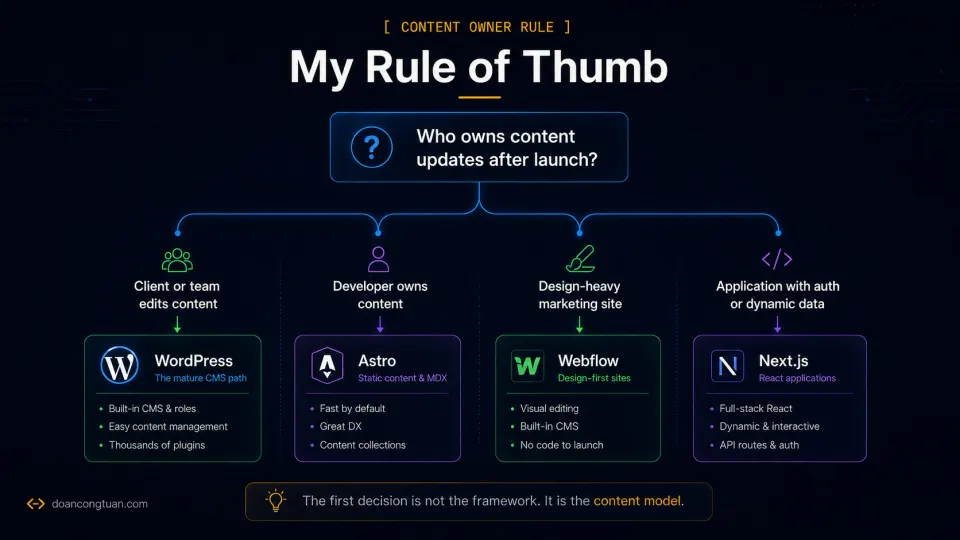
The question I ask before recommending a platform is not “which is better?” It is: who owns the content, and what does the site need to do?
If a non-technical person needs to update the site independently after launch — publish posts, add products, change pages — WordPress is the answer. No modern stack framework competes with it here without adding a headless CMS layer that increases cost and complexity.
If I own all the content, the site is primarily about publishing articles or structured content, and I want low maintenance overhead long-term — Astro is the better fit. This is what I chose for doancongtuan.com.
If the project is a design-heavy marketing site for a client who needs to make editorial updates but does not need ecommerce or plugins — Webflow is worth evaluating. I would not rule it out because I have not used it, but the vendor lock-in is a real consideration.
If the project is genuinely an application with user accounts, dynamic data, and React interactivity — Next.js. Not for content sites.
I used WordPress for years before switching some projects to Astro. The clearest thing I learned: the platform debate matters much less than the content model decision. A WordPress site with the wrong content model is painful. An Astro site built for a client who needs to edit content is worse.
Migration: When Moving Away From WordPress Makes Sense
Most migration articles make this sound easier than it is. It is real work:
- Content export, cleaning, and import into the new format
- URL structure, redirects, and preserving search rankings
- Template and layout rebuilding from scratch
- New deployment workflow
- Testing every page and interactive element
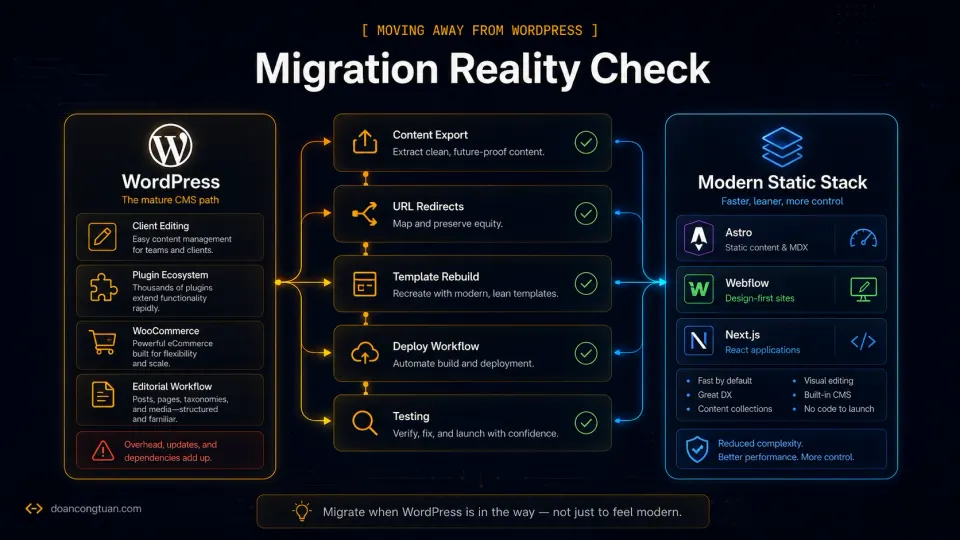
Migration is worth it when WordPress is genuinely in the way — not when you want to feel current. Specific situations where migration makes sense:
The site is developer-owned, content-only, and maintenance overhead has become friction. Plugin updates breaking things, security patches, database bloat — if WordPress is costing more time than it adds value, and the site does not need client editing or ecommerce, migrating to a static approach is reasonable.
Performance requirements conflict with dynamic WordPress. For affiliate sites with structured content, static output can improve Core Web Vitals meaningfully without the caching configuration WordPress requires.
The plugin ecosystem is working against you. Plugin conflicts, outdated dependencies, and the accumulation of workarounds are real costs. At some point, a custom-built static alternative has lower long-term maintenance than a WordPress install with thirty plugins.
When to stay on WordPress: client editing is required, WooCommerce is in use, the plugin ecosystem provides features the site genuinely needs, or the migration cost outweighs the benefit.
- A non-technical client needs to update content after handoff
- The site needs WooCommerce or a mature ecommerce solution
- You need specific plugins with no equivalent in custom code
- The project will be maintained by a team with varying technical levels
- You own all content updates and deploy through a developer workflow
- Performance and low maintenance overhead are the priority
- The site is a blog, documentation, or structured content site
- WordPress maintenance has become friction rather than value
For deeper comparisons on specific pairs, the WordPress vs Astro comparison and WordPress vs Webflow comparison go further on each trade-off.
Frequently Asked Questions
Is WordPress still worth using in 2026?
Is Astro better than WordPress for blogs?
Should I migrate from WordPress to Astro?
Is Webflow better than WordPress for small business sites?
Is Next.js overkill for a blog?
What stack should I use for an affiliate site?
Related Pillar Guides
- Astro for WordPress developers — a practical next step if Astro is the stack you are considering.
- WordPress VPS hosting — how far WordPress can go before you need a different architecture.
- WordPress performance stack — when speed issues are stack problems, not just plugin problems.
- Best WordPress tools for affiliate sites — if you decide WordPress is still the right path.
- Best WordPress themes for affiliate sites — theme choices for affiliate and content-heavy WordPress sites.