Wix Review: A Web Developer’s Perspective
A research-based Wix review focused on service businesses, bookings, the editor, client handoff, renewal costs and portability.
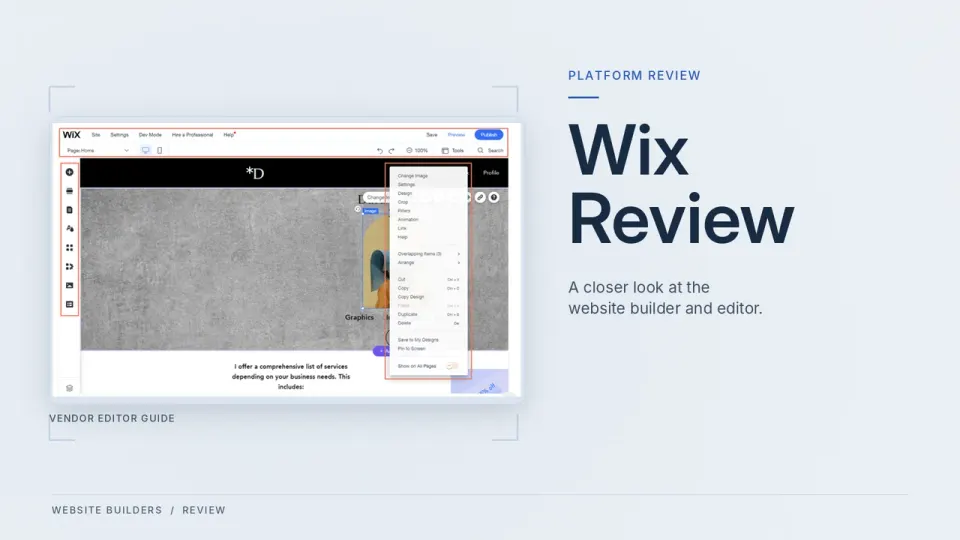
Editorial composite · Vendor reference: Source
Shortlist Wix when the business workflow fits its native tools and the owner can operate them. Verify the required plan and migration constraints first.
- Hosted editing and publishing
- Documented bookings and staff workflows
- CMS options for repeated content
- Plan and app dependencies
- Limited whole-site portability
- Different editor and plan models
I would consider Wix for a business that needs its website to do actual administrative work. A site for a tutoring center, for example, might need inquiries, trial lessons, staff schedules and payment records. The home page matters, but getting a class booked without another round of messages matters more.
My background is in WordPress client sites and developer-managed publishing. I have spent enough time dealing with theme updates and plugin dependencies to appreciate the appeal of a managed alternative. Wix is worth researching for that reason. I have not run a Wix production site, so this review is based on documented capabilities and the tests I would ask a prospective client to complete, not a claim about measured performance.
Where Wix fits in a real business
Imagine a small language school with four teachers. It offers individual lessons, weekly group classes and an introductory consultation. The owner is responsible for marketing and one administrator manages schedules. A standard five-page site can describe the school; it cannot necessarily coordinate availability or record who has paid. Those requirements change the project.
Wix Bookings supports appointments, classes and courses. The business can configure services and schedules and choose appropriate payment options. There are plan requirements before real bookings or online payments can be accepted. Staff permissions matter too: a teacher may need access to an individual schedule without control of the whole business website. The staff permission documentation is a useful starting point.
For this school I would first model two services, a consultation and a group class. I would verify what happens when a time slot is occupied, whether the confirmation reaches the right person, and how a cancellation is recorded. If the site requires a paid upgrade to test the full transaction, I would identify that limitation before accepting the platform. I would never count a feature as complete merely because its settings screen exists.
The editor and the owner’s job
Wix has more than one editing experience. The regular Wix Editor documentation covers its familiar visual page workflow; Wix Studio is oriented toward professional teams, with its own editing and plan structure. The exact interface offered to a new account can change, so I would identify the editor used in the actual project instead of following a tutorial for another editor.
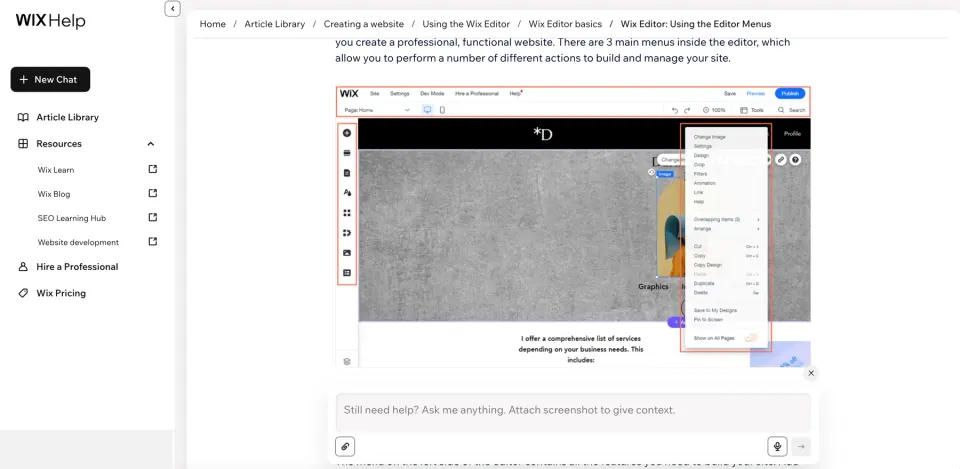
Vendor demonstration · 2026-11-26 · Source / documentation
A site owner does not need the same tools as the person designing the site. The administrator might only need to update the fees for a course and add a teacher profile. If those tasks require moving layout elements by hand, the original design can drift over time. For repeated content, a structured collection and a shared layout are worth exploring. Wix documents CMS collections and dynamic pages in Studio. Before making this architecture a requirement, verify the CMS quotas and content editing permissions for the account that will actually own the site.
For a simple brochure website, I would keep the editing surface small. Give the owner a few repeatable patterns for headings, text and images, rather than a collection of individually designed blocks. There is little value in making a page highly customizable if the business rarely changes its layout.
Define the duration, availability and capacity of two services.
Assign the real operator the minimum necessary role.
Quote required apps and confirm what can be moved.
A booking workflow that cannot be operated reliably is a failed requirement, even when the homepage looks good.
My acceptance test for Wix
I would ask the owner or administrator to perform the following tasks using sample records and no real customer data. The objective is to discover dependencies before launch, not measure which visual builder is fastest.
| Task | What I would record |
|---|---|
| Add a new teacher | Can an existing layout be reused without breaking the page? |
| Block a staff member’s time | Does the customer-facing availability reflect the change? |
| Make and cancel a sample booking | Is the customer notified and the staff record updated? |
| Check a service page on a phone | Can the visitor find the price, location and booking action? |
| Transfer responsibility to the owner | Who can manage billing, bookings, domain and publishing? |
The payment test requires extra care. In a real project I would confirm the payment provider available in the business’s country, the supported currency, settlement details and refund rules. A demo that takes a booking without charging money is useful, but it does not verify online payment acceptance. Make separate records for the two tests.
When a booking system becomes the real product
The school example raises an issue that a website proposal can easily miss: the staff may need to operate the same schedule in two places. Suppose a teacher receives a telephone booking and the administrator adds it to a paper diary. The website still shows that slot as available. That is a workflow failure even if the public booking form functions exactly as designed. Before committing, I would agree on a single source of availability and an owner for schedule corrections.
I would also ask how a class with eight places is handled differently from an individual lesson. Write the rules for a full class, a late cancellation and a teacher substitution on a single sheet. Then reproduce those cases with fictional records in the selected Wix environment. A requirement that needs an extra application or manual reconciliation should be reflected in the quote, not hidden under the phrase “booking included.”
If the school only receives a few inquiries a month, a simple contact form may be sufficient. It is perfectly reasonable to postpone scheduling software until manual administration becomes a genuine problem. This is where I would avoid turning a small business website into an unnecessarily complicated system.
Pricing: the plan is only one line
Wix pricing depends on location, billing term and plan eligibility. I would quote from the actual purchase screen, not assume an advertised monthly equivalent is the amount payable each month. A domain promotion can reduce the first-year bill without reducing later renewals. Business email may also be a separate purchase.
Take a fictional school where the website plan costs $30 per month, business email $8 per month and the initial setup $600. If those assumptions held for three years, the total would be $1,968, excluding tax and payment fees. If a separate app cost $12 per month, it would add another $432. These are illustrative figures, not a Wix price quote. They demonstrate why the recurring cost of a required app deserves a line in the proposal.
For an agency, there is a second issue: who pays the site subscription and who has access to it? I would prefer an owner-controlled billing arrangement with explicit developer permissions. The maintenance agreement should cover design and content changes, not rely on the developer silently renewing the client’s core account. My website builder cost worksheet covers this distinction in more detail.
Portability and maintenance
Wix’s own external hosting explanation says its site technology depends on its hosted platform. I would not promise a portable, working Wix site that can simply be uploaded to Nginx. This is a significant difference from a WordPress installation or a developer-owned Astro repository. A move may involve reimplementing the pages and business functions elsewhere.
I would keep original photographs, written copy, domain credentials in the owner’s secure account, and a URL inventory outside the builder. Ask which business records can actually be exported, how relationships are preserved and what permissions apply. Use test data for this exercise; do not download customer records just to satisfy a technical checklist.
Managed hosting removes some responsibilities from the developer, but the site still needs maintenance. Someone has to remove outdated services, check the contact form, review access when staff leave and verify renewals. A business application also needs its own support process when a booking fails. I would set these responsibilities in writing during the handoff.
Where I would choose something else
A design studio that only needs a portfolio and inquiries might benefit from a smaller editing system. Compare Squarespace versus Wix before adding business applications that will never be used. For a visually ambitious startup campaign, I would also consider Framer. A structured editorial website with custom deployment requirements is closer to the sort of Astro work I already do, and I would evaluate that approach separately.
I would shortlist Wix for a local service business whose scheduling or commerce requirements fit its documented tools. I would hesitate when the client needs independent hosting or a complex custom backend. The test that matters most is whether the administrator can run next Tuesday’s business after the developer has left.
See the Wix product profile for the feature and plan checklist.