Squarespace vs Wix: Which Is Better for Small Businesses?
Compare Squarespace and Wix for a small service business using bookings, owner editing, pricing, handoff and migration tests.
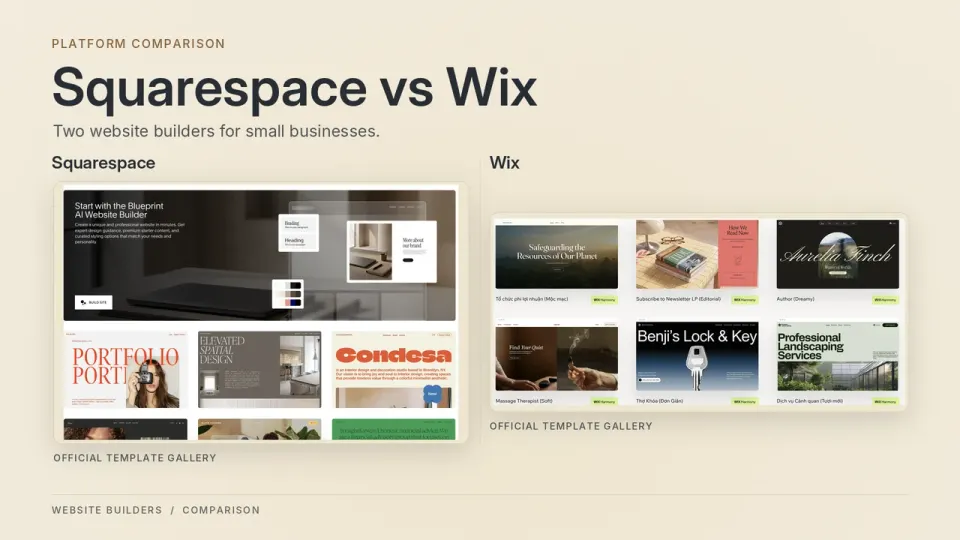
Start with Squarespace for a compact portfolio or inquiry-led business. Compare Wix closely where business applications and scheduling operations are central.
| Factor | Squarespace | Wix | Winner |
|---|---|---|---|
| Editing | Managed visual pages | Multiple Wix editing environments | |
| Scheduling | Separate Acuity subscription when used | Wix Bookings on eligible plans | |
| Cost | Site plus required separate services | Site plus required apps and upgrades | |
| Exit | Selected content exports | Hosted architecture; rebuild may be required |
- Portfolio and inquiry sites
- Owners who prefer a compact publishing workflow
- Service scheduling and integrated business apps
- Sites requiring the selected Wix workflow
For a small business choosing between Squarespace and Wix, I would ask what happens after a visitor presses the main button. If that button starts a complicated appointment, class or payment workflow, I want to see the operational tools before I look at templates. If it simply opens an inquiry form, there is much less to integrate.
Both are managed website builders. The examples below are hypothetical, informed by official documentation and my experience building client sites in WordPress. They are not results of a live two-platform trial.
Give the same business to both platforms
Consider a two-person photography business. It has a portfolio, three packages, occasional studio sessions and a contact page. At launch, the owners only need inquiries. In the second year they may add bookable appointments with a deposit and a second photographer’s availability. There are two distinct versions of this brief, and they should not be priced as if they were identical.
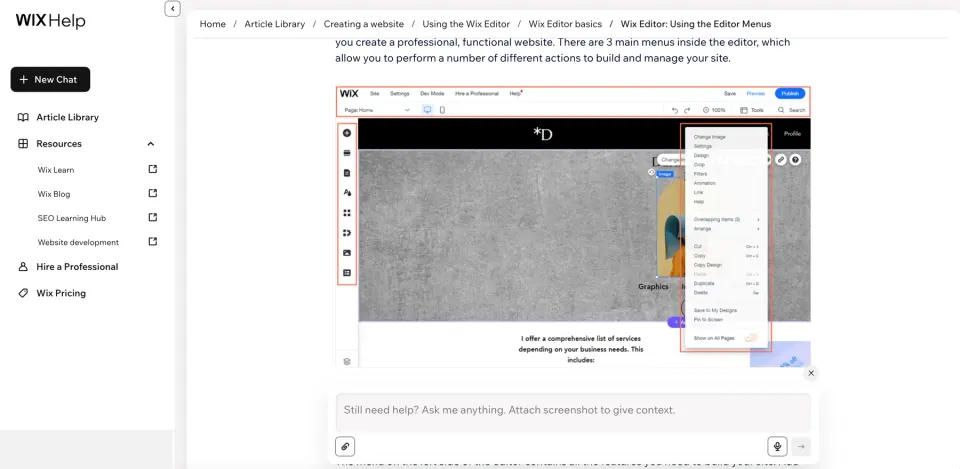
Vendor demonstration · 2026-11-26 · Source / documentation
In the first version, Squarespace is an attractive candidate because I would like the owner to keep the gallery and service information up to date with little technical involvement. Wix is also a reasonable candidate, especially if the business expects to use its other tools. I would give both trials the same photographs, packages and inquiry fields. Keep the time spent learning each editor separate from the time spent making changes once the basic layout exists.
In the second version, the booking system becomes central. Acuity Scheduling is a separate service offered by Squarespace, and its billing guide explains that the subscription is independent of the site subscription. Wix Bookings is a Wix business application, but a suitable paid site plan is needed before accepting actual bookings and online payments. In each case I would price the required configuration, rather than compare the cheapest site plans.
How I would evaluate booking and payments
The owners should write down their availability and refund rules. Suppose a portrait appointment lasts one hour, requires a 15-minute gap, and takes a deposit. The business also sells a two-hour session that uses the same studio. If the two appointment types can reserve the same room at the same time, the scheduling workflow is wrong for this business.
List duration, buffer, staff and shared resources.
Run one sample booking and deposit flow if supported.
Reschedule or cancel a test appointment.
A business cannot rely on an attractive booking page unless the staff workflow works as well.
I would ask one person to act as the customer and the other as the administrator. Run a sample booking, attempt a conflicting reservation, reschedule the first booking and check whether the remaining availability changes. Then determine which payment providers operate in the business’s region, whether deposits and refunds can be handled as required, and how tax information reaches the customer. Some of these tests may require a paid plan or a supported test environment. A plan that cannot be trialed completely remains an open requirement, not a pass.
A booking feature can be unnecessary at launch
I would give the photographer two quotes rather than one inflated scope. The first covers a portfolio and inquiry workflow; the second adds scheduling after the studio confirms how appointments actually work. For illustration, if a scheduling service costs $18 per month and setup takes four hours at $40 an hour, deferring it for six months avoids $108 of subscription expense and delays $160 of setup. These are hypothetical assumptions, not vendor prices, and delaying the feature only makes sense when manual inquiries remain manageable.
A simple inquiry could also be more appropriate for custom wedding work, where the photographer wants to discuss the brief before accepting a reservation. Fixed-duration studio sessions may be better suited to online booking. I would decide this from the business process before deciding which platform’s feature list looks better.
Compare the handoff, not the feature count
For this business, the everyday changes are straightforward: publish a new gallery, update a package and make next month’s appointments available. A designer can build the initial layout on either system; the owner needs a manageable way to operate it.
| Owner task | Squarespace trial | Wix trial |
|---|---|---|
| Add a gallery | Reuse the chosen gallery and page layout | Add work using the selected editor or collection |
| Change package details | Edit text and test mobile layout | Update service content and check the linked booking details |
| Add a second photographer | Check Acuity roles, schedules and plan | Check staff permissions and collaborator limits |
| Receive an inquiry | Verify form delivery and storage | Verify form delivery and the relevant business inbox |
The third row is important. A new person joining the business should not automatically receive unrestricted design and billing permissions. Check that the role supports the job and that removing access leaves the site and appointments functioning.
What the renewal really costs
Use the local Squarespace plan page and Wix plan page as inputs for a written quote. I would include the booking subscription or upgrade, domain renewal, business email, any design extension and the developer’s annual support fee. Track a first-year promotion separately. In particular, a Spark Plugin subscription should only be added to a Squarespace budget when there is a real design requirement that the native editor cannot satisfy. See my Spark Plugin review for that evaluation.
For illustration, if the Squarespace option requires $400 a year in combined recurring services and the Wix option requires $480, the gap is $240 over three years, before tax or usage fees. If the owner saves only fifteen minutes of administrative work per week, that is approximately 39 hours in three years. The more expensive subscription may still be the right decision if it reduces that work. The amounts are hypothetical; do not use them as vendor prices. The full cost guide has a worksheet for replacing these assumptions with actual quotes.
Consider what happens when the business moves
Neither builder is equivalent to a self-hosted WordPress installation that the owner can transfer to another compatible PHP server. Squarespace offers selected content exports; Wix explains that its site architecture depends on its hosting. Keep independent copies of approved copy and media, and make an inventory of routes and required operational records. Booking and customer data must be handled according to the business’s privacy obligations. Confirm what can be exported and what would require a rebuild.
My choice for this brief
For the inquiry-led portfolio I would start by evaluating Squarespace and keep the scope small. For a business with multiple staff, schedules and integrated sales workflows I would investigate Wix early. I would switch that recommendation if Acuity fits the second business better after a real workflow and cost test, or if the selected Wix editing experience is easier for the owner of the first business.
Read the Squarespace review and Wix review for the individual platform limitations. If neither can satisfy the custom data or hosting requirement, consider Squarespace versus WordPress.