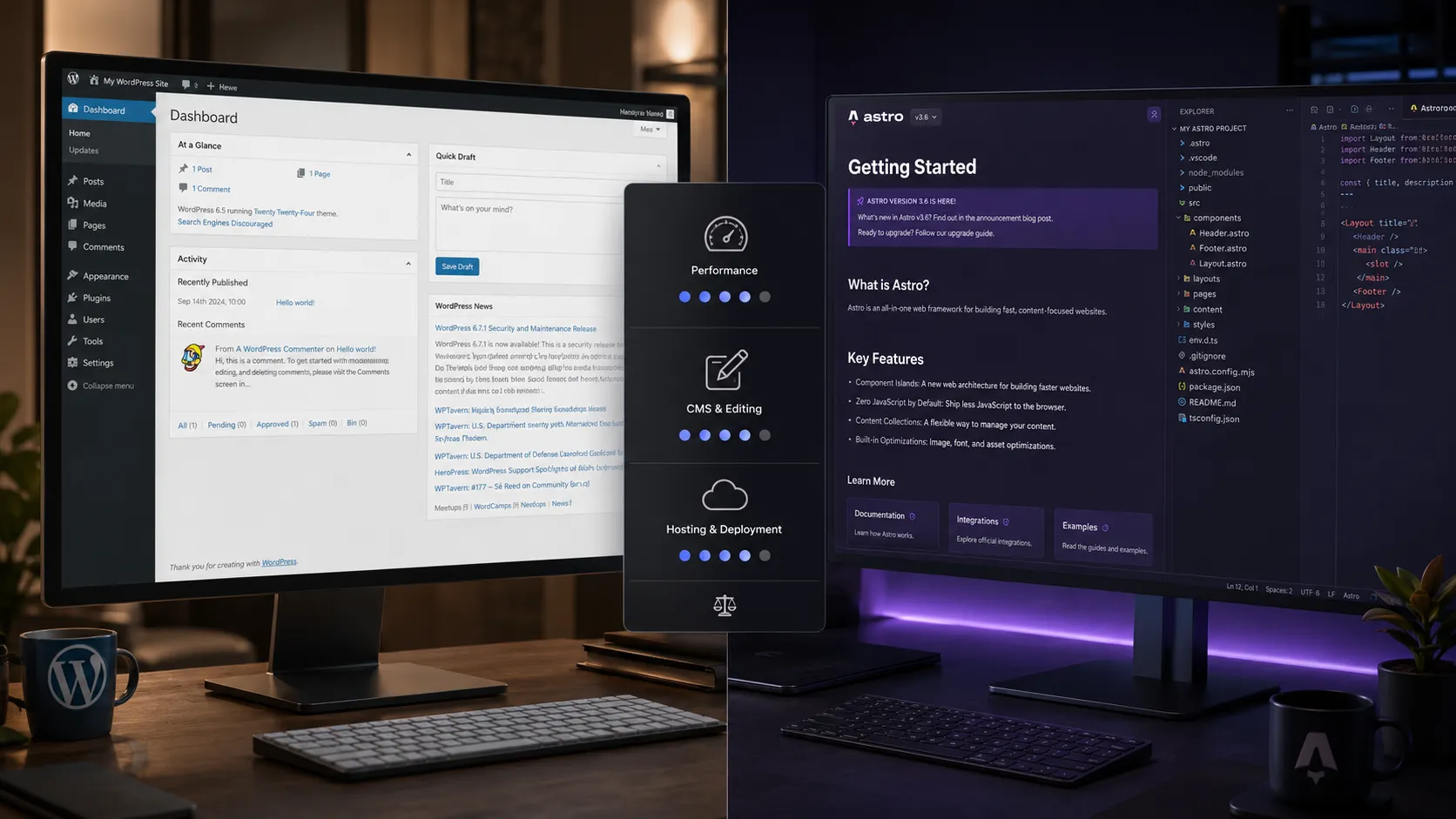
WordPress vs Astro is one of the most practical questions a web developer faces in 2026. WordPress is a full CMS platform where non-technical users can edit content. Astro is a developer-first static site framework that produces fast, clean HTML with minimal JavaScript. They solve genuinely different problems — choosing the wrong one creates headaches for you or your clients.
What is WordPress and when does it make sense?
WordPress is a content management system that runs PHP on a server. When someone visits a WordPress site, the server queries a MySQL database, runs PHP, and generates an HTML response. This is server-side rendering the old-fashioned way.
For most small to medium sites, this works fine. The problem shows up when you don’t invest in caching and server infrastructure — shared hosting WordPress sites often feel slow because they hit the database on every page request.
The real strength of WordPress is that non-technical people can use it. A client can log in, click Edit, change their headline, and hit Publish. No Git. No terminal. No build step. That simplicity has made WordPress power over 40% of the web, and it’s not going anywhere.
What is Astro and when does it make sense?
Astro is a static site generator (with optional SSR). It compiles your templates and content into plain HTML files at build time. When someone visits your Astro site, they get a pre-built HTML file directly — no PHP, no database query, no server computation.
This is why Astro sites are fast by default. There’s nothing to compute at request time.
Astro’s Island Architecture means JavaScript only loads for components that actually need it. A blog post page might ship zero client-side JavaScript. A page with an interactive filter loads only the JS for that filter. The result is smaller bundles and faster load times with no extra configuration.
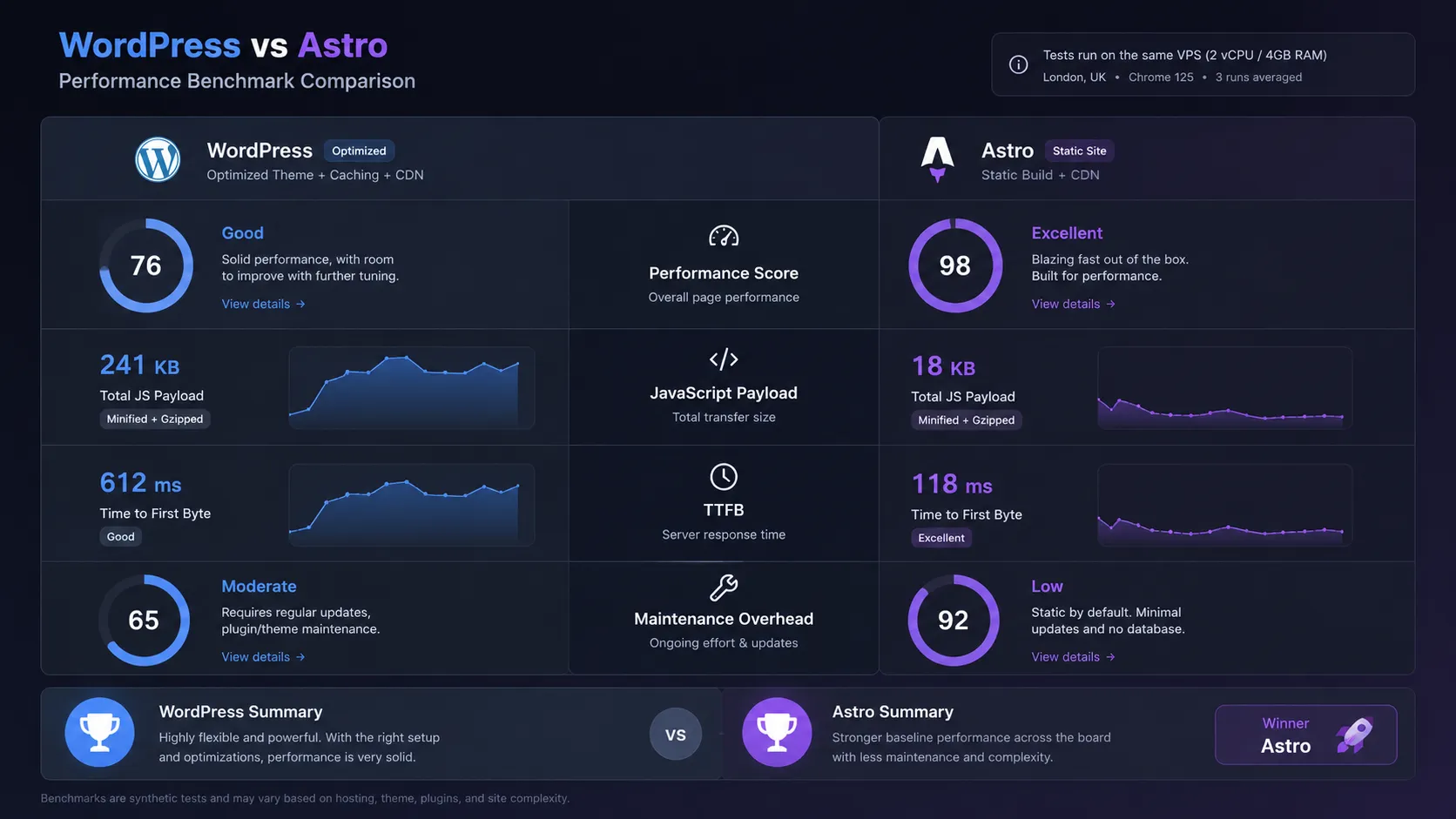
Head-to-head: WordPress vs Astro
| Factor | WordPress | Astro | Winner |
|---|---|---|---|
| Performance (default) | Needs caching + CDN to be fast | Fast by default — static HTML | Astro |
| Client editing | Built-in CMS dashboard | No CMS — clients can't edit without setup | WordPress |
| Plugin ecosystem | Thousands of plugins | Limited — build features in code | WordPress |
| E-commerce | WooCommerce is the standard | No built-in e-commerce | WordPress |
| Hosting cost | PHP hosting from ~$3/mo | Static hosting — free tiers available | Astro |
| Developer experience | PHP/MySQL — older but well-documented | Modern JS/TS with component model | Astro |
| Security surface | Plugins, PHP, database | Static HTML — minimal attack surface | Astro |
| Maintenance overhead | Regular plugin and core updates required | Build-time only — no runtime to patch | Astro |
| Non-technical editors | Low barrier — anyone can use dashboard | High barrier — editors need dev workflow | WordPress |
Pros and cons of each
- Non-technical clients can edit content without developer help
- WooCommerce is the gold standard for WordPress e-commerce
- Enormous plugin ecosystem covers almost every use case
- Decades of documentation, tutorials, and community support
- Works with any PHP hosting provider globally
- Requires active maintenance — plugins and core need regular updates
- Default performance is poor without caching and CDN setup
- Larger security surface — WordPress is the most-targeted CMS
- Plugin conflicts are common and sometimes painful to debug
- Hosting costs more than static alternatives at scale
- Fast by default — ships zero JavaScript on static content pages
- Developer-owned workflow via Git, MDX, and content files
- Content Collections give type-safe, schema-validated structured content
- Minimal hosting cost — deploy to any static host or VPS with Nginx
- No runtime to patch — security surface is minimal
- No built-in CMS — clients cannot edit content without technical setup
- No e-commerce out of the box
- Smaller plugin and integration ecosystem than WordPress
- Build step required before deploy — slower feedback for rapid content updates
- Requires comfort with JS/TS and modern dev tooling
Which should you use?
- Your client logs in to update content regularly
- You're building a WooCommerce store
- You need a specific plugin that solves the problem cleanly
- Non-technical team members manage all content
- Client specifically requests WordPress
- You control all content via Git and MDX files
- Performance and Core Web Vitals are priorities
- You're building a blog, portfolio, docs, or affiliate site
- You want minimal infrastructure to maintain long-term
- You prefer a modern JS/TS developer experience
A note on hosting
For WordPress sites, shared hosting works for low-traffic projects. Hostinger is a reasonable starting point for budget-conscious projects.
Affordable shared hosting with good performance for small WordPress sites. Solid starting point if you want WordPress without a large hosting bill.
Get Hostinger →Affiliate link — I may earn a commission at no cost to you.
For high-traffic WordPress sites or client projects that demand reliability, managed hosting on Google Cloud is worth the cost.
Premium managed WordPress hosting on Google Cloud. Excellent performance, staging environments on every plan, and a developer-friendly dashboard.
Get Kinsta →Affiliate link — I may earn a commission at no cost to you.
For Astro, you can deploy to any static host. Vercel, Netlify, and Cloudflare Pages all have generous free tiers. If you prefer a VPS, Nginx serves static files without any application server overhead — which is exactly how this site runs.
The honest verdict
The WordPress vs Astro debate gets framed as “old vs new” or “easy vs powerful.” That framing misses the real question: who edits the content?
If a non-technical person logs in and edits the site regularly, you need WordPress or a CMS-backed solution. If a developer controls all content through files and Git, Astro is a much cleaner stack.
Keep both in your toolkit. They complement each other more than they compete.