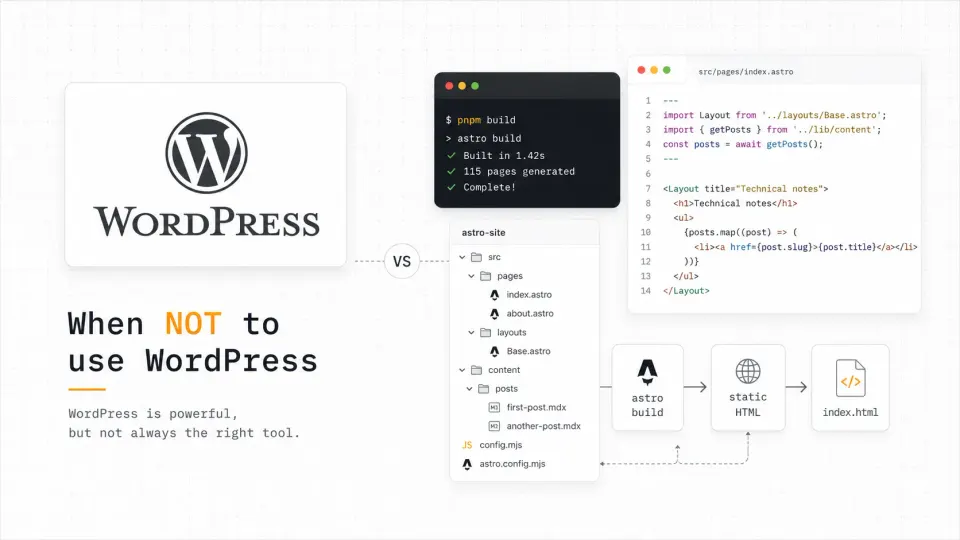
A bad theme or builder choice can make WordPress feel heavier than it needs to be. If you are staying with WordPress, start with my WordPress themes for affiliate sites guide.
When WordPress is not the right fit, the next question is usually what to use instead. I map that decision in my WordPress vs modern stack guide, and explain the Astro path separately in Astro for WordPress developers.
I use WordPress every week for client work. I am not here to trash it. But I also see developers and solo founders reach for WordPress by default: out of habit or because “everyone uses it”: for projects where it genuinely makes their life harder, not easier.
WordPress is the right tool for a specific job. When the job doesn’t match, the overhead is real: database to manage, plugins to update, security patches to apply, caching to configure. For the wrong project, that’s all cost and no benefit.
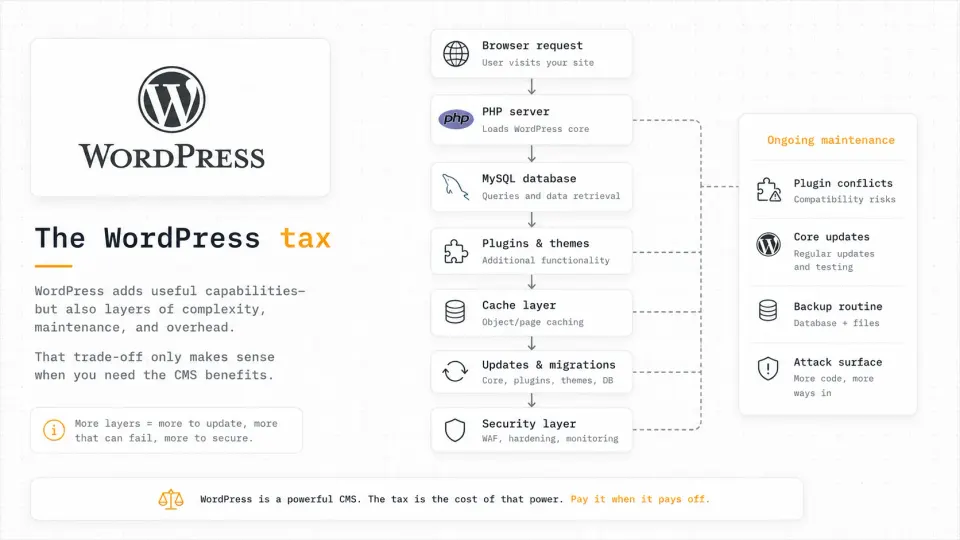
The WordPress tax is not one thing. It is the stack of small moving parts you inherit even when the site itself is simple.
I once recommended WordPress for a developer’s personal recipe blog because “everyone uses WordPress.” The developer updated it twice, got confused by Gutenberg, and never touched it again. Astro would have been three pages of MDX. I know this now.
The 6 cases where WordPress is the wrong choice
1. You’re the only person editing the content
WordPress’s biggest selling point is its CMS dashboard, a friendly interface that non-technical users can navigate. If you’re a developer managing your own content via code, you’re paying the full WordPress tax (PHP server, database, maintenance) without using the main benefit.
For developer-owned content, a file-based system is strictly better. Write MDX files. Push to Git. Build runs automatically. No dashboard, no database, no plugin updates.
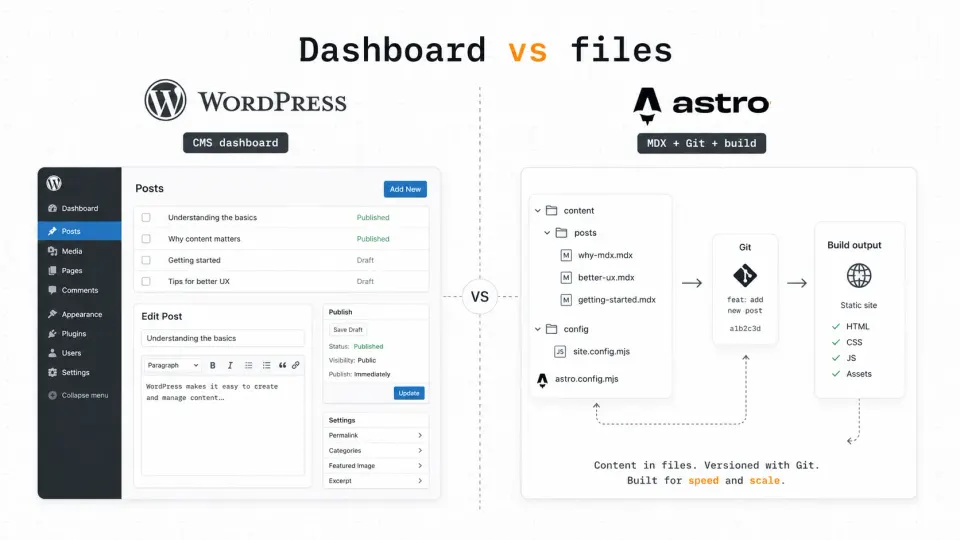
If you are the only editor and already work in code, a file-based workflow removes the CMS layer instead of forcing you through it.
2. Your site is mostly static content
A blog, portfolio, documentation site, or affiliate content site: these are all static content. The content changes rarely, there’s no user authentication, no real-time data, no dynamic functionality that requires server-side rendering on each request.
WordPress renders pages dynamically by default. For static content, that’s unnecessary work on every single page load. You’re querying a database and running PHP to produce HTML that could have been pre-built once. Static site generators eliminate that overhead entirely.
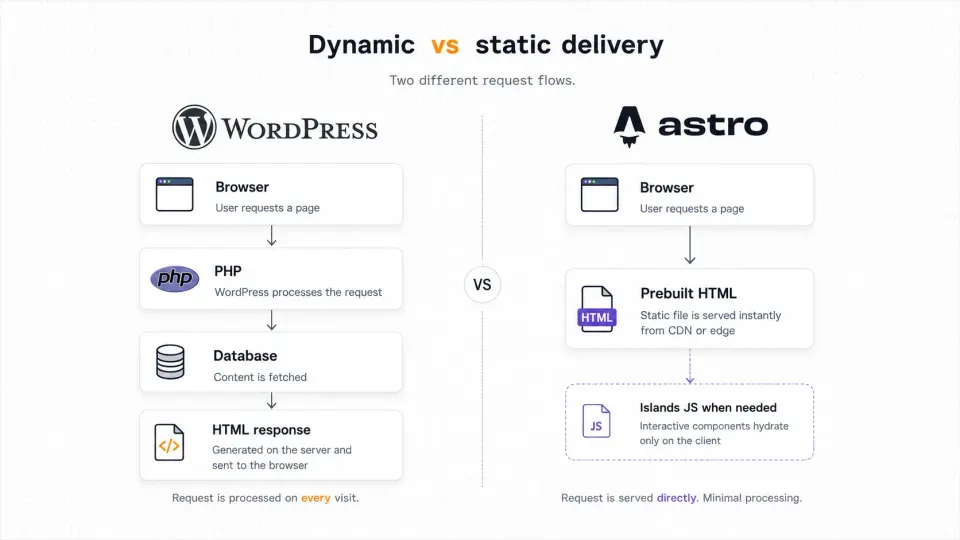
For mostly static content, the practical question is simple: should the server rebuild the page on every request, or should the HTML already exist?
3. Performance is your top priority
WordPress can be made fast. With a good host, LiteSpeed or Nginx caching, a CDN, and WP Rocket, you can get respectable Core Web Vitals. But you’re working against the default, not with it.
Astro ships zero JavaScript on static pages by default. A fresh Astro site with minimal content scores 95+ on Google PageSpeed without any optimization work. That’s the baseline before you even try. Getting WordPress to 95+ requires real investment: managed hosting, caching configuration, image optimization, and ongoing monitoring.
If your project lives or dies by search rankings and performance scores, starting with a static framework is the pragmatic choice.
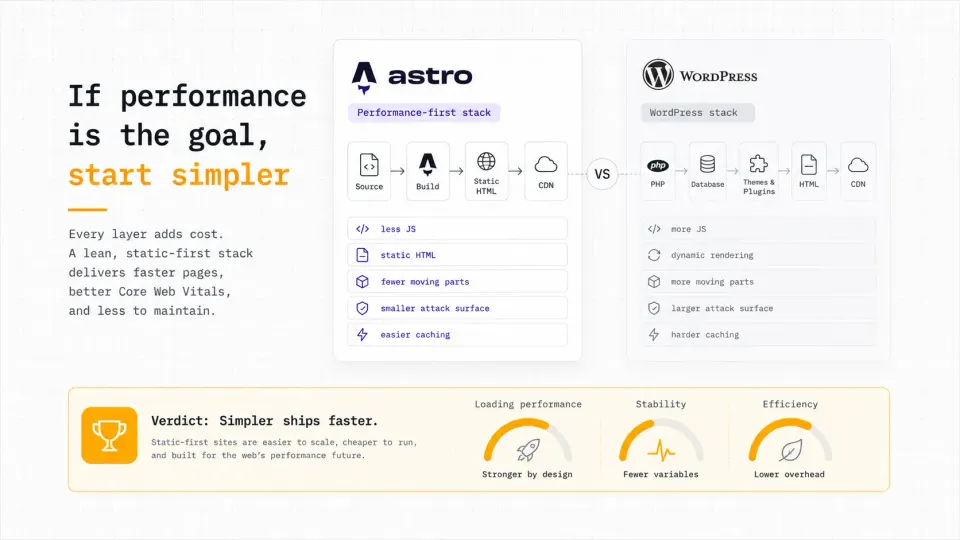
WordPress can be fast, but performance usually requires extra layers. Static-first sites start with fewer moving parts.
4. You’re building a personal portfolio
This is the most common case where I see developers overthink it. Your portfolio is 5-10 pages. It changes a few times a year. You have full developer skills.
Using WordPress for your portfolio means:
- A server running PHP and MySQL just to serve 5 pages
- Regular plugin updates and security patches
- More attack surface than you need for a personal site
- Often slower than a static equivalent
A portfolio built with Astro (or even plain HTML) is faster, cheaper to host, and signals technical judgment. Hiring managers who are developers will notice.
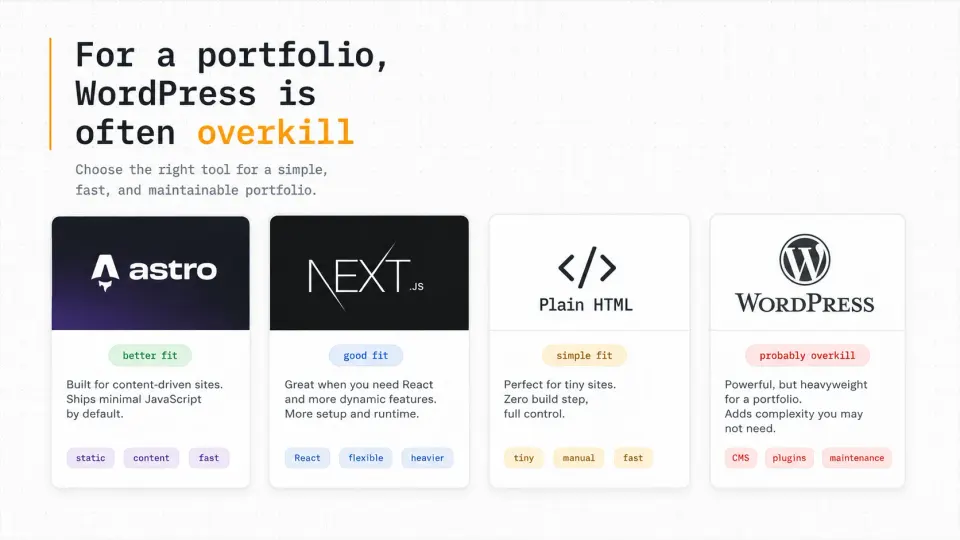
For a developer portfolio, the stack itself quietly says something about your judgment. Simple pages rarely need a full CMS.
5. You need zero ongoing maintenance
WordPress requires maintenance. Not a lot, maybe 30 minutes a month, but it is real. Core updates, plugin updates, occasional conflict resolution when updates break something. Security is an ongoing concern because WordPress is the most-attacked CMS on the web by volume.
If you’re building a site for a project, client, or organization that will largely be set-and-forgotten, a static site is more resilient. Static HTML files don’t have vulnerability disclosures. There’s no PHP version to upgrade. No database to back up.
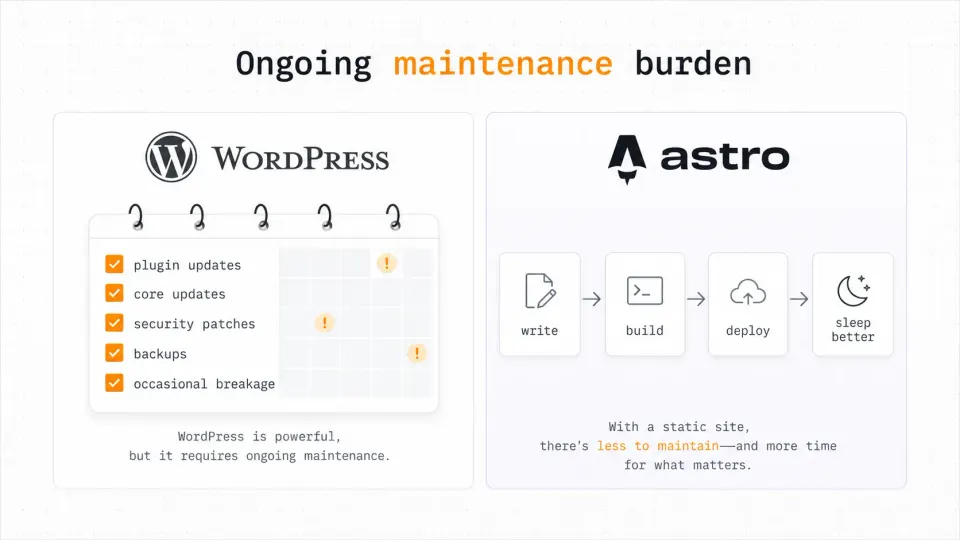
The maintenance cost of WordPress is not always huge, but it never fully disappears. Static sites remove entire categories of routine work.
6. You’re on a very tight budget
WordPress hosting starts cheap (shared hosting from $3/mo) but the real cost of a production WordPress site adds up:
- Hosting: $3-15/mo
- Premium theme: $50-250 one-time
- Essential plugins (caching, security, forms, SEO): $50-200/yr
- Managed hosting if you care about performance: $35+/mo
A static Astro site deploys to Netlify, Vercel, or Cloudflare Pages for free. Your only cost is the domain (~$12/yr). For personal projects and bootstrapped products, that difference matters.
The cheapest WordPress install is not always the cheapest long-term setup once themes, plugins, hosting quality, and maintenance are counted.
So when DO you use WordPress?
- A non-technical client needs to edit content regularly
- You need WooCommerce for e-commerce
- Specific plugins solve real problems (forms, membership, LMS)
- Multiple editors need a shared CMS dashboard
- Client explicitly asks for WordPress
- You're the only editor and work in code
- The site is a blog, portfolio, docs, or affiliate site
- Performance and low maintenance are top priorities
- There's no e-commerce or plugin-dependent functionality
- You want to deploy to free static hosting
The better question is not whether WordPress is good or bad. It is whether the project actually needs a CMS, a plugin ecosystem, or just clean static output.
What to use instead
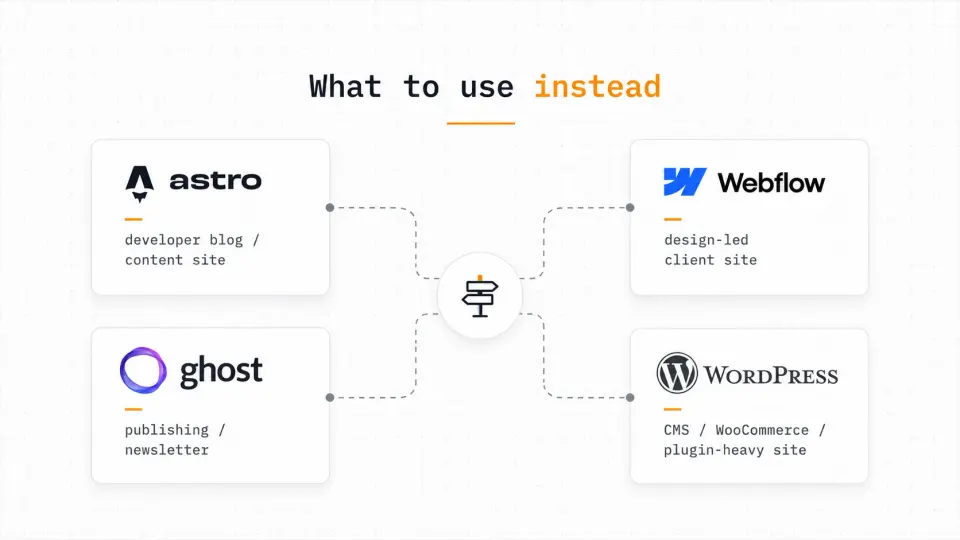
For developer-owned blogs and content sites: Astro. It’s the best static framework for content in 2026: MDX, Content Collections, zero JS by default, deploys anywhere.
For client sites that still need some CMS: Consider a headless approach. Astro + a lightweight headless CMS like Tina CMS (Git-based, free tier) or Keystatic. Clients get an editing interface, you get clean code and static output.
For writing-focused blogs with newsletter built in: Ghost. Open-source, clean writing experience, built-in membership and newsletter. Better than WordPress for pure publishing.
For no-code client sites with design priority: Webflow. Better design control than WordPress without the plugin complexity. Suited for agencies doing design-led marketing sites.
Each tool has a sane use case. The mistake is treating WordPress as the default answer before checking the editing model, performance target, and maintenance tolerance.
If you’re still on WordPress and wondering whether to migrate, the answer depends on who edits the content. The migration guide covers that decision in detail.