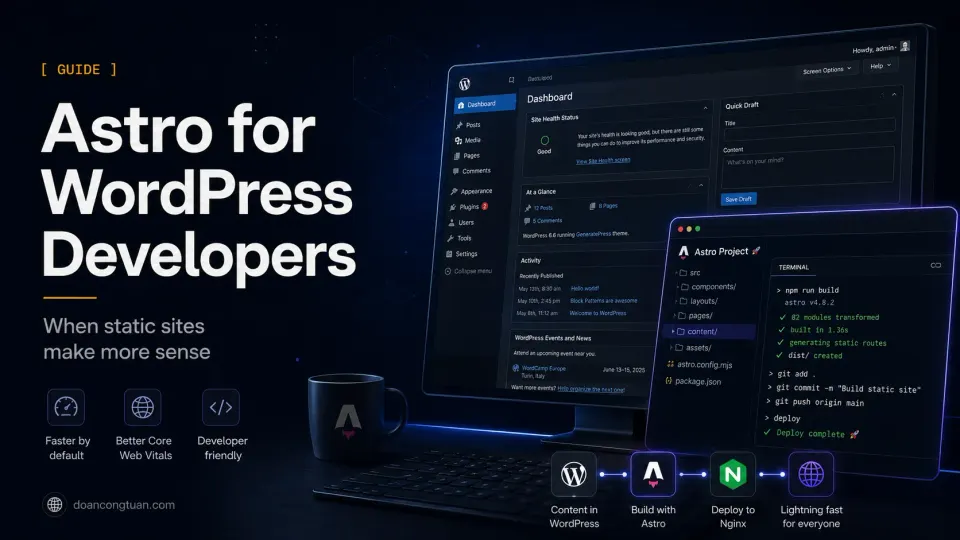
Official references: Start with the Astro docs for the Astro side and WordPress Developer Resources for the WordPress side. The practical difference is less about syntax and more about publishing workflow.
I did not start using Astro because I decided WordPress was bad. I started because a specific category of sites I was building — content-heavy, developer-managed, editorial in nature — kept feeling heavier on WordPress than the problem required. Plugin maintenance, database overhead, caching configuration, security patching on sites that were essentially just articles and structured data. The infrastructure cost was out of proportion to what the site was actually doing.
Astro solved that mismatch. Not by being a better general-purpose CMS — it is not — but by being a better tool for that specific kind of site.
This guide is for WordPress developers who are curious about what Astro actually changes, rather than the marketing version of “zero JavaScript and blazing performance.” The marketing is accurate. It just skips the part where YAML indentation errors break your build at midnight.
Why WordPress Developers Should Care About Astro
If you have spent years building on WordPress, you already understand more about structured content, template logic, and deployment than most people starting with Astro. The concepts translate. The implementation is different.
WordPress developers who move to Astro typically find two things:
The familiar parts: Template logic, content organization by type, structured data, internal linking patterns, SEO metadata, and the discipline of thinking about content as structured information rather than free-form HTML.
The genuinely different parts: No dashboard. No database. No plugins. Content lives in files. Building requires a terminal. Deployment requires a workflow. Every page is a build artifact, not a database query.
That second list sounds like a limitation. For a certain category of sites, it is an advantage: fewer dependencies, fewer things that can break on an update, and structural performance that does not require a caching plugin to achieve.
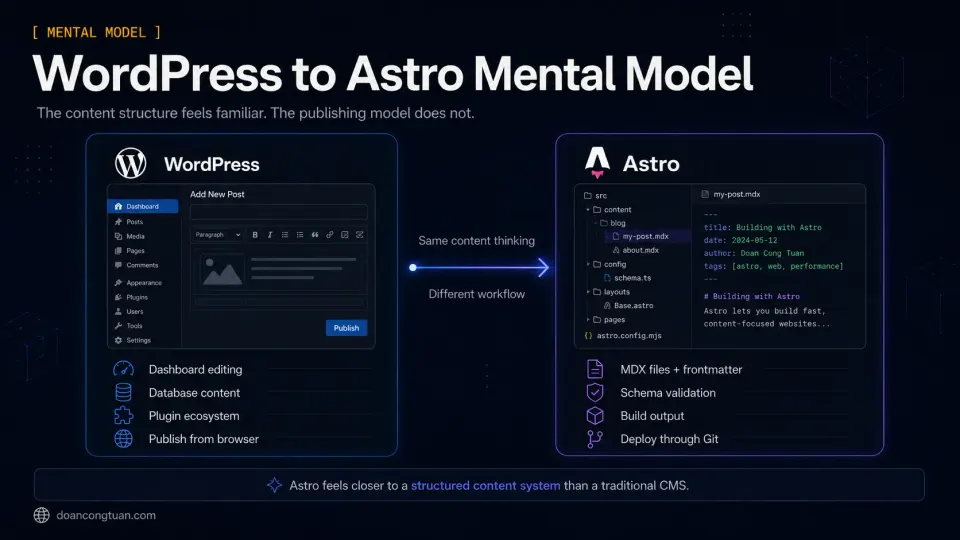
What Feels Different Coming From WordPress
The first thing most WordPress developers notice about Astro is that it is strict in ways WordPress is not.
WordPress is permissive. You can create a post without a featured image, a title without a slug, a page without a description. The database accepts whatever you give it. Plugins handle the rest.
That permissiveness is part of why the WordPress Theme Handbook still matters for WordPress work: themes must handle messy real-world content that editors create through the dashboard.
Astro uses content collections with schema validation. If you define a collection that requires a title, publishedAt, and category, every content file in that collection must have those fields or the build fails. A missing field is not a warning — it is a build error.
This is where Astro’s content collections docs are worth reading carefully, because the schema becomes the contract for every article, review, or tool page you publish.
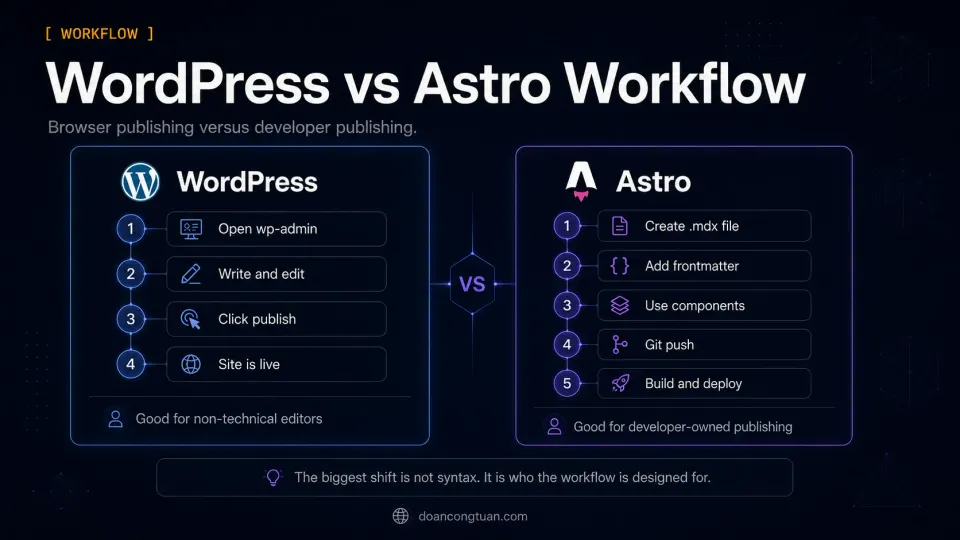
The workflow in practice:
On WordPress: open browser, go to wp-admin, write post, publish. Non-technical users can do this.
On Astro: open code editor, create a .mdx file in the right collection directory, write frontmatter in YAML, write content in markdown with optional component imports, run npm run build to verify, push to Git, deploy the dist/ folder. Developers can do this. Non-technical users cannot without a headless CMS in front of it.
The .mdx part is not just markdown with extras; Astro’s MDX integration is what lets long-form content use reusable components without turning the whole site into a WordPress-like database system.
This difference is not a criticism of Astro. It is a description of who the tool is for.
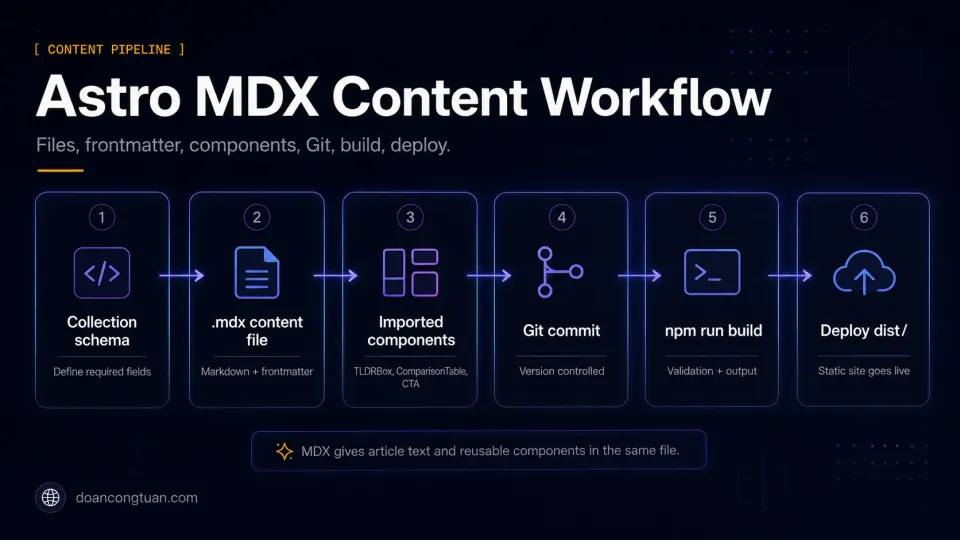
Content Workflow: Files, MDX, Git, Build, Deploy
Astro content lives in src/content/ organized into collections. Each collection has a schema defined in TypeScript. Content files are .md or .mdx — markdown with optional component imports.
A typical content file looks like this:
---
title: "My Post Title"
publishedAt: 2026-06-15
category: "wordpress"
tags: ["wordpress", "vps"]
---

Post content in markdown. MDX means you can also import
and use Astro components directly in the content.
The YAML block between the --- markers is frontmatter. The schema for the collection validates it on build. If publishedAt is missing or malformatted, the build fails with a clear error message telling you exactly which file and which field.
For WordPress developers, the closest mental model is: imagine if every WordPress post had required custom fields that the database enforced before saving. Astro’s content collections work like that, but the enforcement happens at build time rather than in the editor.
MDX is the part that surprised me most. It is markdown that accepts component imports. A review article can import a <ComparisonTable> component, a <TLDRBox>, an <AffiliateCTA>. The component renders as part of the article output. No shortcodes, no blocks — just a clean import at the top of the file and a component tag in the content.
For WordPress developers used to Gutenberg blocks or shortcodes, MDX feels more like writing code than writing content at first. After a few articles, it feels like the same thing with better structure.
Performance Difference: Static Output vs Dynamic WordPress
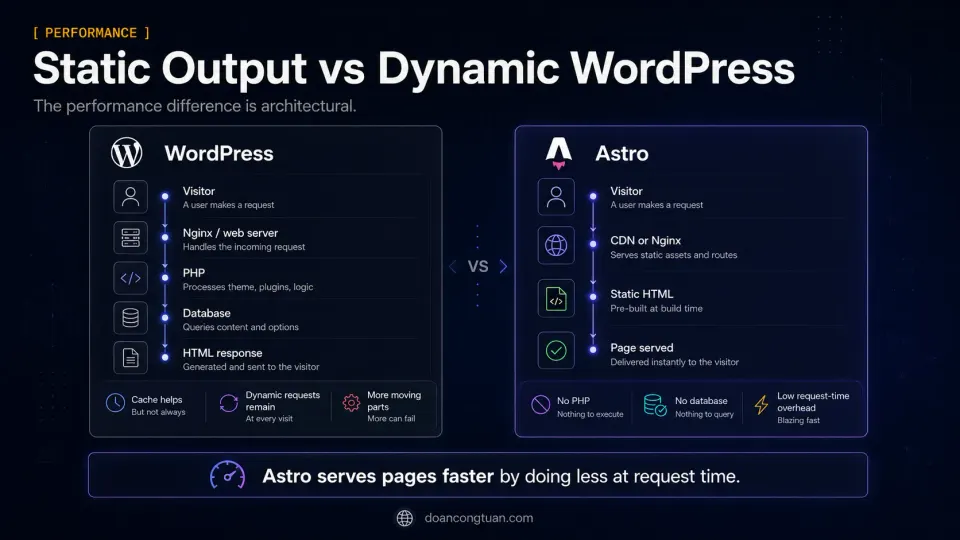
The performance advantage of Astro over WordPress is structural, not configuration-based.
WordPress generates pages by running PHP, querying a database, assembling template parts, and returning HTML. With good caching (Nginx FastCGI, WP Rocket, Redis), the cached version is served instead of re-running this process. But cache misses, logged-in users, WooCommerce cart sessions, and dynamic elements all bypass the cache and run the full stack.
Astro generates pages at build time. The output is static HTML files. A web server — Nginx on a VPS, or a CDN edge node on Cloudflare Pages — serves the file directly. There is no PHP. No database. No cache to warm or invalidate. Every visitor gets the same pre-built file.
The practical result: Astro static pages can often achieve very low TTFB on a good host because the server is only serving pre-built files. A cached WordPress site can also be fast, but uncached requests, logged-in users, WooCommerce sessions, and plugin-heavy pages still depend on PHP, database queries, and server configuration.
For Core Web Vitals, zero JavaScript by default means Largest Contentful Paint and Cumulative Layout Shift are easier to control. There are no plugin scripts loading, no render-blocking resources from a page builder, no third-party WordPress scripts unless you explicitly add them.
What You Lose When Leaving WordPress
This section matters more than most Astro guides admit.
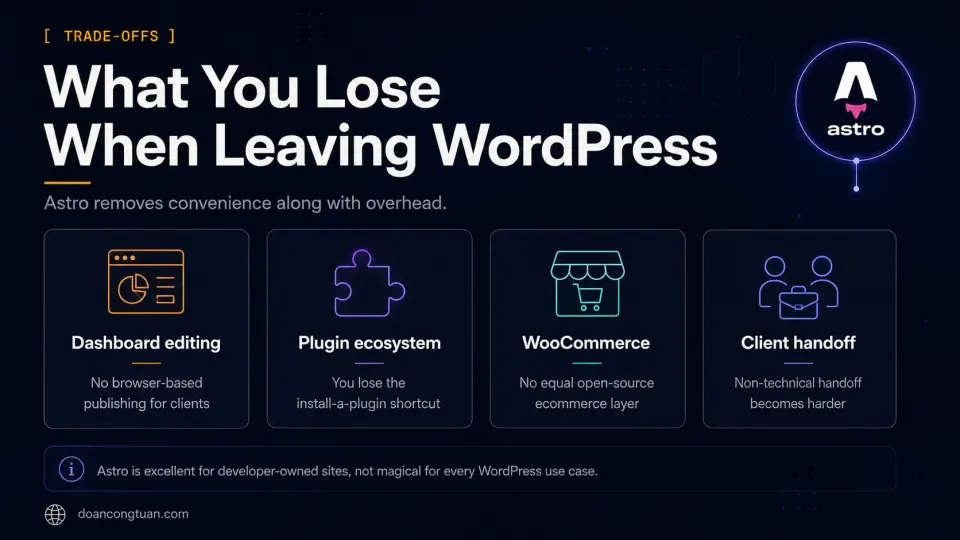
Client content editing. There is no dashboard. A non-technical person cannot log in and publish a post. For sites where content editing independence is required, WordPress is not replaceable without a headless CMS layer — which adds cost, complexity, and a new system to maintain.
The plugin ecosystem. 59,000 WordPress plugins cover almost every conceivable business requirement. Membership systems, booking tools, LMS platforms, WooCommerce, event management, CRM integrations — all of these exist as mature, maintained plugins. On Astro, you build these yourself or use third-party SaaS. Neither is wrong, but both require different decisions than “install a plugin.”
WooCommerce. There is no Astro equivalent for open-source ecommerce at the maturity level of WooCommerce. You can integrate headless commerce APIs with Astro, but it requires significant custom work that a WooCommerce setup handles out of the box.
The “just works” factor for non-developers. WordPress was designed so that non-technical people can manage websites. Astro was not. For client work, this is the most important difference.
I still build WordPress sites for most client projects. Not because WordPress is the better technical choice in every case, but because clients need to update their own content. The right tool for the client’s situation is not always the right tool for my own projects.
What You Gain With Astro
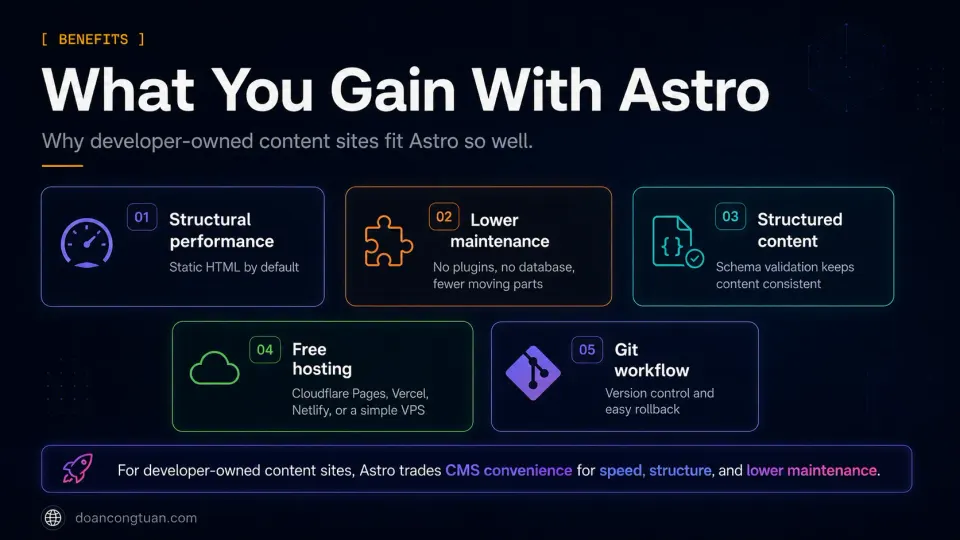
Structural performance. Static HTML served from Nginx or a CDN edge is fast without configuration. No WP Rocket, no cache warming, no cache invalidation after plugin updates. The performance floor is higher than WordPress with full optimization.
Lower maintenance overhead. No WordPress core updates breaking plugins. No plugin conflicts after an update. No database backup schedule for a site that is entirely static files. No security patches for a CMS that is not there. For sites I own and will run for years, this is a meaningful reduction in ongoing work.
Structured content by definition. Content collections with schema validation mean every piece of content has the same structure. This makes AI-assisted content workflows significantly cleaner — generating into a defined schema rather than a blank editor produces better structured output.
Free hosting. Static HTML deploys to Cloudflare Pages, Vercel, or Netlify on free tiers without meaningful limitations for most content sites. Or to a VPS serving static files from Nginx — which costs the same as hosting WordPress but without the PHP/database stack.
Git-based workflow. Content is version controlled. Every change is a commit. Rolling back to a previous version is a git operation, not a database restore. For developers who already work in Git, this is a natural fit.
Astro vs Next.js for Content Sites
WordPress developers who research modern frameworks often end up comparing Astro and Next.js. Both are popular, both produce fast sites, and both are frequently mentioned in the same conversations.
The distinction is clearer than it first appears:
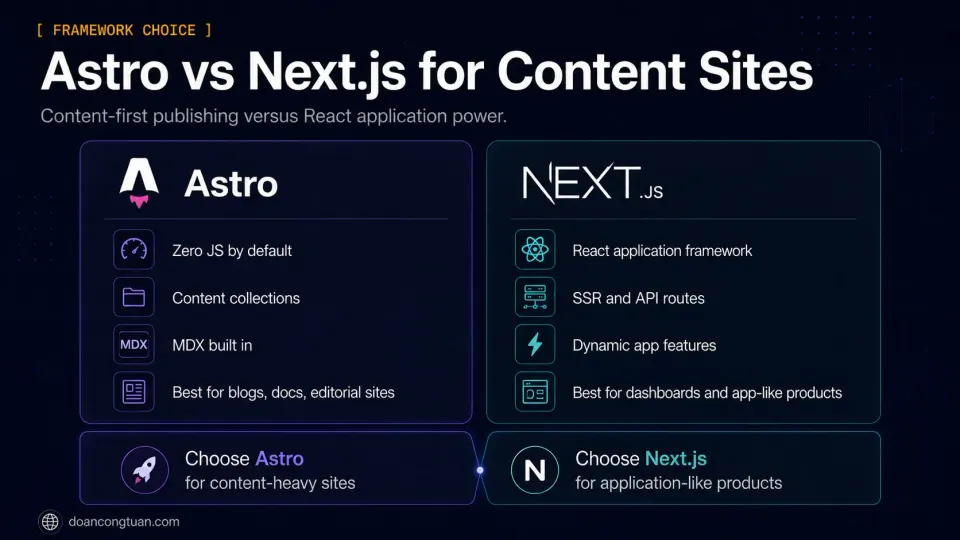
Astro is designed for content. Zero JavaScript by default. Content collections. MDX. Static output. The framework is optimized for the case where most pages are articles, documentation, or structured editorial content. Interactivity is added only where it is needed.
Next.js is designed for React applications. Server-side rendering, API routes, complex data fetching, dynamic routes with database queries — these are Next.js’s natural territory. It can produce excellent static content sites too, but it ships more JavaScript by default and requires more configuration to reach the same performance floor Astro starts from.
For a WordPress developer building a blog, documentation site, or affiliate editorial site: Astro reaches the goal faster with less overhead. For a WordPress developer building something more application-like — user accounts, personalized content, dynamic dashboards — Next.js is the more appropriate tool.
| Factor | Astro | Next.js | Winner |
|---|---|---|---|
| Default JavaScript shipped | Zero JS by default | React runtime on every page | Astro |
| Content site fit | Native — content collections, MDX built in | Works but requires more configuration | Astro |
| Application features | Limited — SSR adapter required | Native — API routes, SSR, dynamic data | Next.js |
| Lighthouse scores on static content | High by default | High with configuration | Astro |
| Learning curve from WordPress | Moderate — new mental model, simpler framework | Steeper — React knowledge required | Astro |
| Community size | Growing rapidly | Very large, mature ecosystem | Next.js |
| Free hosting options | Cloudflare Pages, Vercel, Netlify free tiers | Vercel free tier, others require configuration | Depends |
When I Would Still Choose WordPress
Being honest about Astro means being honest about its limits.
Client projects with content editing requirements. A business client who needs to update their own pages, publish blog posts, or add products is not a candidate for Astro without a headless CMS. The setup cost and ongoing complexity of adding a CMS layer usually makes WordPress the more practical choice.
WooCommerce ecommerce. Nothing in the static site world matches WooCommerce for open-source ecommerce at its price point (free). If the site needs product management, cart, checkout, inventory, and shipping rules, WordPress is where I start.
Sites with heavy plugin dependencies. Membership platforms, LMS systems, booking tools, event management — if the site’s functionality is delivered by mature WordPress plugins, rebuilding that functionality for a static site is not a straightforward migration.
Quick client turnarounds. For a small business site that needs to be live in two weeks with a client who will manage it afterwards, WordPress with a good starter theme and minimal plugins is faster to deliver than an Astro site with a headless CMS integration.
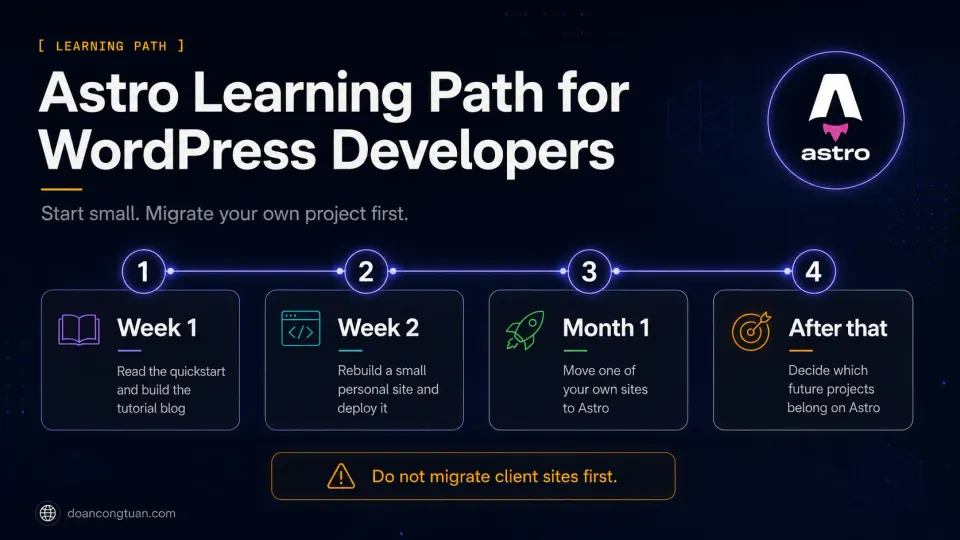
Suggested Learning Path
For a WordPress developer who wants to start with Astro without abandoning WordPress:
Week 1: Read the Astro docs quickstart. Build the tutorial blog. Do not skip the content collections section — it is the part most relevant to WordPress developers.
Week 2: Rebuild your own personal blog or a simple content site in Astro. Deploy it to Cloudflare Pages or Vercel on the free tier. Notice what is easy and what is frustrating.
Month 1: Move one of your own sites — not a client site — from WordPress to Astro. Work through the content migration, the redirect setup, and the new deployment workflow. Do this on something where a mistake has no serious consequence.
After that: You will have a clear opinion about which projects belong on Astro and which belong on WordPress. That opinion will be based on experience rather than either platform’s marketing.
The Astro tool profile covers the technical specifics. The WordPress vs Modern Stack guide covers the platform decision more broadly.
- You own all content updates and deploy through a developer workflow
- The site is a blog, documentation, affiliate editorial site, or portfolio
- Long-term maintenance overhead on WordPress has become friction
- Performance and Core Web Vitals scores are a priority
- You want free hosting on Cloudflare Pages or Vercel
- A non-technical client needs to publish content independently
- The site uses WooCommerce or relies on specific WordPress plugins
- You need to deliver quickly and WordPress is your faster workflow
- Content editing access for multiple non-developer editors is required
Frequently Asked Questions
Is Astro good for WordPress developers?
Is Astro better than WordPress for blogs?
Can Astro replace WordPress?
Do I need JavaScript to use Astro?
Should affiliate sites use Astro?
Is Astro easier than Next.js?
Related Pillar Guides
- WordPress vs modern stack — compare Astro with WordPress, Webflow, and Next.js.
- WordPress VPS hosting — what you avoid, and what you still need, when leaving dynamic WordPress.
- WordPress performance stack — the WordPress-side performance problems static sites often remove.
- Best WordPress tools for affiliate sites — the WordPress stack to compare against Astro.
- Best WordPress themes for affiliate sites — how theme-based thinking changes in Astro.