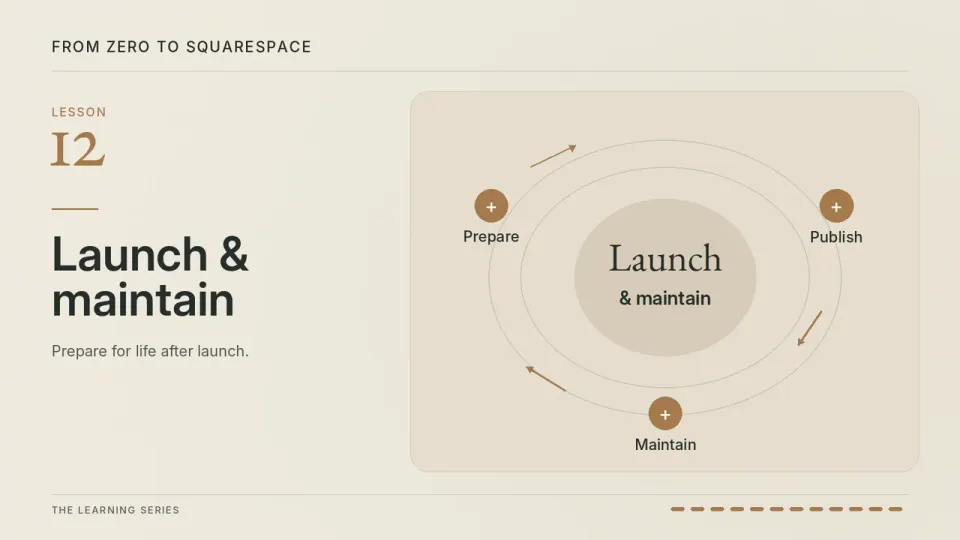
Research-based lesson; follow the current vendor documentation for the live interface.
Complete mandatory tasks and assign account owners.
Verify public domain, pages and inquiry path.
Review renewals, content, dependencies and devices.
Release only when required checks pass; keep a named maintenance owner.
Use a release checklist
Review every public page and remove sample content, old prices and placeholder links. Confirm that the owner can log in and edit basic content. Check contact forms end to end and verify the destination mailbox. If the site sells products, use the platform’s supported test workflow and confirm payment availability, taxes, shipping and return information before accepting real orders.
Review subscription ownership, domain settings and renewal dates. Use the official launch and availability instructions to make the site public when ready. Do not replace live DNS records without recording the existing values and understanding any email or other services using the domain.
Verify the public site
Open the production URL in a private browser window. Check the certificate, primary domain, navigation, form and phone layout. Review the expected indexable pages and submit or inspect the sitemap using your search tools. Preserve the old URL map if you migrated from another site.
Keep a record of optional integrations and which account pays for them. For Spark Plugin, check what happens to the design at subscription cancellation and record the removal workflow. A future owner should not have to guess why the site depends on another vendor.
Maintain a simple monthly routine
Review forms, content changes, broken links, subscription renewals and the pages that matter most. Keep original copy and image files plus supported exports in an organized folder. Test any new customization on a non-critical page before changing the main site.
Checkpoint: You have a public website only if the launch checks have passed. You also have an owner, a renewal calendar and a recovery record. That is the end of the series; the next step is improving the real site based on actual visitor needs.
A launch gate for a real business
Use Northline’s original brief, page inventory, brand reference, compatibility record and QA sheet. Before publishing, verify that each mandatory item has been completed and that any optional item still open can safely wait. The business should know the public domain, account owner, billing owner, contact recipient and the person responsible for any third-party customization. Make sure the owner has access independent of the designer.
Review the draft content for accurate service descriptions, contact details, image rights and genuine testimonials if used. Check which pages should be publicly visible. For a store, include the actual payment, delivery and return workflow in the release gate; our fictional studio does not have commerce in its first release. Keep an independent copy of text, original media and the current list of URLs. Use the official site launch checklist for current platform and domain instructions.
Launch in a controlled order
Complete the account and domain configuration using the vendor’s documented steps. If replacing an existing site, record the old setup, preserve important URLs and prepare the recovery procedure before changing the public destination. Domain and DNS changes may take time to become visible across networks; check the actual state rather than assuming publication is immediate. Avoid changing unrelated integrations during the release.
When the site is public, open it from a logged-out browser and from another device if possible. Check the main pages, navigation, contact form and phone layout. Verify the site uses the intended secure domain and that its search visibility reflects the release decision. Inspect the important old URLs if there was a migration. Use the same QA tasks you ran before launch. If a critical path fails, fix it or restore the previous usable state rather than continue adding design features.
Hand the site over with a maintenance calendar
Write a simple first-week and monthly routine. In the first week, monitor whether inquiries arrive, check the domain and review any launch issues. Each month, verify the important contact path, review billing notices, update outdated content and inspect a few representative pages on a phone. Keep a list of external integrations and their owners. If a customization stops being useful, plan how to remove it and retest the native page.
The owner should know how to request help and which subscription controls any optional visual treatment. If Spark Plugin is used, include its actual plan and renewal, the features in use and the documented recovery process. Confirm any persistence claim against the applicable vendor terms. Do not assume a design remains active after a subscription ends just because it appears on the site today.
Deliverable: a release record signed off by the owner, an open-issues list, a recovery note and a maintenance schedule. If you completed the series without an account, your deliverable is a complete launch plan rather than a published website. That is still a useful project outcome. The next step is to carry out the unresolved tests with authorized access, not to mark them as finished.
Project notebook: lesson 12
Open the Northline Project Workbook and save 12-release-record. Work on an authorized private site if available; otherwise complete the planning version and mark any execution checks as not tested.
Acceptance check: No critical open issue; owner approves the release; recovery and ongoing maintenance are documented. If not launched, record the remaining prerequisites.