
Kinsta Managed WordPress Hosting
Premium managed WordPress hosting for sites where operations matter.
Kinsta is best for serious WordPress sites, agencies, and businesses that want managed hosting, migrations, backups, security, CDN/edge caching, and expert support. Single-site plans start at $35/mo after the first-month promo.
"Kinsta is not where I would host a tiny experiment. It is where I would look when the website is already important enough that server babysitting is a bad use of time. The price is high, but for the right WordPress business it buys operational calm." — Steven Doan, doancongtuan.com
I have not used Kinsta as my main host. I evaluate it as a research-based managed WordPress option compared with the stacks I know better: self-managed Vultr, budget shared hosting, and Cloudways-style managed cloud.
Kinsta pricing is tied to site count and billing model, with bandwidth/visit-based plan options. The first month may be free on select plans, but compare the recurring monthly or annual price before moving production sites.
- Managed WordPress platform removes most server maintenance from the owner
- Dashboard is built for WordPress work rather than generic hosting
- Free migrations, backups, CDN/edge caching, WAF, and malware removal reduce operational burden
- Strong fit for agencies and businesses that need reliable support more than lowest price
- Plan upgrades/downgrades are built into the platform with prorated billing
- Good alternative when a VPS becomes too much work for a client project
- Too expensive for small personal sites that are not earning money
- Less server control than managing Vultr/DigitalOcean directly
- Pricing scales with site count and resource needs
- Not ideal if the project is not WordPress-centric
- Some developers may prefer Cloudways for more infrastructure/provider flexibility
- Revenue-generating WordPress sites that need managed operations
- Agencies that want a clean dashboard and support-backed hosting for clients
- WooCommerce or business sites where downtime creates real cost
- Site owners who outgrew budget shared hosting but do not want a VPS
- Teams that value migration help, backups, security, and support more than low monthly cost
- New blogs with no traffic or revenue
- Developers who want root access and full server tuning
- Static sites that would be cheaper on Astro/Netlify/Cloudflare Pages
- Budget projects where Hostinger or a small VPS is enough
- Non-WordPress applications
How I Would Think About Kinsta
Do not buy Kinsta to feel premium
Buy it when the site is important enough that backups, migrations, security, support, and performance operations are worth paying for.
Compare against your own hourly cost
If managing a VPS saves $20 but costs hours of debugging, Kinsta can be rational. If the site is small, it is just expensive.
Best for WordPress businesses, not experiments
Kinsta shines when WordPress is already the production platform. For new experiments, I would start cheaper and upgrade later.
Real Use Cases
A client site where hosting support matters
Kinsta makes sense when the client expects someone reliable to handle migrations, backups, security issues, and WordPress-specific support.
A revenue site outgrowing shared hosting
When slow admin, traffic spikes, or downtime start costing money, Kinsta becomes easier to justify than squeezing more from budget hosting.
An agency standardizing WordPress hosting
Agencies can benefit from a consistent dashboard, access management, migrations, and support instead of maintaining different cheap hosts for each client.
Not the right place for static content experiments
If the site is an Astro content project or a tiny blog, Kinsta is usually too much platform and too much price.
Interface
Key Features
- Managed WordPress hosting
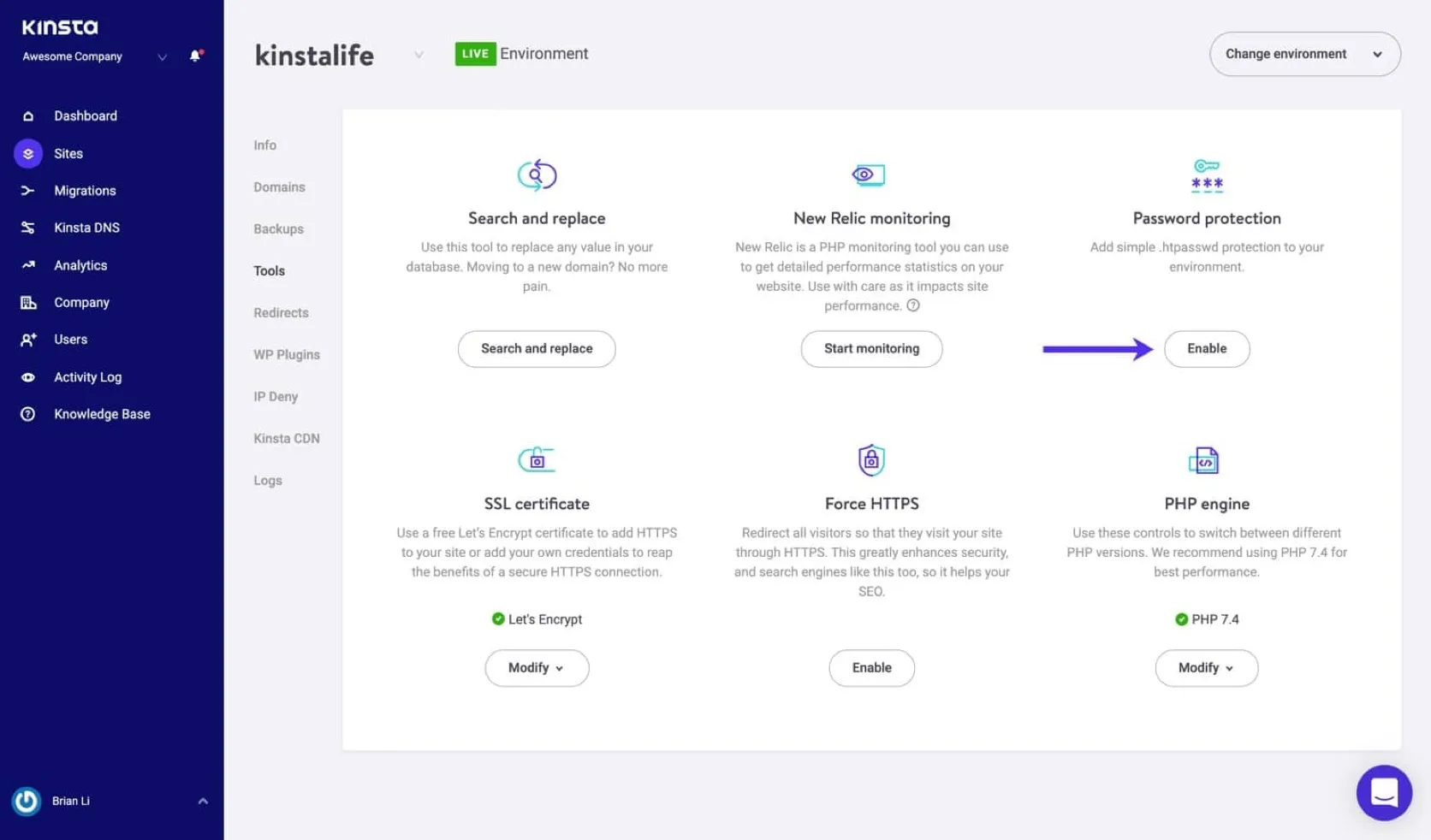
- MyKinsta dashboard
- Unlimited free migrations
- Daily backups
- CDN and edge caching
- Cloudflare-backed WAF and DDoS protection
- Free malware removal
- Expert support 24/7
- Staging environments
- Prorated plan changes
- 30-day money-back guarantee after any free-period terms
From This Site
Articles, guides, and comparisons featuring Kinsta.
Alternatives to Kinsta
 Cloudways Best for Developers
 Managed cloud hosting for people who want VPS power without being the sysadmin every night.

 SiteGround
 Good support and a polished WordPress setup — but calculate year two before celebrating year one.
Frequently Asked Questions
Is Kinsta worth the price?
It can be worth it for business-critical WordPress sites where support, backups, performance features, and security reduce real operational risk. It is usually overkill for small personal sites.
Is Kinsta better than Cloudways?
Kinsta is more opinionated and WordPress-focused. Cloudways gives more provider/server flexibility. Choose Kinsta for operational simplicity, Cloudways for more infrastructure control.
Can I host non-WordPress sites on Kinsta?
Kinsta has expanded beyond WordPress in some product lines, but this profile focuses on its managed WordPress hosting. For static sites, compare cheaper static hosting first.
Does Kinsta include migrations?
Yes, Kinsta advertises unlimited free migrations on its WordPress hosting plans.
When should I move from Hostinger to Kinsta?
When the site has meaningful revenue, traffic, client expectations, or operational risk that makes premium managed hosting cheaper than downtime and troubleshooting.
Kinsta
Single-site WordPress plans start at $35/mo after the first-month promo, or $350/year on annual billing. Multi-site plans start around $70/mo or $700/year.
Disclosure: Some links on this page are affiliate links. If you make a purchase through them, I may earn a small commission at no extra cost to you. I only recommend products I've genuinely evaluated. Full disclosure →