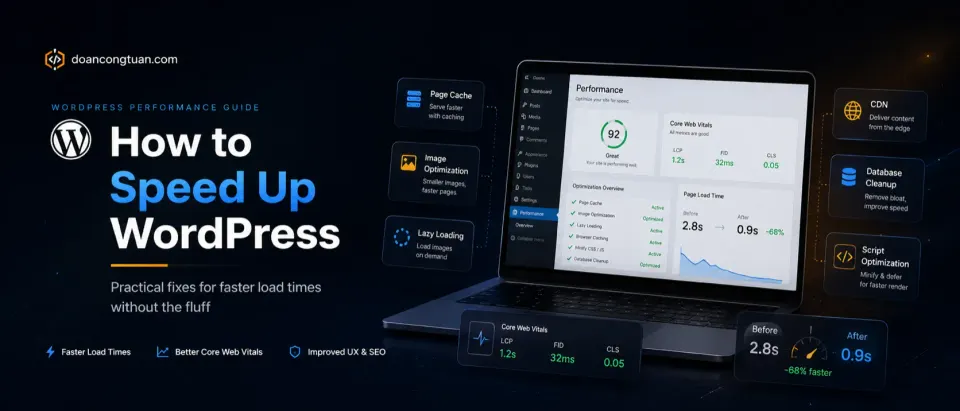
Speed work is not only about caching. Your theme and plugin stack matter too, so I keep separate guides for WordPress themes for affiliate sites and the best WordPress tools for affiliate sites.
This guide covers practical speed fixes. For the complete stack-level view, including hosting, cache, theme, database, and bottlenecks, see my WordPress performance stack guide.
A slow WordPress site loses visitors and ranks lower in search. The good news: most WordPress performance problems have known solutions, and the order in which you apply them matters more than how many things you do.
This guide is the workflow I use when a client’s WordPress site scores poorly on Google PageSpeed. It’s ordered by impact — fix the highest-leverage things first.
Step 1: Fix the hosting (biggest impact)
Before touching a single plugin, check where your site is hosted and what server-side caching is in place.
Signs your hosting is the problem:
- TTFB (Time to First Byte) is over 600ms — check with GTmetrix or WebPageTest
- Site is on shared hosting with no LiteSpeed or Nginx caching
- You’re on a cheap plan with hundreds of neighbors on the same server
What to do:
For budget projects staying on shared hosting: move to a host with LiteSpeed Web Server. Hostinger’s shared plans use LiteSpeed, which handles PHP and WordPress significantly more efficiently than Apache.
For production sites where performance matters: move to managed cloud hosting. Cloudways on DigitalOcean starts at $14/mo and delivers dramatically better TTFB than shared hosting. Kinsta on Google Cloud C2 is the best-performing option if budget allows.
Step 2: Add a caching plugin
Once your hosting is reasonable, a caching plugin is the highest-leverage optimization you can apply. It pre-builds HTML pages and serves them as static files — eliminating the PHP + database cycle on repeat visits.
WP Rocket is the best option. Not the cheapest (it starts at $59/yr), but it’s the only premium caching plugin I consistently recommend without caveats:
- Page cache, browser cache, GZIP — all on by default
- LazyLoad for images and iframes
- Defer non-critical JavaScript
- Database cleanup
- CDN integration
The time saved debugging a free caching plugin’s edge cases is worth more than $59/yr on a production site.
The most effective WordPress caching plugin. Install, activate, and your scores improve — usually by 15-30 points on mobile with default settings. No configuration required to get the basics right.
Get WP Rocket →Affiliate link — I may earn a commission at no cost to you.
Free alternative: W3 Total Cache or LiteSpeed Cache (if you’re on LiteSpeed hosting). LiteSpeed Cache is genuinely good and free if your host uses LiteSpeed — Hostinger qualifies.
Step 3: Optimize images
Images are usually the single largest contributor to page weight. Three things to do:
Convert to WebP. WebP files are 25-35% smaller than equivalent JPEG/PNG at the same quality. Modern browsers support WebP. WordPress 5.8+ generates WebP versions automatically if Sharp or Imagick is available on your server.
Set dimensions on <img> tags. Missing width and height attributes cause layout shift (CLS), which hurts Core Web Vitals. Most WordPress themes and the Gutenberg block editor handle this correctly now, but custom templates and older themes often miss it.
Lazy-load images below the fold. WordPress added native lazy loading in 5.5 (loading="lazy"). WP Rocket extends this to iframes (YouTube embeds, etc.). Make sure it’s enabled.
Step 4: Audit your plugins
You don’t need fewer plugins — you need fewer front-end scripts.
A plugin that only runs in the WordPress admin adds zero front-end weight. A plugin that loads a 200KB JavaScript file on every page is a real cost.
How to audit:
- Open a front-end page in browser DevTools → Network tab
- Filter by JS/CSS
- Identify scripts that don’t belong on that specific page type
Common offenders:
- Form plugins loading scripts on pages with no forms
- Slider plugins loading Swiper/Slick on pages with no slider
- Contact form builders loading reCAPTCHA on all pages instead of just the contact page
- Analytics plugins using heavyweight SDKs
Fix: Most well-coded plugins have options to disable asset loading on specific post types or pages. WP Rocket’s “Exclude from cache” and asset load controls help here.
Step 5: Use a CDN
A CDN serves your static assets (images, CSS, JS) from servers geographically close to your visitors. This reduces latency for international visitors significantly.
Free option: Cloudflare’s free plan provides a CDN, DDoS protection, and basic performance improvements. It’s the standard recommendation for WordPress sites that don’t already have CDN through their host.
Already included: Kinsta includes Cloudflare CDN on all plans. Cloudways has CloudwaysCDN as an add-on.
Step 6: Core Web Vitals checklist
After implementing the above, check these specifically in Google Search Console or PageSpeed Insights:
LCP (Largest Contentful Paint): Should be under 2.5s. If it’s high, the culprit is usually your hero image loading too late. Add fetchpriority="high" to the hero image and make sure it’s not lazy-loaded.
CLS (Cumulative Layout Shift): Should be under 0.1. Caused by elements shifting after load — usually images without dimensions, web fonts loading, or ads injecting content. Set explicit dimensions on all images.
FID/INP (Interaction to Next Paint): Measures responsiveness. Usually fine on content sites. Heavy JavaScript is the main cause if this is failing.
What not to do
A few things that look appealing but don’t help much or actively cause problems:
Don’t minify everything aggressively. Overly aggressive CSS/JS minification breaks themes and plugins. WP Rocket’s default settings are well-calibrated. Manual minification without testing causes more problems than it solves.
Don’t install multiple caching plugins. They conflict. One caching plugin, configured well, is better than two partial ones.
Don’t ignore the hosting in favor of plugins. No plugin can compensate for a server that takes 1.5 seconds just to start responding.