
Cloudways Managed Cloud Hosting
Managed cloud hosting for people who want VPS power without being the sysadmin every night.
Cloudways is a managed cloud hosting platform built on providers such as DigitalOcean, Vultr, Linode/Akamai, AWS, and Google Cloud. It is best for WordPress, WooCommerce, and PHP sites that need more control than shared hosting but less sysadmin work than a raw VPS.
"Cloudways makes the most sense when server maintenance is stealing time from the actual website business. I would not choose it because it is cheaper than a VPS; it is not. I would choose it when I want better infrastructure than shared hosting but do not want to be responsible for every Nginx, PHP-FPM, backup, security, and late-night server issue myself." — Steven Doan, doancongtuan.com
I treat Cloudways as research-based, but I compare it against workflows I know well: raw VPS, WordPress shared hosting, and managed hosting. The main decision is not “is Cloudways fast?” but “is the management layer worth the premium over doing it myself?”
Cloudways pricing depends on provider, server size, application type, add-ons, backups, support tier, and promotions. DigitalOcean is usually the lowest entry point, while AWS and Google Cloud start much higher. Verify current pricing and provider availability before buying.
- Removes much of the server management burden compared with a raw VPS
- Lets you choose underlying cloud providers such as DigitalOcean, Vultr, Linode/Akamai, AWS, and Google Cloud
- Good middle ground between shared hosting and fully premium managed WordPress hosting
- Useful dashboard for applications, staging, SSL, backups, scaling, and server monitoring
- Can host multiple applications on one server depending on resources
- No classic shared-hosting renewal shock because pricing is closer to pay-as-you-go cloud hosting
- Good fit for agencies or developers who value time saved more than lowest possible server cost
- Costs more than managing the same VPS provider directly
- Still requires understanding resources, caching, PHP settings, backups, and scaling decisions
- Not the same as having full root control over your own server
- Add-ons and higher support tiers can change the real monthly cost
- Small beginner sites may be cheaper on Hostinger, DreamHost, or basic shared hosting
- If you already manage VPS confidently, the convenience premium may not be worth it
- WordPress sites that outgrew shared hosting but do not need Kinsta-level pricing
- Agencies managing several client WordPress sites
- Developers who understand hosting concepts but do not want to maintain every server component manually
- WooCommerce or affiliate sites that need better resources than budget shared hosting
- Users comparing managed cloud hosting with self-managed Vultr or DigitalOcean
- Complete beginners who do not want to think about servers at all
- Developers who need full root access and complete server control
- Tiny personal blogs where budget shared hosting is enough
- Projects where the absolute lowest monthly server cost is the priority
- Teams that need enterprise managed WordPress support and are willing to pay for Kinsta/WP Engine-style service
How I Would Think About Cloudways
My real decision rule
I would choose Cloudways when the site is important enough to leave shared hosting, but I do not want raw VPS maintenance to become my second job.
Where I would avoid it
I would not choose Cloudways for a tiny blog or a project where every dollar matters. A cheaper host or a self-managed VPS may be enough.
How I would price it
Compare the actual provider and server size you need, not only the starting plan. Add backups, support, Cloudflare, and migration needs before deciding.
What I would compare first
Compare Cloudways with Vultr/DigitalOcean self-managed if you can handle servers, and with Kinsta if the site needs premium WordPress support.
Real Use Cases
Shared hosting upgrade path
Cloudways is useful when a WordPress site has outgrown budget shared hosting and needs better resources, staging, backups, and server-level controls without jumping to premium managed WordPress pricing.
Agency hosting for client sites
Agencies can use Cloudways to separate projects, manage applications, clone sites, run staging, and avoid doing every server task manually.
WooCommerce or affiliate site needing stronger resources
For stores or commercial content sites, Cloudways can offer a better balance than cheap shared hosting, especially when caching, PHP workers, backups, and scaling matter.
Developer who does not want raw VPS maintenance
If you understand VPS hosting but do not want to maintain everything yourself, Cloudways is a convenience layer worth comparing with self-managed Vultr or DigitalOcean.
Bridge before premium managed WordPress
Cloudways can sit between budget hosting and Kinsta/WP Engine style managed WordPress when you need more control but not full enterprise support.
Interface
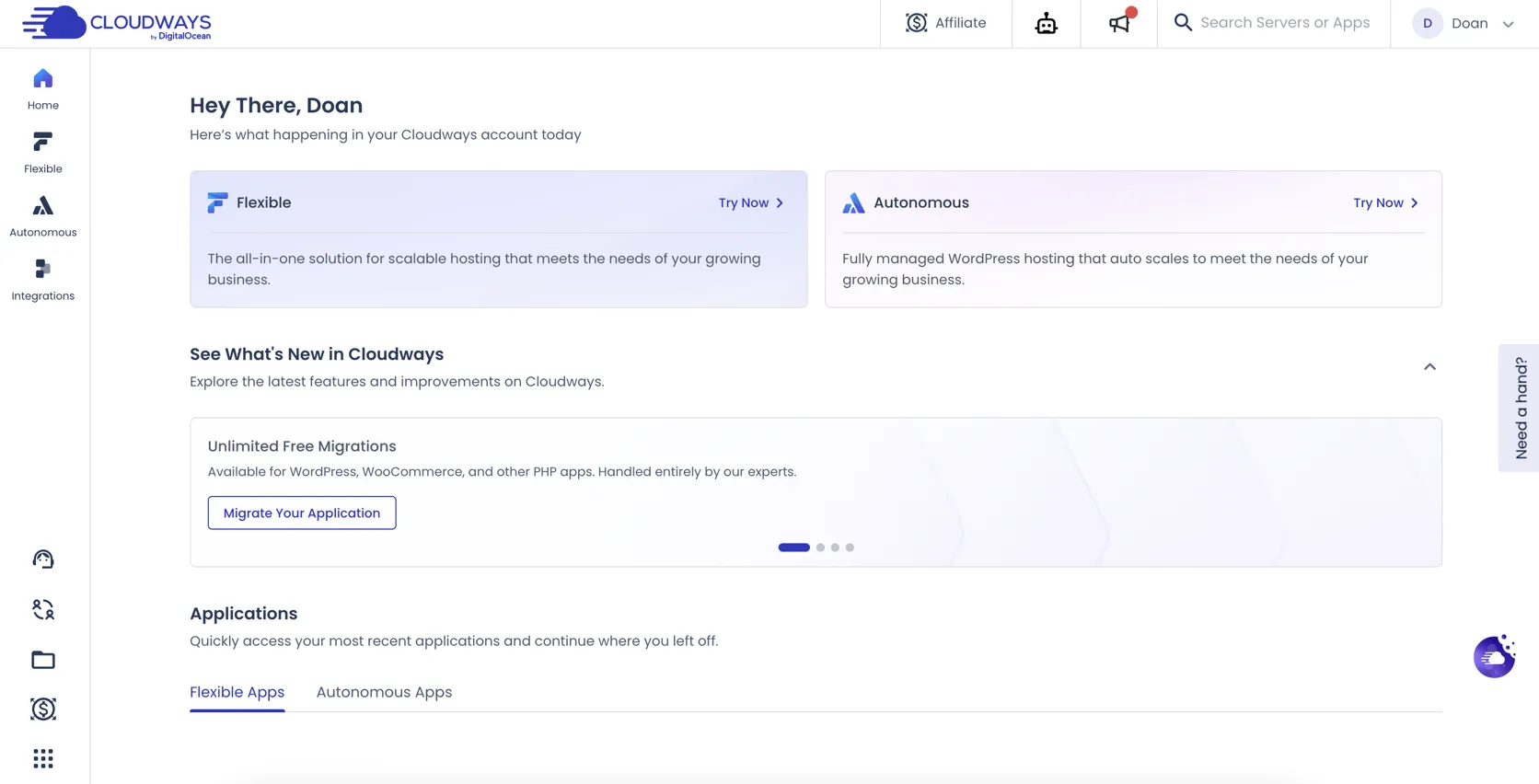
Key Features
- Managed servers on DigitalOcean, Vultr, Linode/Akamai, AWS, and Google Cloud
- WordPress, WooCommerce, Magento, Laravel, PHP, and other app support
- Application dashboard with staging, clone, and backup workflows
- Free SSL management
- Server-level caching stack and performance controls
- Vertical scaling from the dashboard
- Team and project management features
- Monitoring and alerts
- Optional add-ons such as Cloudflare Enterprise, malware protection, and premium support
- Pay-as-you-go style monthly/hourly pricing depending on plan
From This Site
Articles, guides, and comparisons featuring Cloudways.
Alternatives to Cloudways
 Kinsta Best Performance
 Premium managed WordPress hosting for sites where operations matter.
 Vultr Steven Uses This
 My practical VPS choice when I want control, not hand-holding.
 SiteGround
 Good support and a polished WordPress setup — but calculate year two before celebrating year one.
Frequently Asked Questions
Is Cloudways a cloud provider?
Cloudways is better understood as a managed hosting layer on top of cloud providers such as DigitalOcean, Vultr, Linode/Akamai, AWS, and Google Cloud.
Is Cloudways cheaper than a VPS?
No. A self-managed VPS is usually cheaper. Cloudways charges more because it adds a managed platform, dashboard, backups, support, and server management tools.
Which Cloudways provider is cheapest?
DigitalOcean is commonly the lowest entry point on Cloudways. Vultr and Linode/Akamai usually start higher, while AWS and Google Cloud start much higher.
Who should use Cloudways?
Use Cloudways if your WordPress site needs more power than shared hosting but you do not want to fully manage a Linux server yourself.
Who should avoid Cloudways?
Avoid Cloudways if you want the lowest possible server cost, need full root control, or only run a tiny site that works fine on cheaper shared hosting.
How does Cloudways compare with Kinsta?
Cloudways gives more infrastructure control and often lower entry pricing. Kinsta is more premium managed WordPress with a more opinionated platform and support model.
Cloudways
Cloudways Flexible starts from $11/mo on DigitalOcean. WordPress hosting provider starting prices include DigitalOcean from $11/mo, Vultr from $14/mo, Linode from $14/mo, GCE from $37.45/mo, and AWS from $38.56/mo.
Disclosure: Some links on this page are affiliate links. If you make a purchase through them, I may earn a small commission at no extra cost to you. I only recommend products I've genuinely evaluated. Full disclosure →