Cloudways Review: Managed Cloud Hosting Without the Server Headache
An honest Cloudways review for developers and WordPress site owners who want cloud performance without managing a Linux server themselves. What it is, who it fits, and where it falls short.
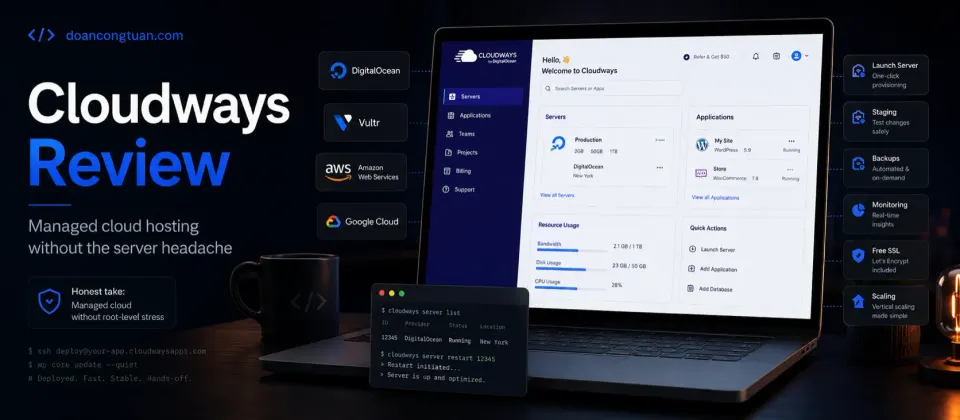
Cloudways sits in a real gap in the market: better performance than shared hosting, less responsibility than a self-managed VPS. If you want cloud infrastructure and would rather not learn Nginx configuration, Cloudways is worth the price premium over shared hosting.
- Managed server layer — no Nginx, PHP-FPM, or MariaDB to configure manually
- Pay-as-you-go billing, no annual contract required
- Choice of cloud providers such as DigitalOcean, Vultr, Linode/Akamai, AWS, and Google Cloud
- Built-in staging environments on all plans
- Automatic backups included
- 24/7 support handles server-level issues — not just WordPress
- Scales up server resources without migrating to a new server
- More expensive than shared hosting or a raw VPS for the same specs
- No root access — you cannot install custom software outside their stack
- No email hosting. Need an external mail provider.
- Custom Nginx configuration is limited compared to a self-managed VPS
- Support quality varies depending on the issue complexity
Cloudways sits between self-managed VPS hosting and premium managed WordPress hosting. I compare that decision more broadly in my WordPress VPS hosting guide.
Quick verdict
Cloudways is managed cloud hosting for WordPress site owners who want better infrastructure than shared hosting without managing a raw Linux VPS themselves. It sits between budget hosts like Hostinger and self-managed VPS providers like Vultr.
I would consider Cloudways when a site has outgrown cheap shared hosting, but the owner does not want to configure Nginx, PHP-FPM, backups, security patches, staging, and server monitoring manually.
The trade-off is price and control. Cloudways costs more than a raw VPS and gives less root-level freedom, but it reduces the server-management burden. That is the product.
Cloudways fills a gap that genuinely exists in hosting. Shared hosting is easy but you share resources and have no control over the server. A self-managed VPS gives you full control but you become the sysadmin. Most people looking at hosting fall somewhere in between: they want cloud performance, but they do not want to spend an evening configuring Nginx and PHP-FPM.
That is exactly what Cloudways is for.
What Cloudways actually is
Cloudways is a managed Platform-as-a-Service layer that sits on top of real cloud infrastructure. You choose an underlying provider — such as DigitalOcean, Vultr, Linode/Akamai, AWS, or Google Cloud — and Cloudways handles the server configuration, software stack, security patching, and server-level support for you.
You get a control panel to deploy WordPress sites, manage databases, access staging environments, and configure basic settings. What you do not get is root access to the server or the ability to modify the underlying server stack outside what Cloudways provides.
For most WordPress site owners, that is a reasonable trade. The server layer is handled. You focus on WordPress.
What the Cloudways premium pays for
The simplest way to understand Cloudways pricing is this: you are not only paying for raw server specs.
You are paying for the managed layer around the server — the control panel, preconfigured stack, backups, staging, scaling workflow, security patching, and a support path that is broader than a raw VPS provider.
That premium is worth it when server work distracts from the actual business. It is less attractive when you already know how to manage your own VPS and want full control over every layer.
This is why I would not compare Cloudways only against the monthly price of a raw Vultr server. I would compare the total cost of your time, support expectations, and performance needs. For the performance side of the decision, my WordPress performance stack guide explains how hosting fits into the bigger picture.
Not sure which hosting type you actually need? The shared vs VPS vs managed hosting guide covers the full spectrum before you commit to anything.
Pricing
Realistic pricing by use case:
- Entry plan: useful for a light WordPress site, personal blog, or small portfolio where traffic is still modest.
- Mid-range server: the range I would evaluate for a WooCommerce store, an affiliate site with plugins, or a site with consistent traffic.
- Higher server sizes: better for multiple WordPress installs, heavier applications, or sites where traffic spikes are common.
- AWS/GCP-based plans: usually make more sense when you specifically need those ecosystems, not when you only want the cheapest managed WordPress setup.
The pay-as-you-go model means no locked-in annual commitment. You can scale server resources up when needed without migrating to a new server — that is genuinely useful.
Cloudways also recently released Cloudways Autonomous, a Kubernetes-based WordPress hosting tier with auto-scaling for sites that need to handle traffic spikes without manual intervention. Pricing is different — verify at cloudways.com.
Cloudways vs shared hosting
Shared hosting starts cheaper. That is the honest comparison.
A basic shared hosting plan at Hostinger can start around a few dollars per month during the promotional term. Cloudways entry managed cloud plans start from $11/month. The price gap at the bottom end is real and it matters if you are just starting out.
What you get with Cloudways that shared hosting does not provide:
- Dedicated resources — other sites on the platform do not affect your server
- Staging environments on every plan
- Choice of cloud provider and data center region
- Vertical scaling without migrating to a new host
- Server-level support included
For a personal blog or a first WordPress site, shared hosting is the calmer and cheaper starting point. Cloudways makes more sense when your site has real traffic, you have moved past the experimental phase, and server performance has become a real concern.
Cloudways vs self-managed VPS
This is where the real decision sits for most technical users.
A self-managed VPS on Vultr can give you more raw control for the money. The difference is everything on top of the hardware:
| Cloudways | Self-Managed Vultr | |
|---|---|---|
| Server config | Cloudways handles it | You configure it |
| Nginx/PHP tuning | Limited | Full control |
| Root access | No | Yes |
| Support | 24/7 managed | You are the support |
| Staging | Built-in | Manual setup |
| Price for same specs | Higher | Lower |
If you know Nginx, PHP-FPM, and MariaDB configuration, a self-managed VPS gives you more for less. If you do not know those things and do not want to learn them, Cloudways is worth the premium.
Cloudways vs managed WordPress hosting
At the top end, Cloudways competes with platforms like Kinsta and WP Engine. The differences are meaningful:
Kinsta and WP Engine run fully managed WordPress environments with more WordPress-specific tooling and support workflows. They usually cost more at entry level than Cloudways, but the comparison is not only price — it is also how much WordPress-specific hand-holding you want.
Cloudways gives you more flexibility: choice of cloud provider, more control over server-level settings (within their stack), and lower entry pricing. It is less polished for pure WordPress workflows than Kinsta but significantly cheaper at comparable server resources.
For a small agency or solo operator running multiple WordPress sites, one larger Cloudways server can be more economical than paying per-site pricing on a fully managed WordPress host. The exact math depends on traffic, server size, and how comfortable you are managing the WordPress layer yourself.
What Cloudways does not do
Before choosing Cloudways, the honest list of limitations:
No root access. You can SSH into the server, but you cannot modify the server stack at the root level. Custom Nginx modules, non-standard PHP extensions, or unusual server configurations are not possible on Cloudways.
No email hosting. Like most cloud and VPS providers, Cloudways does not provide email hosting. You need a separate email service.
Support depth varies. Support handles server-level issues, but complex debugging or performance problems with specific WordPress configurations may not get deep help. Some users report inconsistent support quality for advanced issues.
Lock-in is real. Migrating off Cloudways means migrating your server environment as well. It is not hard, but it is not zero effort either.
Who should use Cloudways
Cloudways makes the most sense when the site is too important for cheap shared hosting, but managing a VPS directly would be a distraction.
I would consider Cloudways for:
- WordPress sites that have outgrown shared hosting
- WooCommerce stores that need better resources and staging
- agencies managing several client sites
- site owners who want cloud infrastructure without Linux server work
- developers who want more control than shared hosting but do not need root access
- teams where not everyone is comfortable with SSH and server configuration
Cloudways is basically a convenience layer on top of cloud hosting. That convenience is the reason to pay for it.
Who should avoid Cloudways
I would avoid Cloudways if your main goal is the lowest possible monthly cost, full root access, or complete control over the server stack.
It is probably not the best fit if:
- this is your first small WordPress site
- a budget shared host is already enough
- you need custom Nginx modules or unusual server packages
- you want to manage the entire VPS yourself
- you need email hosting included
- you dislike platform-level lock-in
In those cases, Hostinger may be a simpler starting point, while Vultr is the better fit if you want raw VPS control.
- You want cloud performance without managing the server yourself
- You need staging environments on every site
- You are running multiple WordPress sites and want centralized management
- Your time is better spent on WordPress than on server administration
- You want to scale server resources without migrating hosts
- You are just starting out — shared hosting is cheaper
- You want full root access and custom server configuration
- You need email hosting included
- You want the lowest possible cost for a small personal site
- You are comfortable with SSH and enjoy managing your own stack
My Real Decision Rule
- Choose Cloudways if the site has outgrown shared hosting but you do not want to become the server admin.
- Avoid it if you need root access, custom server packages, or the lowest possible monthly cost.
- Start with the smallest plan that fits the site, then scale only when traffic or plugin load justifies it.
- Compare it with a raw Vultr VPS if you are comfortable with Nginx, PHP-FPM, backups, and security patches.
- Compare it with Kinsta if you want a more polished WordPress-only managed experience.
Final verdict
Cloudways is a legitimate option for WordPress site owners who want the performance benefits of cloud infrastructure without taking on server administration. The managed layer is real — you do not configure Nginx or handle security patching. The pay-as-you-go billing is practical. The staging environments on every plan are a meaningful feature.
The price premium over shared hosting or a raw VPS is real too. Whether that premium is worth it depends on how you value your time and how comfortable you are with server management.
For developers who want full control and are willing to manage the server: Vultr at lower cost with more flexibility.
For beginners or low-risk sites where price matters most: Hostinger is the simpler starting point.
For site owners who want cloud performance without the server work: Cloudways is worth a serious look.
Managed cloud hosting on DigitalOcean, Vultr, AWS, and Google Cloud. Server management handled. Pay-as-you-go pricing. Built-in staging on every plan.
Get Cloudways →Affiliate link — I may earn a commission at no cost to you.
Frequently Asked Questions
How much does Cloudways cost?
Is Cloudways better than shared hosting?
Does Cloudways give root access?
What cloud providers does Cloudways support?
Does Cloudways include email hosting?
Cloudways vs Kinsta — which is better?
Disclosure: Some links on this page are affiliate links. If you make a purchase through them, I may earn a small commission at no extra cost to you. I only recommend products I've genuinely evaluated. Full disclosure →