
Vultr Cloud VPS Hosting
My practical VPS choice when I want control, not hand-holding.
Vultr is a good VPS provider for developers who want full control over WordPress, Astro, or custom web stacks. It is not ideal for beginners who need managed hosting support.
"Vultr is excellent when you want a real server and you accept the responsibility that comes with it. It is a bad choice if you secretly want managed WordPress support." — Steven Doan, doancongtuan.com
I use Vultr-style VPS hosting because it forces clarity: the server is mine, the stack is mine, and the mistakes are mine. That is not comfortable for everyone, but it is the right learning path for the kind of WordPress and Astro work I do.
Vultr pricing changes by instance family, region, IPv4, backups, snapshots, storage, and hourly usage. Do not compare only the headline starting price. For WordPress, choose resources based on PHP workers, database load, caching, and traffic pattern.
- Simple VPS model: choose a server, install a stack, and know what you are responsible for
- Good fit for developers who want root access, SSH, Nginx/OpenLiteSpeed, MariaDB, Redis, and real server control
- Global data centers make it practical to place small projects near the target audience
- Hourly billing and snapshots make testing less painful than long-term hosting contracts
- Works well with a repeatable WordPress VPS stack when you document the setup
- More transparent than many shared hosts because the server is yours to configure and monitor
- Can be cheaper than managed WordPress hosting if you are comfortable maintaining the server yourself
- You own security updates, firewall rules, backups, monitoring, mail deliverability, and break/fix work
- No WordPress-specific support safety net like Kinsta, WP Engine, or managed Cloudways-style platforms
- A cheap VPS can become fragile if you overload it with heavy plugins, WooCommerce, or bad caching
- Server knowledge is required; root access is power and responsibility at the same time
- Snapshots and backups are not the same as a complete disaster recovery plan
- Developers comfortable with Linux, SSH, DNS, web servers, databases, and backups
- WordPress projects where you want to control the full hosting stack
- Astro/static sites, small apps, testing servers, and learning infrastructure
- Affiliate and content sites where predictable monthly infrastructure cost matters
- People willing to build a documented deployment and maintenance routine
- Beginners who expect hosting support to fix WordPress plugin conflicts
- Businesses without someone responsible for updates, monitoring, and backups
- High-risk WooCommerce stores that need managed support and SLA-style operations
- People who want cPanel-style hosting and no command line
How I Would Think About Vultr
I choose Vultr when control matters
If I want to tune Nginx, PHP, MariaDB, Redis, deploy scripts, and backups myself, Vultr is a clean fit. If I want support to solve WordPress problems, it is the wrong expectation.
The cheap plan is not always the real plan
A tiny instance is fine for testing. A production WordPress site needs enough RAM, CPU, swap strategy, cache setup, and backup planning to survive real traffic.
Document the stack or do not use VPS
The moment you move to a VPS, notes become part of the product. Install steps, firewall rules, backup restore steps, and deploy commands need to be written down.
Backups need restore practice
Snapshots are useful, but I would still test restore paths. A backup you never restored is more hope than system.
Real Use Cases
Self-managed WordPress VPS
Run WordPress with your chosen Linux distribution, web server, database, PHP version, object cache, cron, and backup process.
Astro static site deployment
Use a small VPS to host static builds, Nginx configs, redirects, and simple deployment scripts without a managed platform.
Learning server operations
A Vultr instance is a practical classroom for DNS, SSH, firewalls, SSL, Nginx, databases, and monitoring.
Testing before managed migration
Prototype a stack cheaply before deciding whether the final site deserves Cloudways, Kinsta, or another managed host.
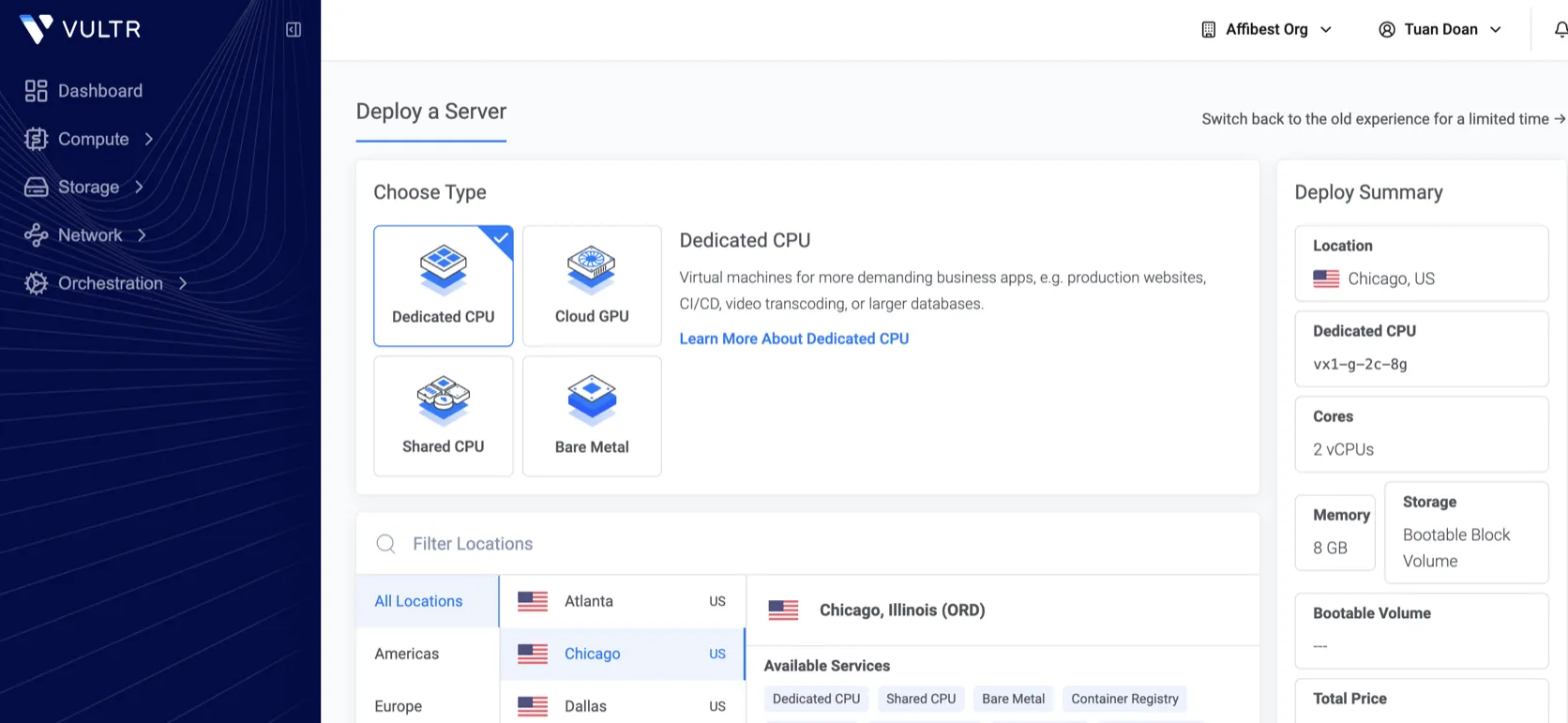
Interface
Key Features
- Cloud Compute instances
- High Performance and optimized compute families
- Global data center locations
- Hourly and monthly capped billing
- Snapshots and automated backup options
- Block storage and object storage options
- Cloud firewalls, reserved IPs, and startup scripts
- Marketplace apps and ISO/custom installation options
- API for infrastructure automation
- Support for Linux distributions commonly used in web hosting
From This Site
Articles, guides, and comparisons featuring Vultr.
Alternatives to Vultr
 Hostinger Best Budget
 A strong budget host for small WordPress sites, as long as you respect renewal pricing.
 Cloudways Best for Developers
 Managed cloud hosting for people who want VPS power without being the sysadmin every night.
 Kinsta Best Performance
 Premium managed WordPress hosting for sites where operations matter.
Frequently Asked Questions
Is Vultr good for WordPress?
Yes, if you know how to manage a server or are willing to learn. Vultr gives you infrastructure; it does not manage WordPress for you.
Is Vultr cheaper than managed WordPress hosting?
It can be cheaper in monthly infrastructure cost, but only if you do the maintenance yourself. Your time, backup process, and risk tolerance are part of the real cost.
Can beginners use Vultr?
Beginners can learn on Vultr, but they should not put a client or revenue site there without understanding updates, backups, security, and monitoring.
Should I use Vultr or Cloudways?
Use Vultr directly when you want full control. Use Cloudways when you want a managed layer on top of cloud infrastructure.
What is the biggest mistake with Vultr?
Choosing the smallest instance for a production WordPress site and then skipping backups, monitoring, caching, and security hardening.
Vultr
Cloud Compute starts from low monthly instances; practical WordPress VPS choices often sit higher once CPU, RAM, backups, IPv4, snapshots, and storage are considered.
Disclosure: Some links on this page are affiliate links. If you make a purchase through them, I may earn a small commission at no extra cost to you. I only recommend products I've genuinely evaluated. Full disclosure →