Divi vs Elementor: Which Page Builder Should You Use in 2026?
A practical comparison of Divi and Elementor for WordPress developers and agencies. One side is hands-on. The other is research-based. Both are labeled clearly.
Elementor is the pick I can speak to from direct use. Divi's pricing is better for agencies building many sites, but I have not used it deeply enough to call that a personal recommendation.
| Factor | Elegant-themes | Wordpress | Winner |
|---|---|---|---|
| Performance impact | Heavy: significant CSS/JS payload (public benchmark data) | Moderate, lighter than Divi but still notable | Wordpress |
| Visual editor | Full visual control, inline editing (per official Divi documentation) | Widget-based, real-time preview | Tie |
| Pricing | $89/yr or $249 lifetime (unlimited sites) | Free core + Pro from $59/yr (1 site) | Elegant-themes |
| Third-party add-ons | Good ecosystem within Elegant Themes | Large ecosystem with hundreds of add-on plugins | Wordpress |
| Code quality | Generates heavy, complex markup (public benchmarks) | Cleaner than Divi but still builder-style markup | Wordpress |
| Client editing | Divi Builder: clients can edit visually | Elementor frontend editor, clean for clients | Tie |
| Template library | Large: Divi layouts and Quick Sites (per Elegant Themes docs) | Very large: Elementor kit library | Wordpress |
| WooCommerce support | Good via Elegant Themes WooCommerce modules | Dedicated WooCommerce builder | Wordpress |
- Agencies building many client sites who want a lifetime license
- Developers who prefer a visual-first workflow
- Sites needing complex animations and interactions
- Teams already in the Elegant Themes ecosystem
- Individual freelancers or developers starting out
- Projects needing specific third-party Elementor add-ons
- Sites where performance is a concern (Elementor is lighter than Divi)
- Users who want a free tier to evaluate before buying
Divi and Elementor are part of the bigger WordPress theme and builder decision. I compare theme options in my WordPress themes for affiliate sites guide and the broader plugin stack in my best WordPress tools for affiliate sites guide.
Divi vs Elementor is still a WordPress decision. If you are also wondering whether a page builder is the right direction at all, compare it against Astro, Webflow, and other options in my WordPress vs modern stack guide.
A client site I built with Elementor Pro took me three hours to hand off. Not because of content. Because I had to document which widgets were editable, which sections were locked, and why clicking the wrong area would break the layout. The client nodded, then called me a week later anyway.
That is the real cost of page builders nobody puts in the Divi vs Elementor comparison chart: the gap between “clients can edit it” and “clients can edit it without calling you.” Elementor gets you most of the way there. Divi, from what the community consistently reports, gets you to a similar place with different trade-offs.
I have used Elementor in production on client landing pages, deal pages, and custom WordPress layouts. Divi is not a tool I have built real projects with. So this comparison is honest about which side is firsthand and which side is research.
Page builders solve a real problem. I still think they are a necessary evil at best. My preference is GeneratePress with Gutenberg, but I recognize that preference only works when I am the one doing all the editing.
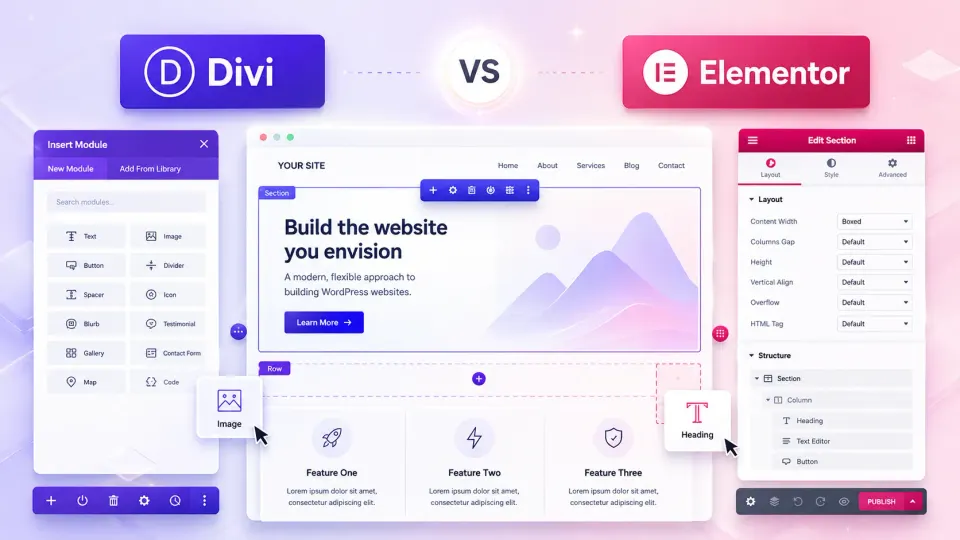
Divi vs Elementor is the most common page builder question in WordPress circles in 2026. Both are mature, widely used, and capable of producing complex layouts without custom code. The real question is which trade-offs fit your workflow.
What they both are
Both Divi (by Elegant Themes) and Elementor are WordPress page builders. They replace the default Gutenberg block editor with a drag-and-drop interface that gives you visual control over page design without writing CSS or PHP.
Both have been around long enough to be mature, well-documented, and supported by third-party developers and hosting providers.
Head-to-head comparison
| Factor | Divi | Elementor | Winner |
|---|---|---|---|
| Performance impact | Heavy: significant CSS/JS payload (public benchmark data) | Moderate, lighter than Divi but still notable | Elementor |
| Visual editor | Full visual control, inline editing (per official Divi documentation) | Widget-based, real-time preview | Tie |
| Pricing | $89/yr or $249 lifetime (unlimited sites) | Free core + Pro from $59/yr (1 site) | Divi |
| Third-party add-ons | Good ecosystem within Elegant Themes | Large ecosystem with hundreds of add-on plugins | Elementor |
| Code quality | Generates heavy, complex markup (public benchmarks) | Cleaner than Divi but still builder-style markup | Elementor |
| Client editing | Divi Builder: clients can edit visually | Elementor frontend editor, clean for clients | Tie |
| Template library | Large: Divi layouts and Quick Sites (per Elegant Themes docs) | Very large: Elementor kit library | Elementor |
| WooCommerce support | Good via Elegant Themes WooCommerce modules | Dedicated WooCommerce builder | Elementor |
Performance: the honest conversation
Neither builder is good for performance by modern standards.
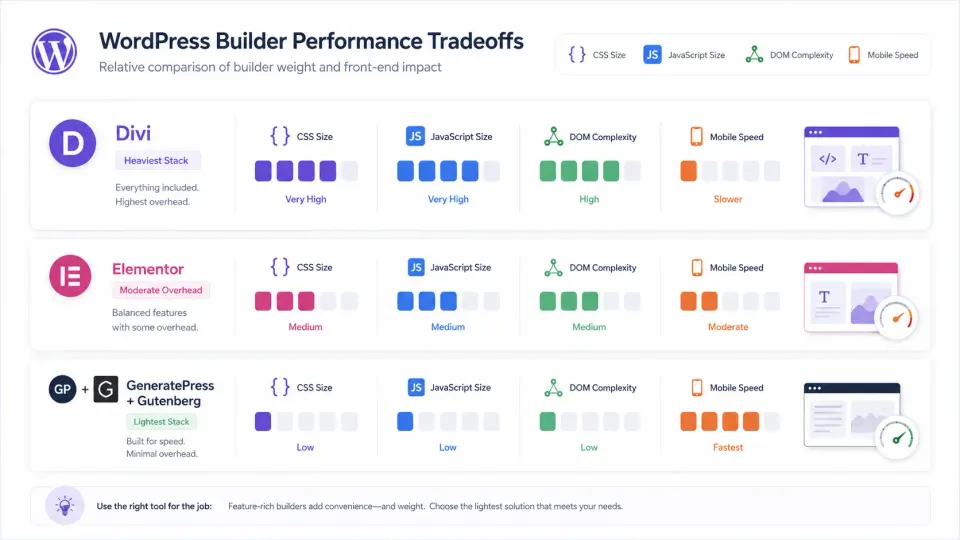
Divi generates complex, deeply nested markup and loads a significant CSS payload. According to public benchmark data from sources including WP Shout and independent testing reports, a typical Divi site without optimization can load 400 to 600KB of CSS and JavaScript before the page renders. I have not measured this personally on Divi.
Elementor is lighter than Divi in those same comparisons, but still adds meaningful overhead. From my own Elementor projects, a basic Elementor Pro page typically loads its own 200 to 400KB of assets. The difference between a light and heavy Elementor setup depends heavily on which widgets and third-party add-ons you use.
The real alternative: If you are building for a client who does not need visual editing, a lightweight theme like GeneratePress with Gutenberg produces dramatically smaller pages. The same content in GeneratePress versus Elementor Pro can be three to five times smaller in total asset weight.
Pricing breakdown
This is where Divi’s positioning is clearest, based on publicly available pricing.
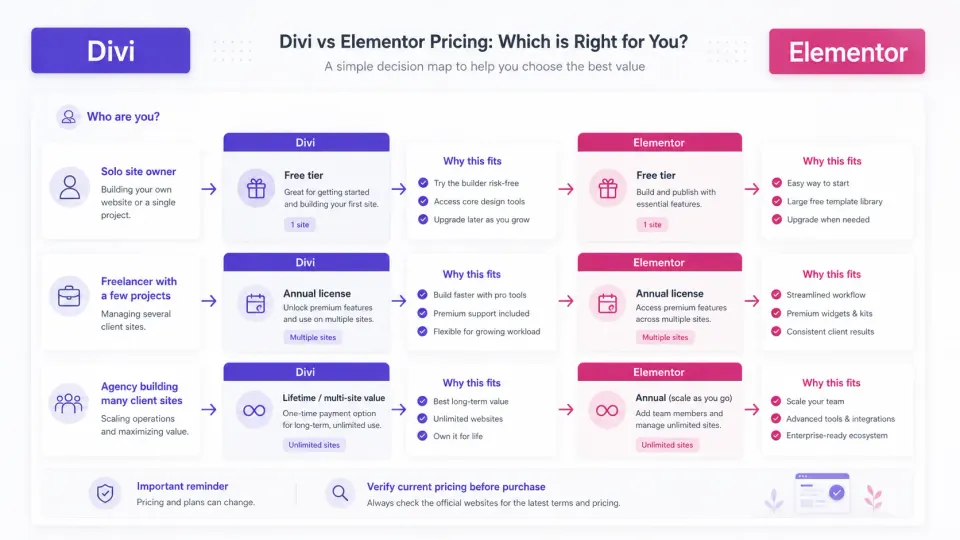
Divi: $89/yr or $249 lifetime, both covering unlimited websites. According to the Elegant Themes site, the lifetime deal includes all future updates. For an agency building ten sites per year, the per-site cost on the lifetime license is under $25 once.
Elementor: Free tier available (core plugin). Elementor Pro starts at $59/yr for one site, $99/yr for three sites, up to higher tiers for more sites. No lifetime deal as of this writing. Annual per-site pricing adds up quickly for agencies.
The math favors Divi for anyone managing more than three or four active client projects. Verify current pricing on both Elegant Themes and Elementor.com before purchasing. Pricing changes.
$249 lifetime license for unlimited sites. Includes Divi, Extra theme, Bloom, and Monarch. The pricing case is strong for agencies building multiple client sites.
Get Elegant Themes (Divi) →Affiliate link — I may earn a commission at no cost to you.
Client editing experience
From my Elementor use: the sidebar editing interface is reasonably clean for clients who only need to edit text, images, and basic layout. It is not overwhelming if you restrict which elements the client can see.
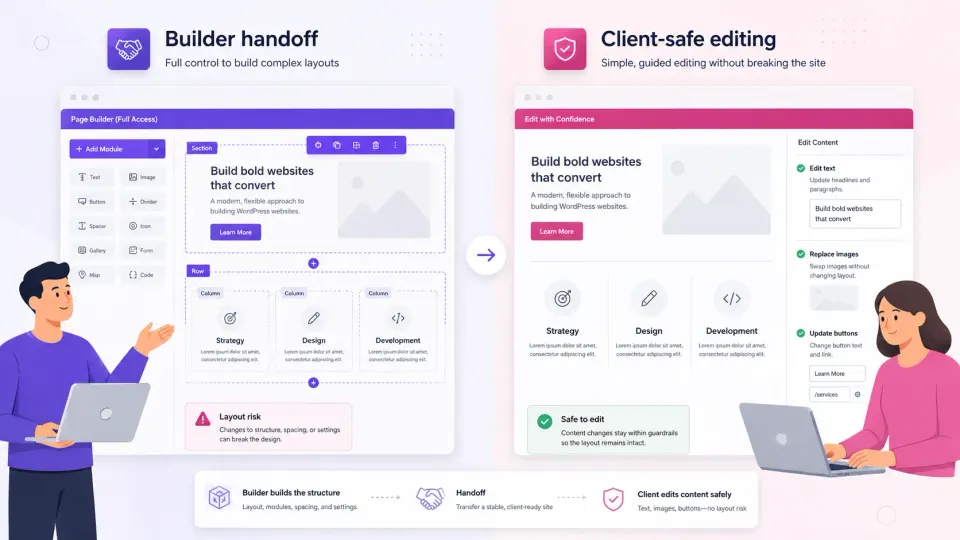
For Divi: based on official documentation and community reports, the frontend Visual Builder gives clients inline editing control. The trade-off reported by developers is that the interface exposes a lot of options, which can be confusing for non-technical clients.
For clients who need simple editing: Elementor has a slight practical edge based on my experience. For clients who need full design control: the community consensus favors Divi’s inline editing approach, though I cannot confirm this from personal use.
Who should use which
- You build many client sites and want one lifetime license
- Already in the Elegant Themes ecosystem
- Clients need visual editing with complex layout control
- You want a complete package (theme + builder + plugins)
- Starting out: want a free tier before committing
- Project needs specific third-party Elementor add-ons
- WooCommerce is a core requirement
- Performance matters and you want the lighter builder
Should you use a page builder at all?
This is worth asking directly. Page builders made sense in the pre-Gutenberg era when WordPress’s native editor could not produce complex layouts. In 2026, Gutenberg’s block system handles most layouts. And it keeps your content in standard HTML rather than builder-specific data formats.
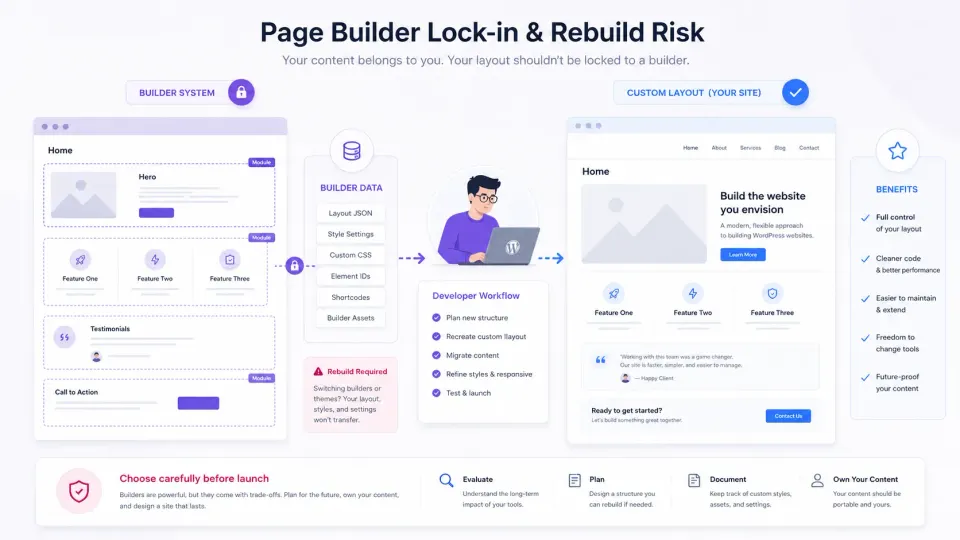
If your client edits content, both builders are justified. If you are the only one editing, and you are comfortable with code, consider GeneratePress or a block theme with Gutenberg. Your pages will be smaller, faster, and not locked into a builder’s data format.
Both Divi and Elementor create a form of lock-in. Switching builders later means rebuilding every page. That is worth knowing before you commit.
Frequently Asked Questions
Is Divi or Elementor better for beginners?
Which is faster, Divi or Elementor?
Is the Divi lifetime license worth it?
Can I switch from Divi to Elementor?
Should I use a page builder at all, or GeneratePress?
Disclosure: Some links on this page are affiliate links. If you make a purchase through them, I may earn a small commission at no extra cost to you. I only recommend products I've genuinely evaluated. Full disclosure →